Mixed Media · Tutorial

Ink Smooshing 101 — My Favorite Mixed Media Background Starter

Learn to Create Easy But Beautiful Mixed Media Cards: Part 2 in my Karen’s 3-Step Recipe Series
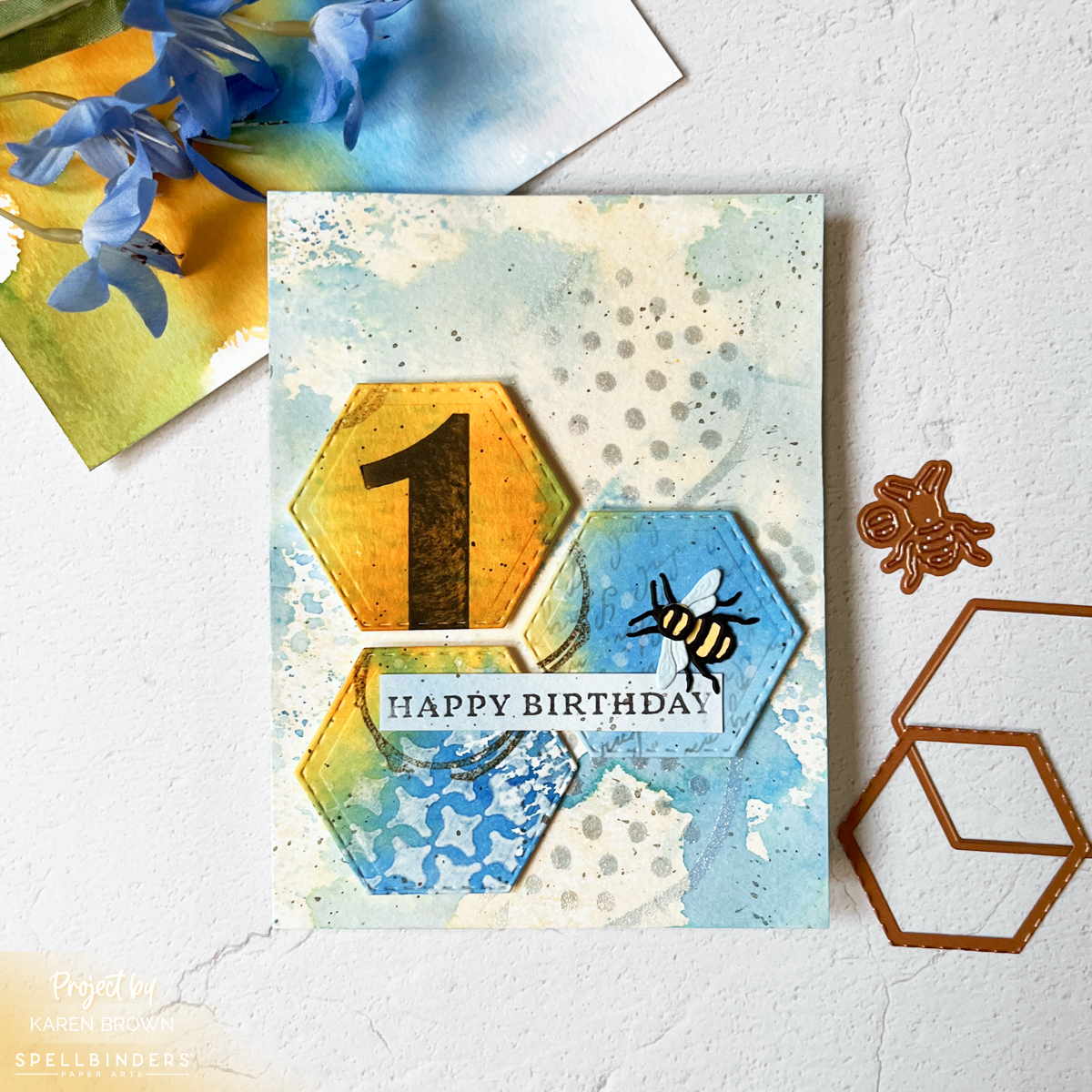
Mixed media birthday card featuring blue and honey gold ink smoosh backgrounds, layered stamping and stenciling, stitched hexagon die cuts, and a small bee embellishment.

Have you ever looked at a mixed media project and thought, “That’s beautiful… but I have no idea where to start”?

I’ve been there.

After years of playing with inks, stamps, stencils, and paper, I finally realized something important:

Mixed media doesn’t have to be complicated.

That’s when I developed my own simple framework that I now call:

Karen’s Mixed Media Recipe

Step 1: Create an Interesting Background
Step 2: Add 4+ Layers
Step 3: Add a Strong Focal Point

That’s it.

If you missed the introduction to this series, you can read it here:
Mixed Media Made Simple: My 3-Step Recipe for Fun & Easy Tags.

Now today we are diving deep into Step 1 — Backgrounds, and I’m starting with my absolute favorite beginner technique:

Ink Smooshing.
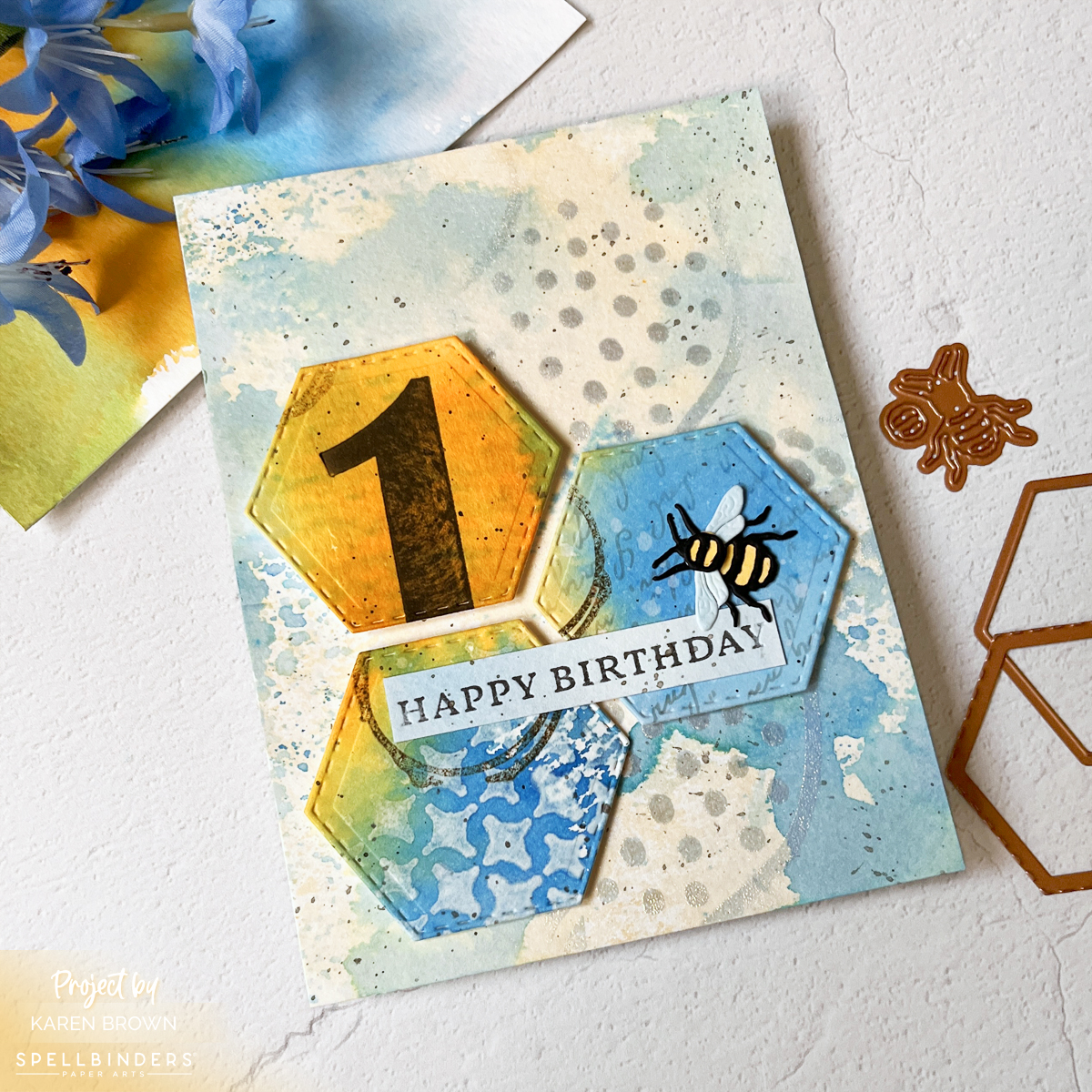
Mixed Media Birthday Card with 6 additional layers added to ink smoosh background. Color palette is blue, gold and cream.

Why Ink Smooshing Is Perfect for Beginners

If you are new to mixed media, this is the technique I always recommend first.

Why?

• No precision required
• Fast and easy to create
• Extremely forgiving
• Every panel turns out unique and interesting

There are no mistakes here. Just layers of beautiful, organic color.

And the more water you use?
The softer and dreamier your background becomes.

You might also enjoy watching my YouTube video: Mixed Media Tags for Absolute Beginners, where I walk you through the ink smoosh process on camera.


Let’s Talk Color (Without Adding a Step 4 😉)

You might be wondering if I should add a Step 4 to my recipe:
Use 1–3 colors.

Color restraint is absolutely important in mixed media.
Most cohesive projects use 1–3 colors. More than that and things can start to feel muddy or chaotic.

But visually, I love the simplicity of a 3-Step Recipe.

So instead of adding a formal Step 4, I treat color choice as a design principle that supports every step.

For today’s project, I chose:

• A neutral tan
• Honey golden yellow (Wild Honey Distress Ink)
Blue Hawaii Reactive Ink

The blue feels calming.
The yellow has energy.
Together they create a beautiful balance.

When choosing multiple colors, try using colors that are next to each other on the color wheel (analogous colors). They blend naturally and beautifully.

Avoid mixing complementary colors (opposites like blue + orange, red + green, yellow + purple) unless you intentionally want a neutral brown — because they will neutralize each other quickly.
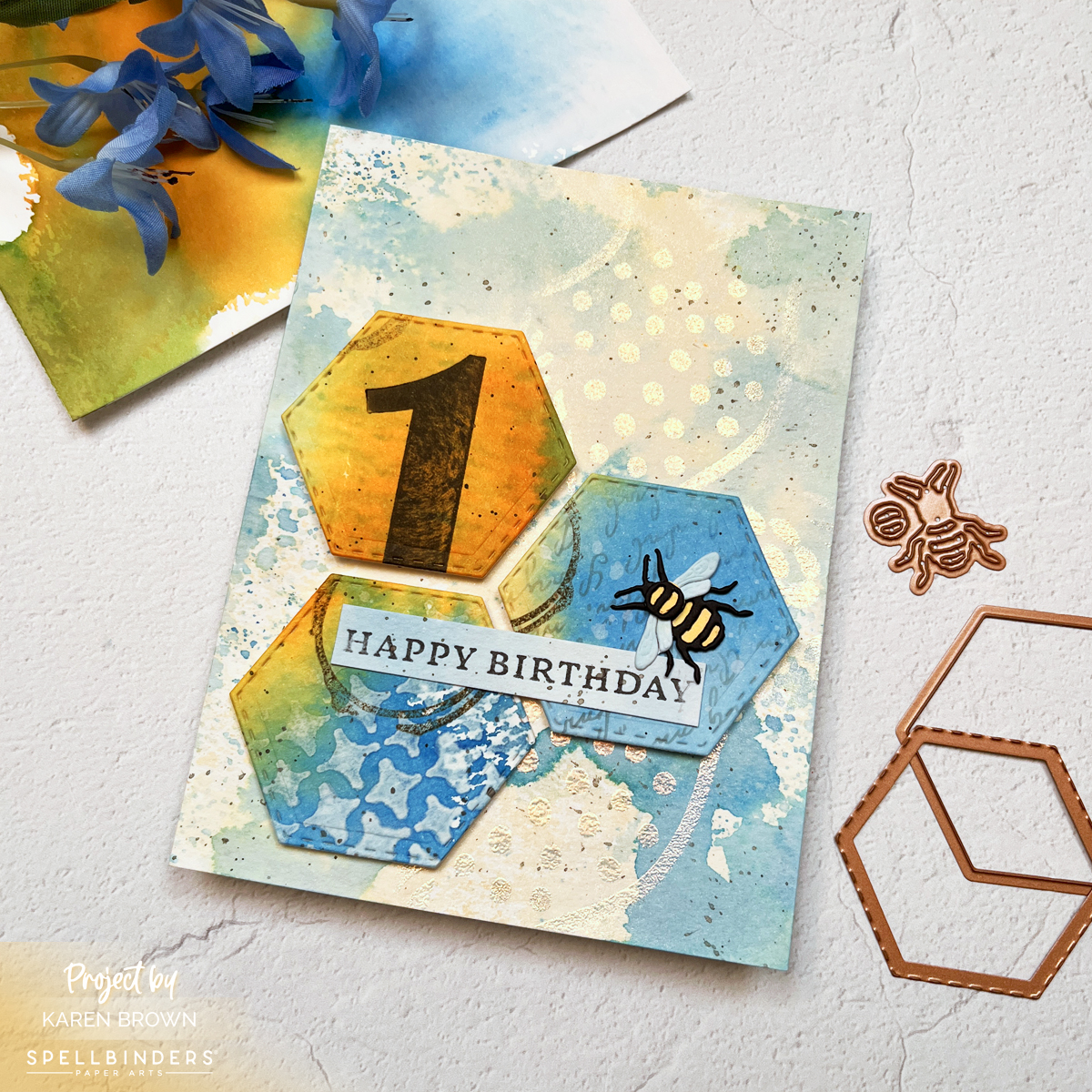
Mixed Media birthday card with heat embossing, stamping, letterpress, watercolor bleaching, splatters, stenciling.

Basic Ink Smoosh (Step-by-Step)

Ink smooshing is wonderfully simple.

  1. Dab a water-based ink (Distress Ink or Reactive Ink) onto your craft mat, acrylic block, or acetate.
  2. Spritz with water.
  3. Press watercolor cardstock into the puddle.
  4. Let it sit for 1–5 minutes.
  5. Lift and dry.

That’s it.

The result is a soft, watercolor-style panel full of movement and variation.


Practice Makes Better — We’re Making TWO Backgrounds

Since this post is all about backgrounds, I decided to create a project using two ink smoosh panels.

One panel will become the card background.
The second panel will be die cut into hexagons for our focal point.

This gives us double the practice — and far more visual interest than die cutting from solid cardstock.

Because we created both panels together, the colors coordinate beautifully.

And yes… this is where my hashtag comes in:

If you try this technique, I would love to see it.
Use #karensmixedmediarecipe so we can follow along with each other’s projects.

I think it will be such a fun way to build this series together.


5 Ink Smoosh Variations

I created five variations for this post. Not because you need to do all five every time — but to show how versatile one technique can be.

Pin this graphic for future reference
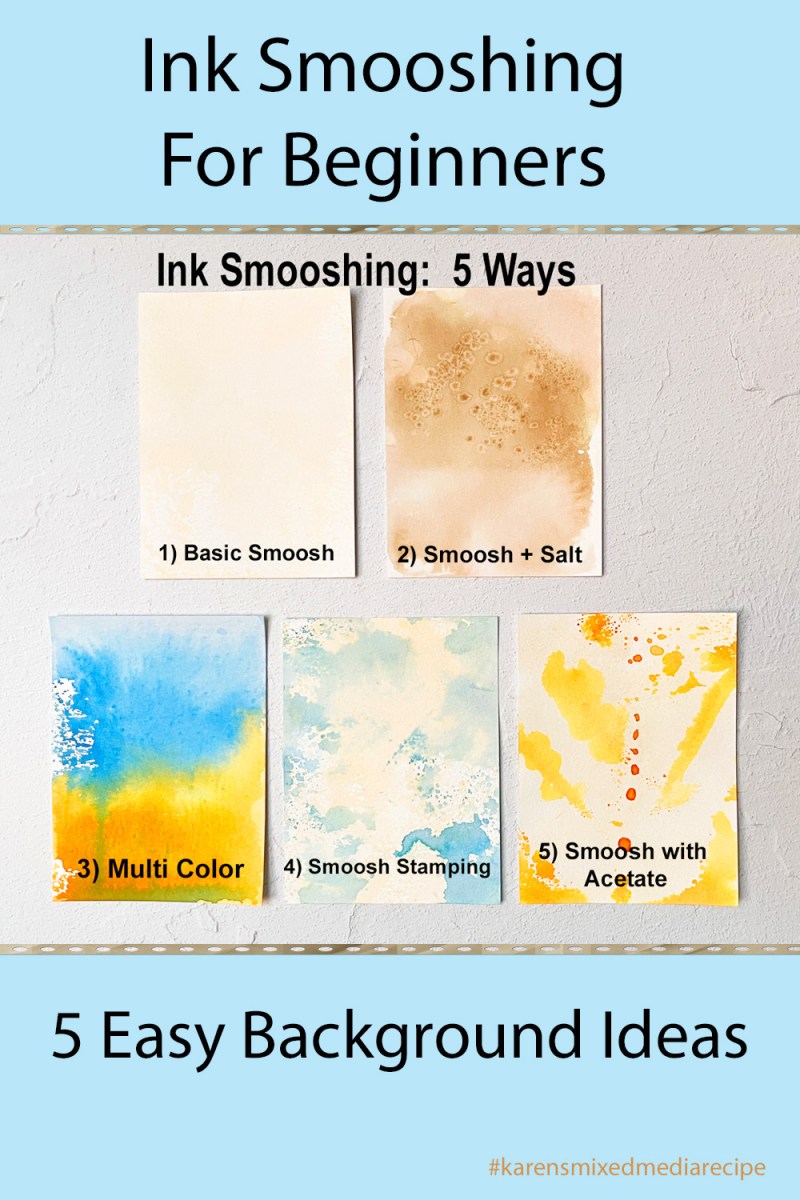
Five easy ink smooshing ideas for card backgrounds including salt texture, stamping, acetate prints, and multi-color mixed media techniques.
Ink smooshing technique with watercolor cardstock creating soft abstract card background ideas.

1. Single Color Basic Smoosh

I used a neutral cream ink.

Dab ink on mat → spritz → lay panel into puddle → weight with acrylic block → wait 1–5 minutes.

This is a total workhorse background.
Consider making extras for your premade background bin.
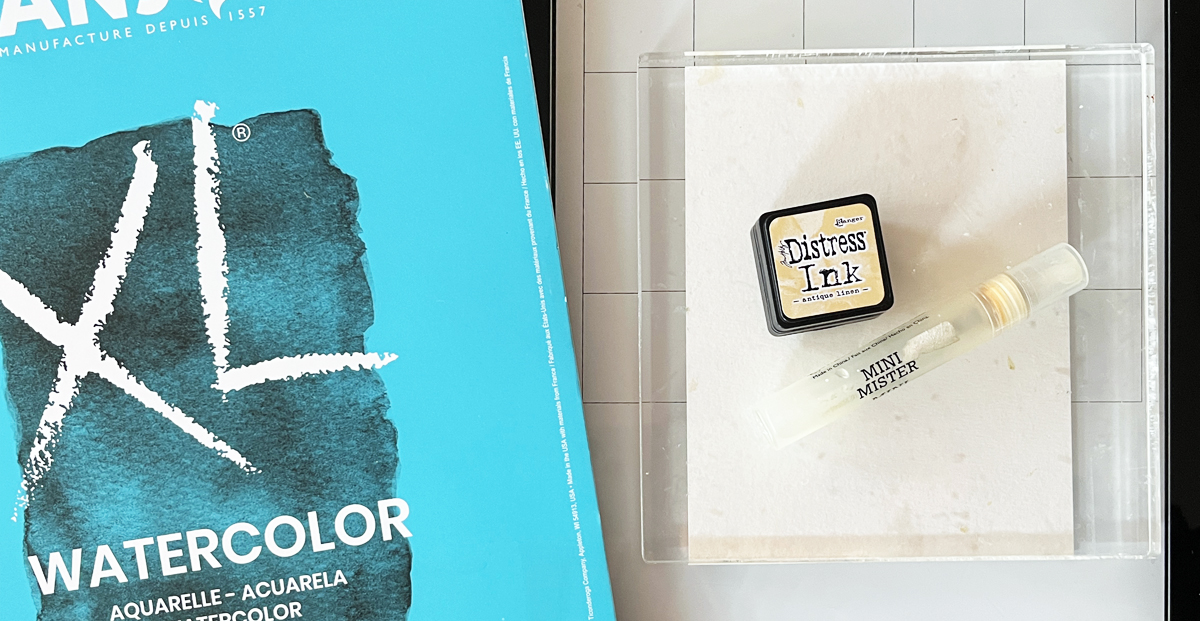
Process photo showing basic inksmoosh set-up
Easy neutral background that works with almost any card or tag project.

2. Ink Smoosh + Salt Texture

Create a basic panel.

While still wet, sprinkle salt.
Let dry completely.
Brush off the salt.

The salt absorbs pigment and creates beautiful mottling.

The darker the ink, the more dramatic the effect.

Instant vintage texture.
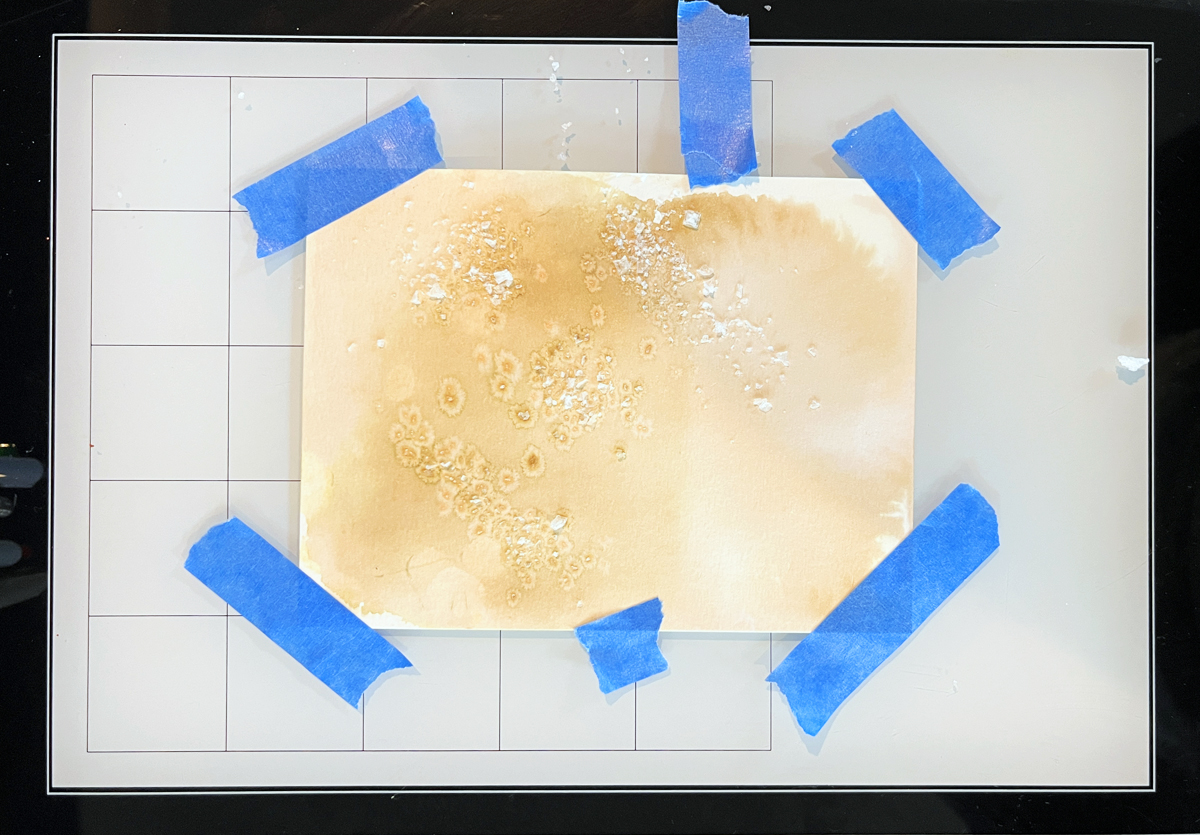
Process photo showing the Ink Smoosh + Salt Technique with tan ink on watercolor paper
Adding salt to your ink smooshing adds surprising interest and texture.

3. Multi-Color Smoosh

Start like the basic version, but add 2–3 colors in bands or random placement.

This panel is vivid and dynamic — and it’s the one I used to die cut my hexagons.

Remember:
Stick to 1–3 colors that blend nicely.
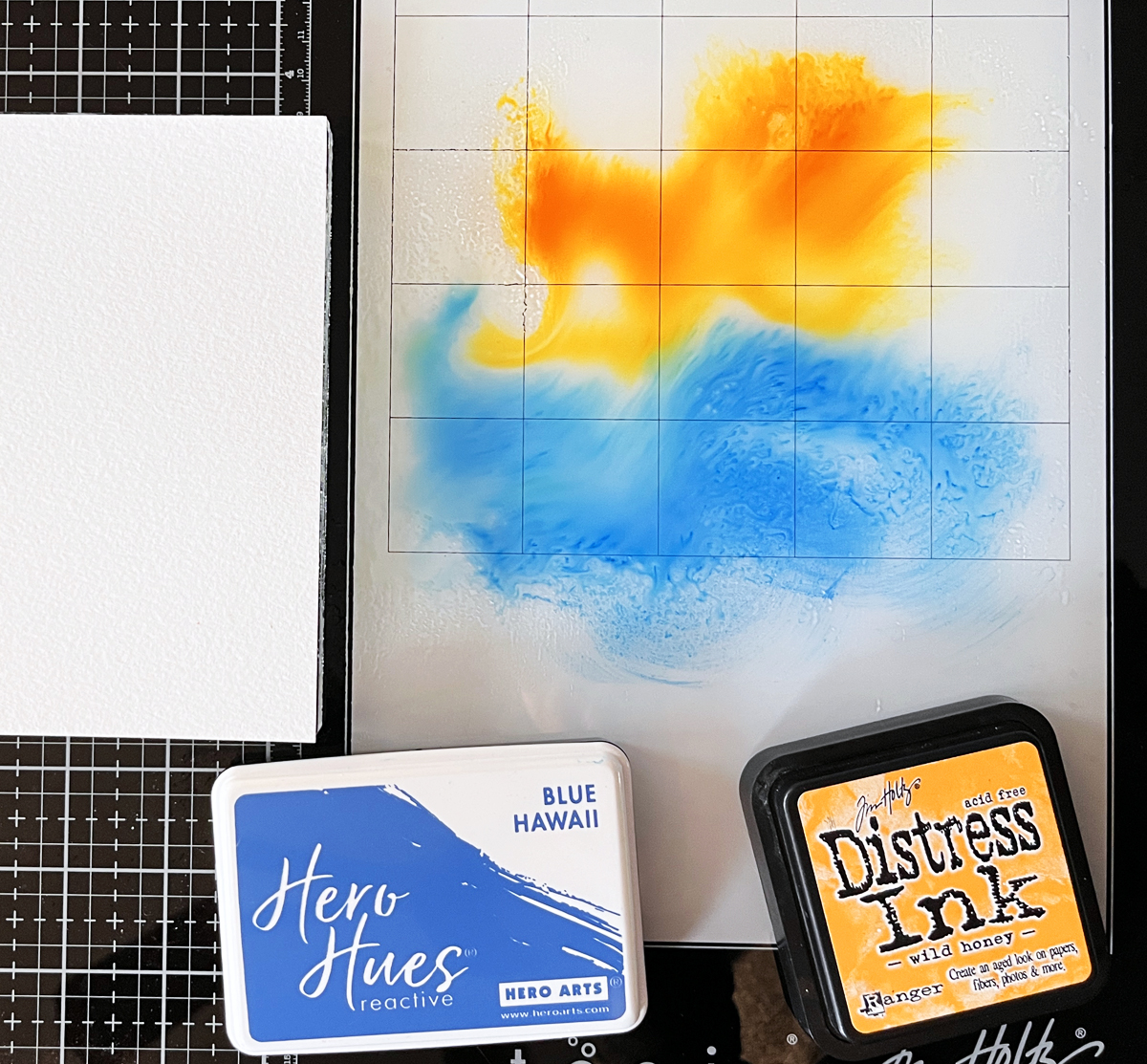
Process photo showing two color ink smoosh technique (blue and gold)
Using two colors of ink on your ink-smoosh backgrounds adds bold dynamic energy to your projects.

4. Two-Color Ink Smoosh Stamping

Dab ink onto an acrylic block.
Spritz.
“Stamp” onto watercolor cardstock.

Repeat with same or new color until satisfied.

I used tan and blue here — and this panel became the main card background.
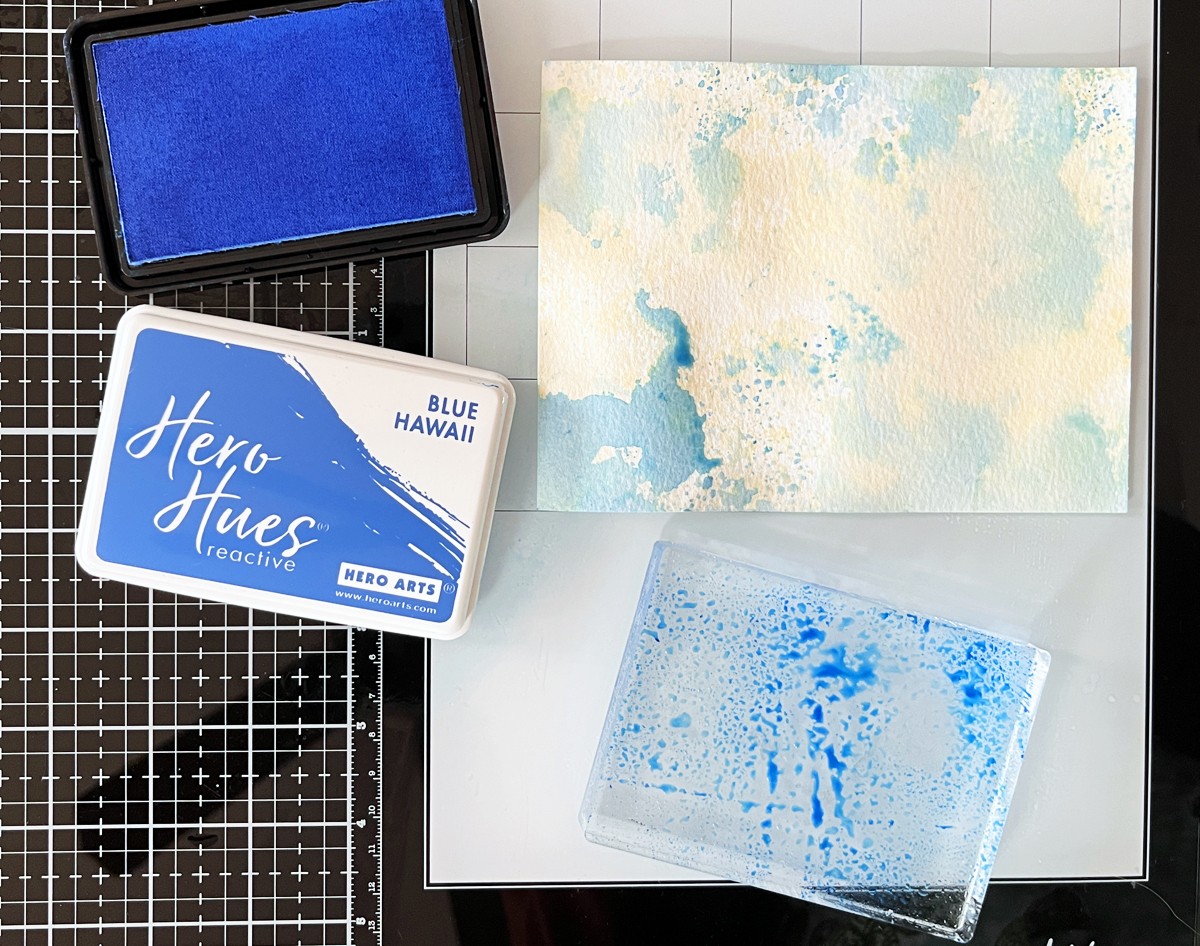
Process photo showing Ink Smoosh Acrylic block stamping variation with blue ink on watercolor paper.
Ink smoosh stamping is a great way to have more control on your ink placement.

5. Ink Smoosh with Acetate

Dab ink on acetate.
Spritz.
Bend so only part “kisses” the paper.

This is fantastic for controlled color placement.

I also gently shook the acetate for larger splatters.
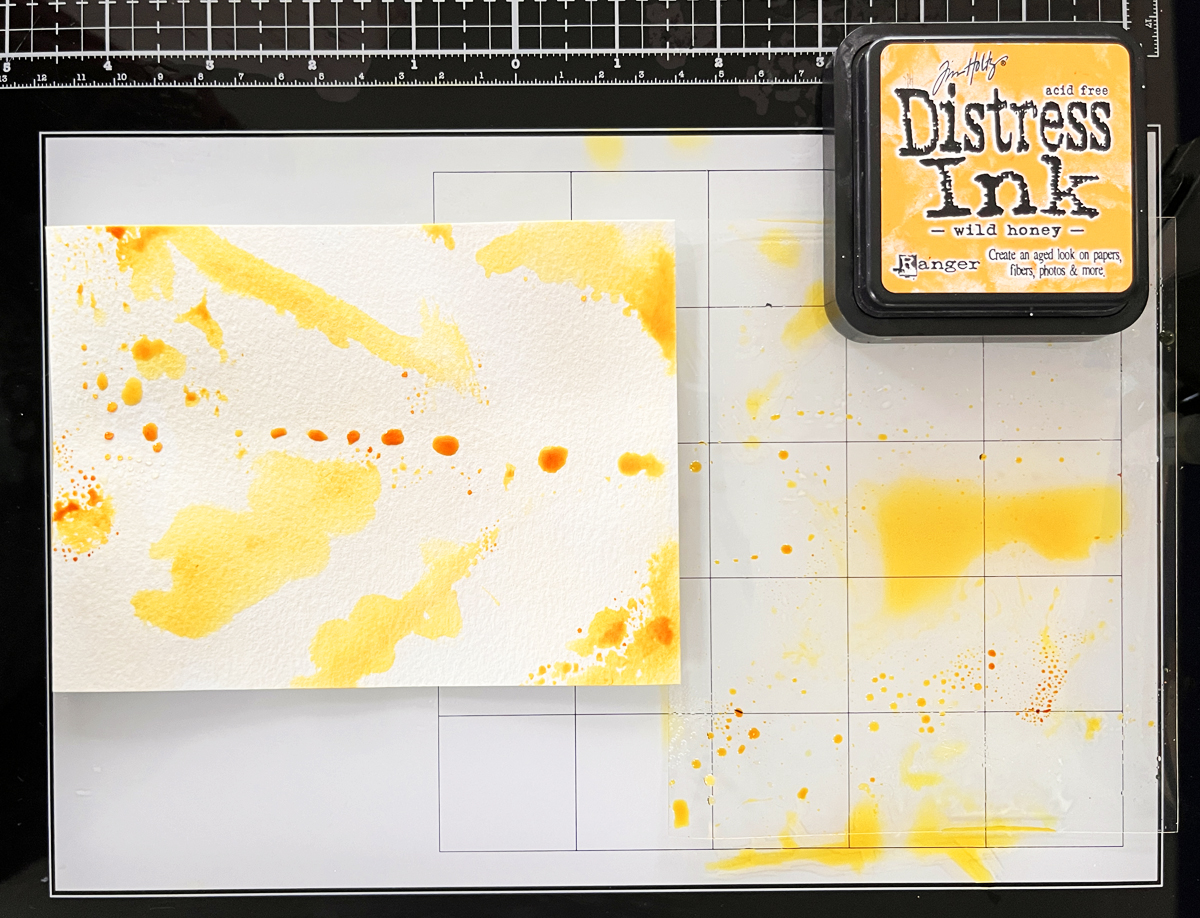
Process photo showing Ink Smoosh Acetate variation with yellow ink on watercolor paper.
By bending your ink smoosh acetate, you can add dabs of color where you want.

Shop Your Stash

I keep a bin full of premade backgrounds so I can “shop” when I start a new project.

On Background Days, I make extras.

Today I added three panels to my premade background bin.

Future Karen will thank me.


Let’s Add Layers

Layers are the magic in mixed media.

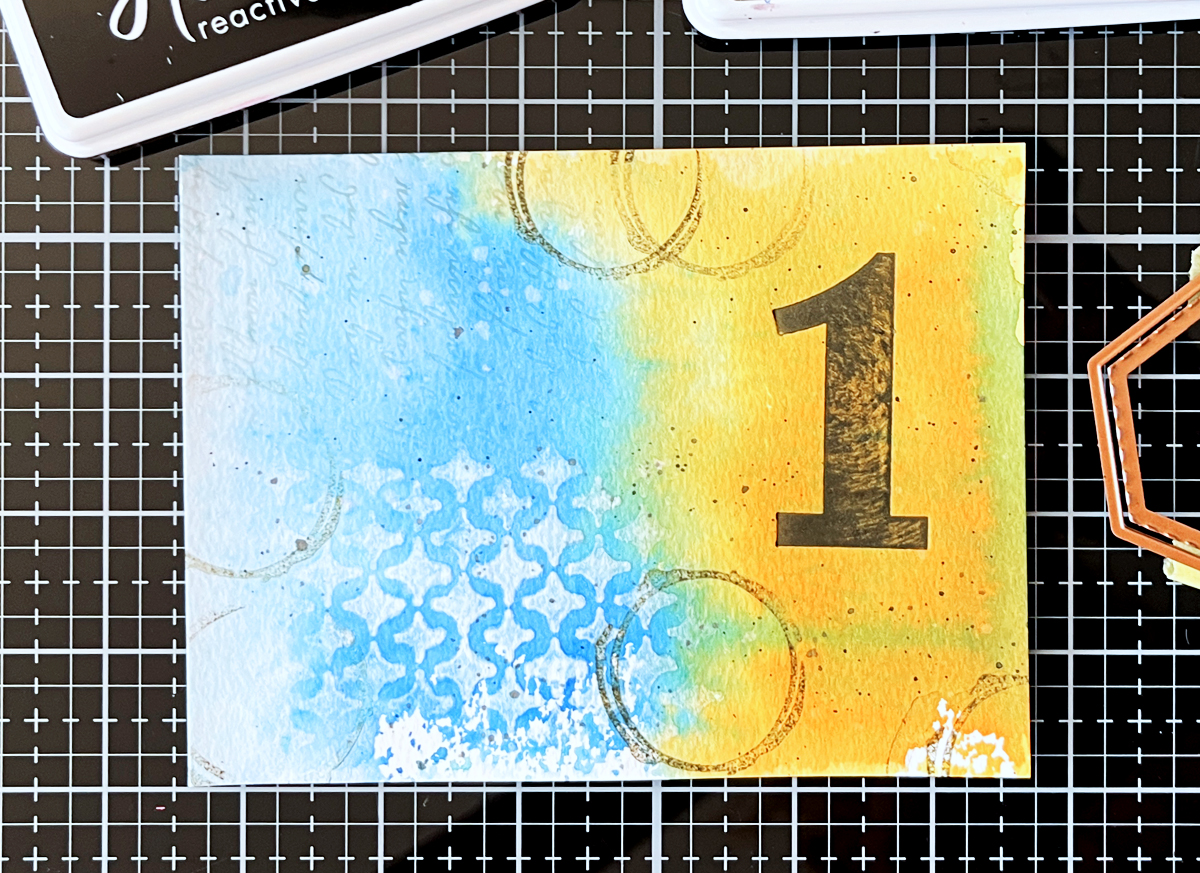
Here’s what I added to the blue and gold panel (the one I die cut from):

  1. BetterPress Number (Bold Color Mix Numbers BP-243) using Licorice Reactive Ink
  2. Script stencil on about 20% of the card
  3. Removed color through Sparkle Weave stencil using a baby wipe
  4. Stamped coffee stains with Root Beer ink
  5. Water splatters (blotted)
  6. Black splatters
Mixed Media Background panel with addtional layers: BetterPress Number (Bold Color Mix Numbers BP-243) using Licorice Reactive Ink,
Script stencil on about 20% of the card,Removed color through Sparkle Weave stencil using a baby wipe,Stamped coffee stains with Root Beer ink, 
Water splatters (blotted),
Black splatters
Adding additional layers to your ink smoosh background creates interesting depth to your finished card.

To the card background panel, I added:

Dots and squiggles stenciled with iridescent bronze embossing powder
• Fine black splatters

Layers create depth.
Depth creates interest.

And the shine on the background is SO beautiful in person.
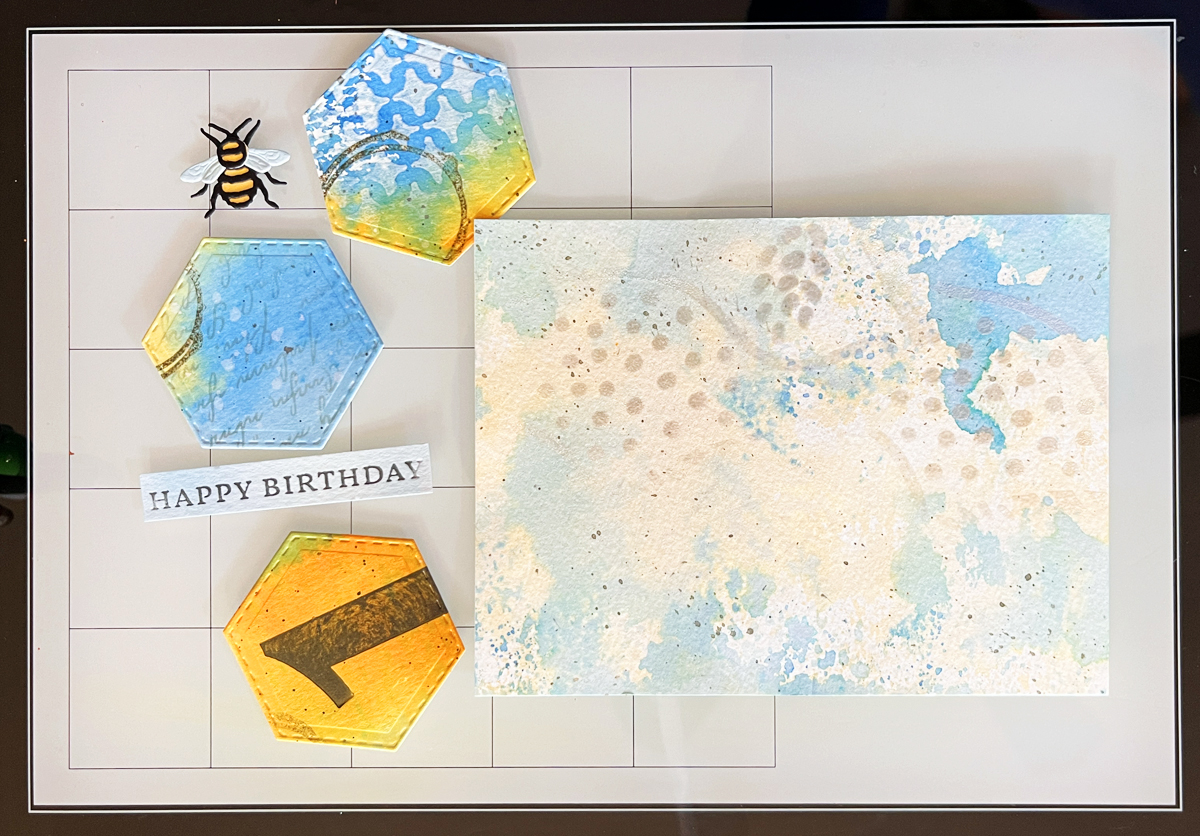
Process photo showing mixed media card components ready to assemble with a beautiful metallic heat embossing glow on the watercolor background panel.
Gathering your mixed media elements is always fun.

Focal Point — Hexagons

I love using shapes as focal points.

Hexagons are wonderful because they interlock — almost like puzzle pieces.

I die cut three stitched hexagons from my layered panel.

Two are stacked.
The third nestles into the “V” space.

Then I added the sweetest little bee, die cut from leftover scraps.

Because we created our panels first, the hexagons feel cohesive and integrated — not pasted on.

The blue and honey gold palette moves beautifully across the design.
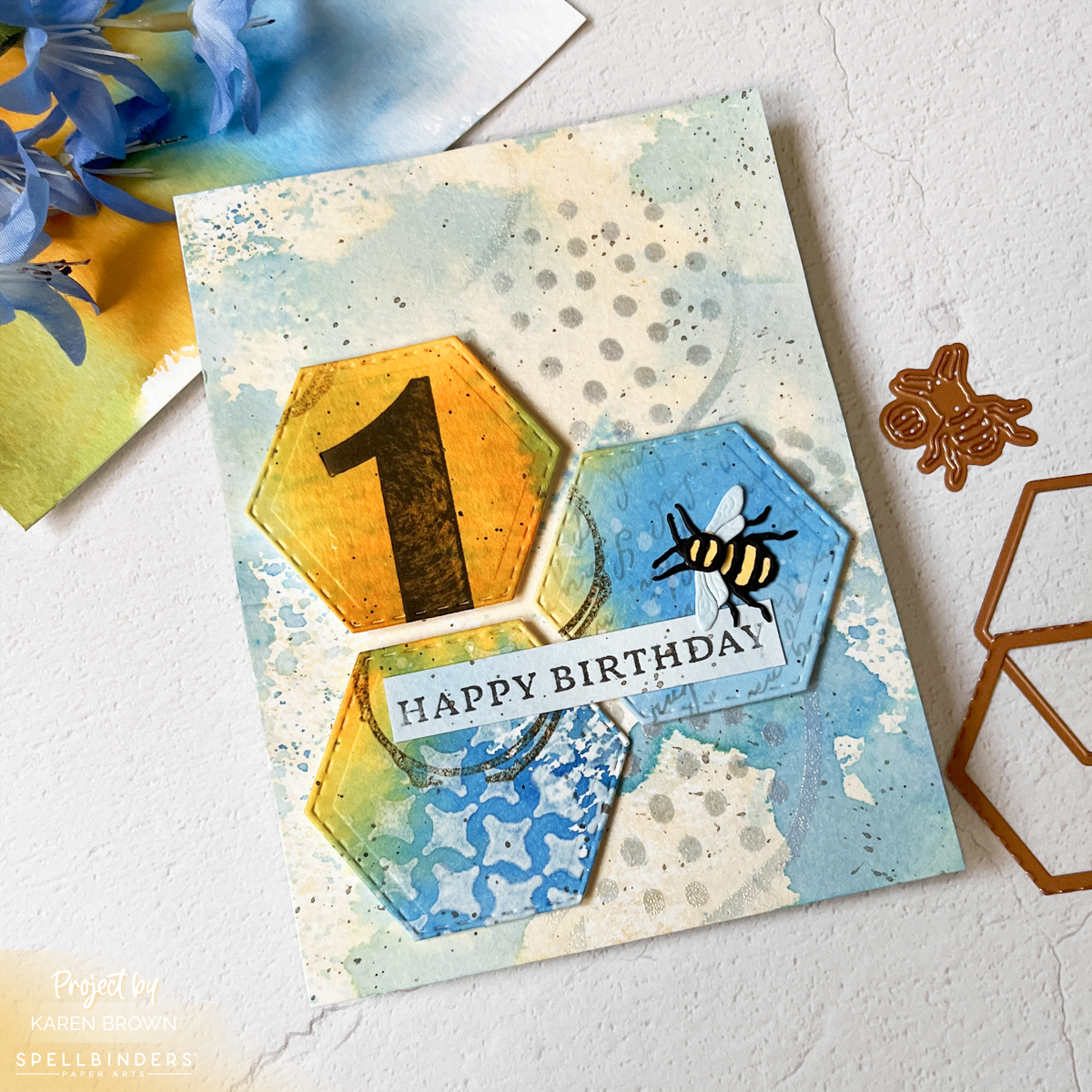
Mixed Media Birthday Card with Spellbinders Vintage Lavender Fields Stitched Hexagon Die Cut Focal Point with a charming Bee.

Build Your Mixed Media Toolkit

If you’re just getting started with mixed media, here are a few of the essentials I personally use.

Die Cutting:

My Favorite Mixed Media Inks:

Essential Supplies:

Layering Staples:

If you’re building your craft room supplies, you might also enjoy my guide to the 14 Best Cardmaking Products and Supplies, where I share the tools I reach for again and again.


I have a 25 second fast paced reel of this card.


Final Thoughts

If you are new to mixed media, start here.

Ink smooshing builds confidence.
Confidence builds creativity.

And creativity builds layers.

If you try this technique, tag your project with #karensmixedmediarecipe — I would truly love to see what you create.

Next up in this series, we’ll dive deeper into layering magic.

cardmaking · Tutorial

1 Die Set, 2 Moods: Coffee Shop Chalkboards & a Lemonade Easel Card

Create Dimensional Keepsake Cards That Will Wow Your Recipient

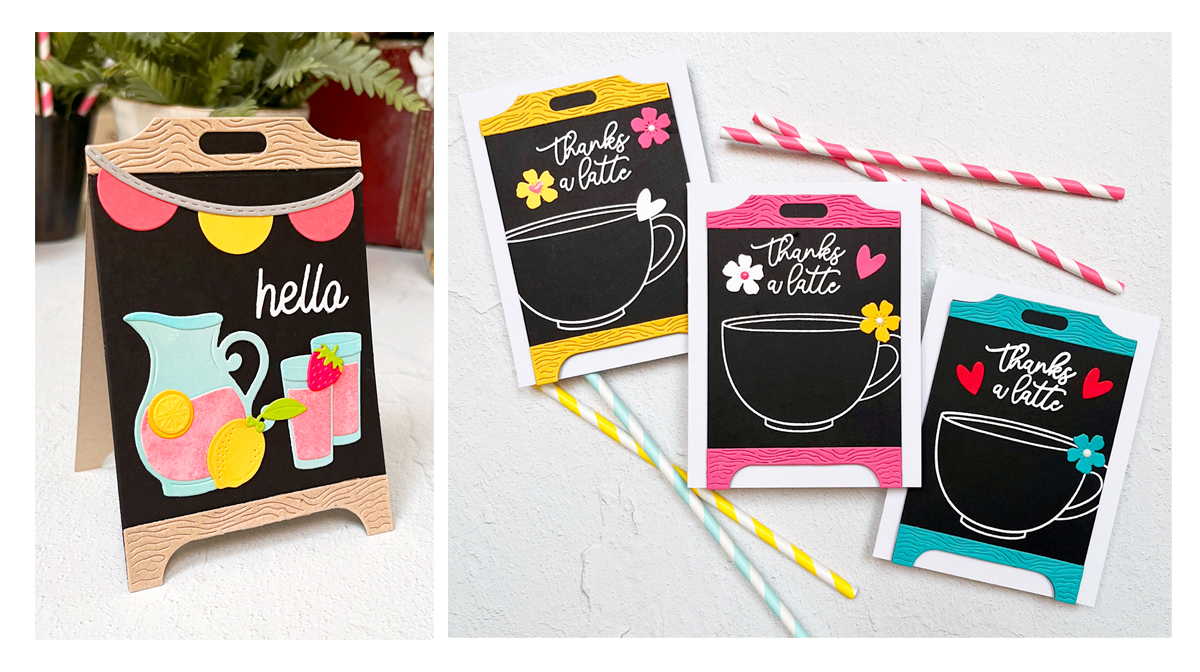
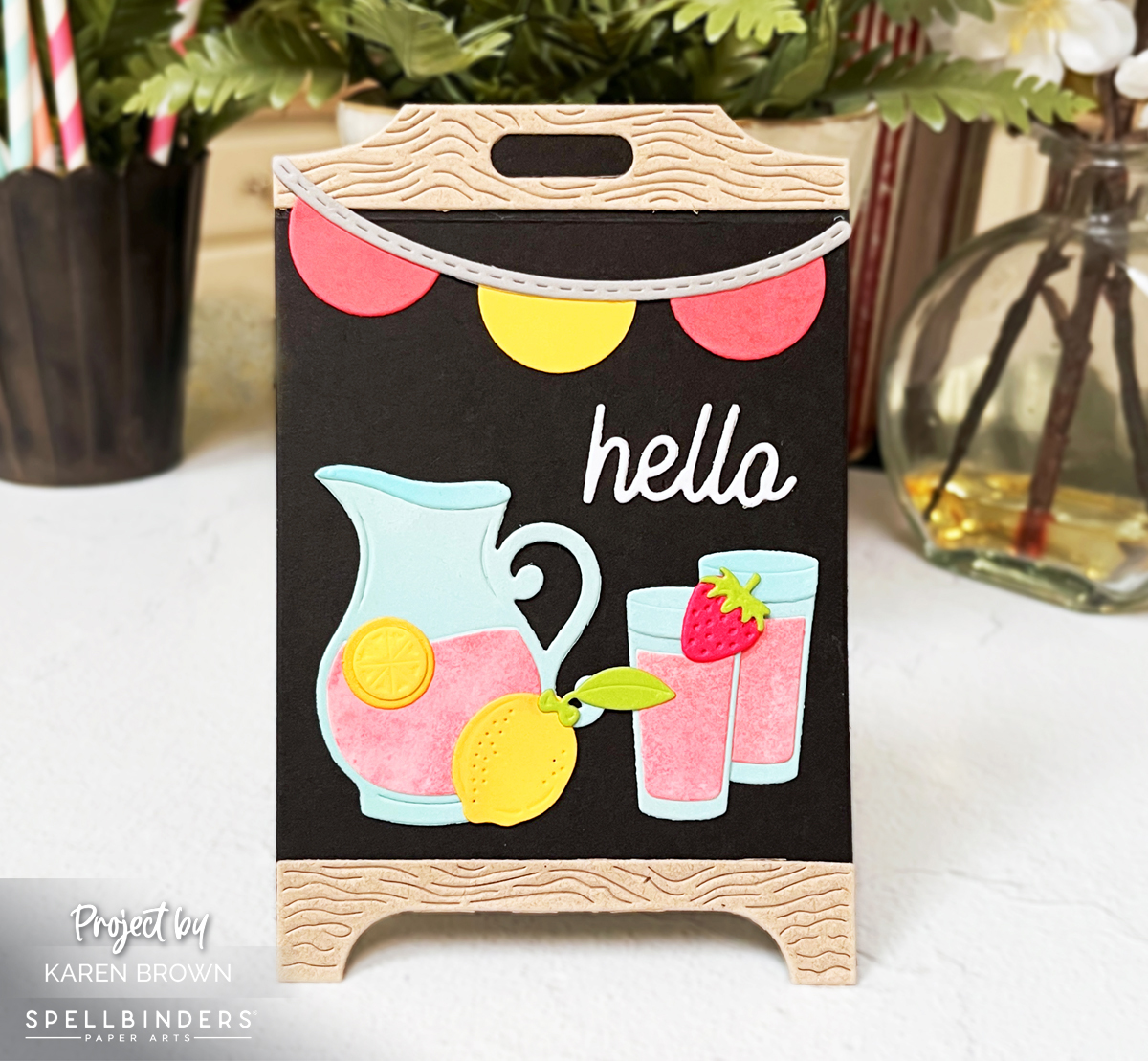
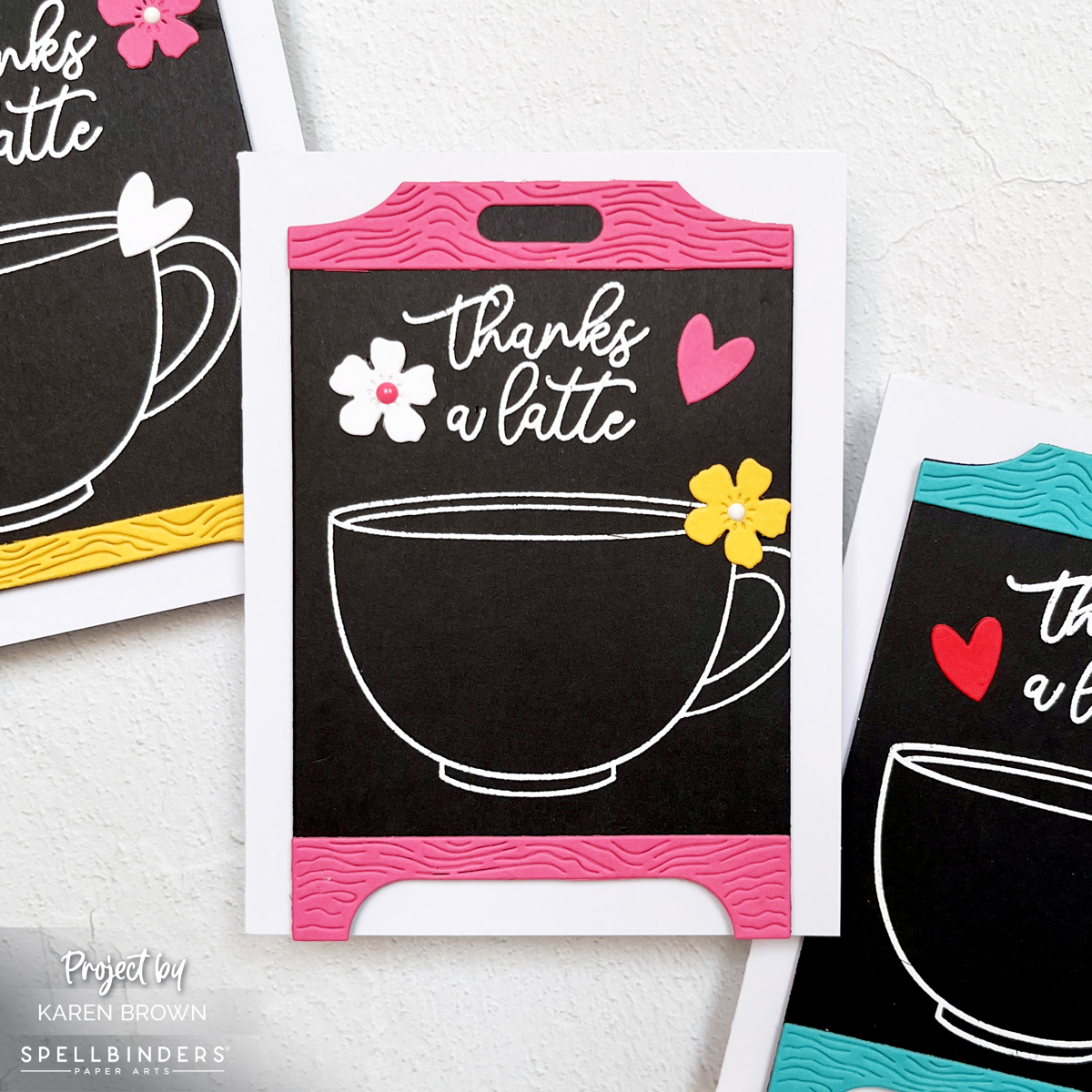
4 versions of chalkboard easel die-cut cards from Spellbinders Pink Lemonade Stand Collection

Some die sets are fun. Others quietly become craftroom staples—the kind you reach for again and again because they work for everything.

The new Spellbinders Pink Lemonade Stand Collection is firmly in the second category. With its stand-up easel chalkboard design, customizable accessories, and endless styling options, this die set can go modern or playful, graphic or cozy, bold or soft.

Today I’m sharing two dimensional easel card designs using the same kit:
• a bright, cheerful stand-up strawberry-lemonade easel card that practically begs to be displayed

• a trio of bold, graphic coffee shop thank-you cards featuring dramatic black cardstock and heat embossing

Along the way, I’m also sharing a reliable heat embossing tutorial, tips for building sturdy easel cards, and ideas to help you get the most mileage possible out of this die set.

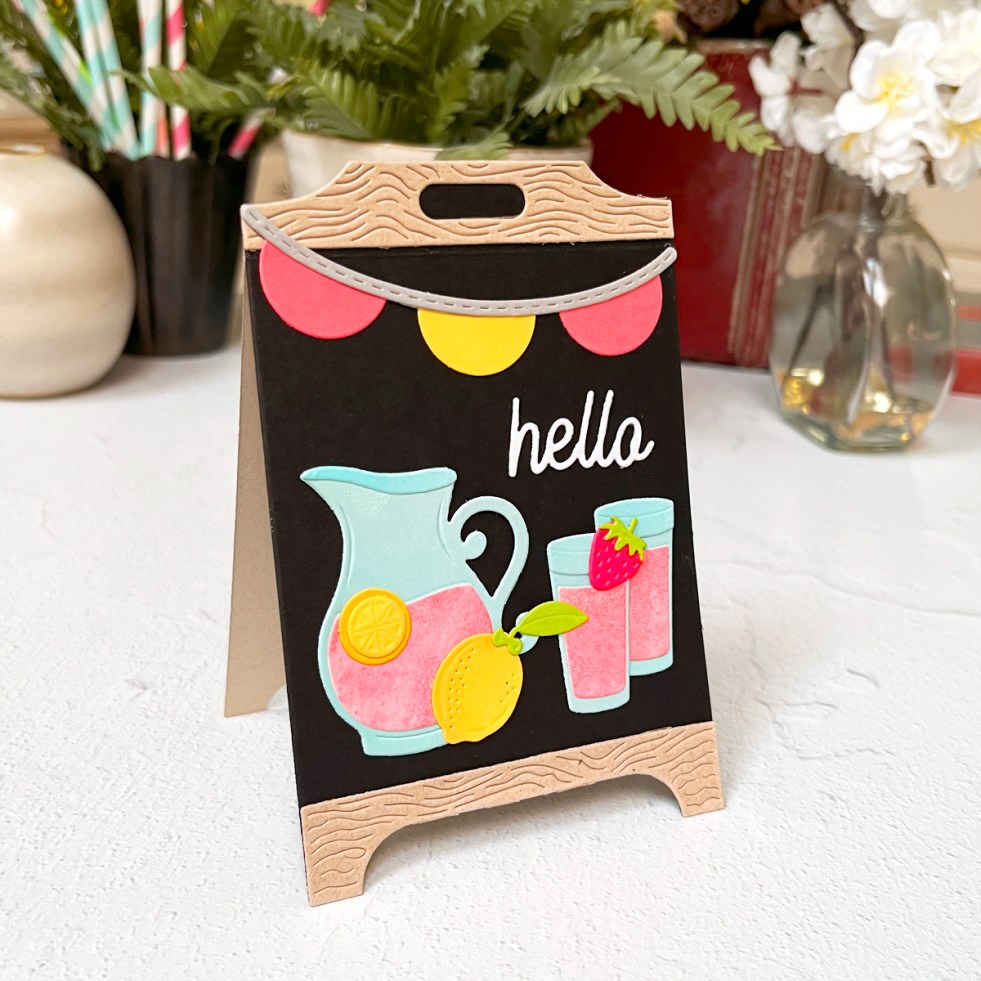
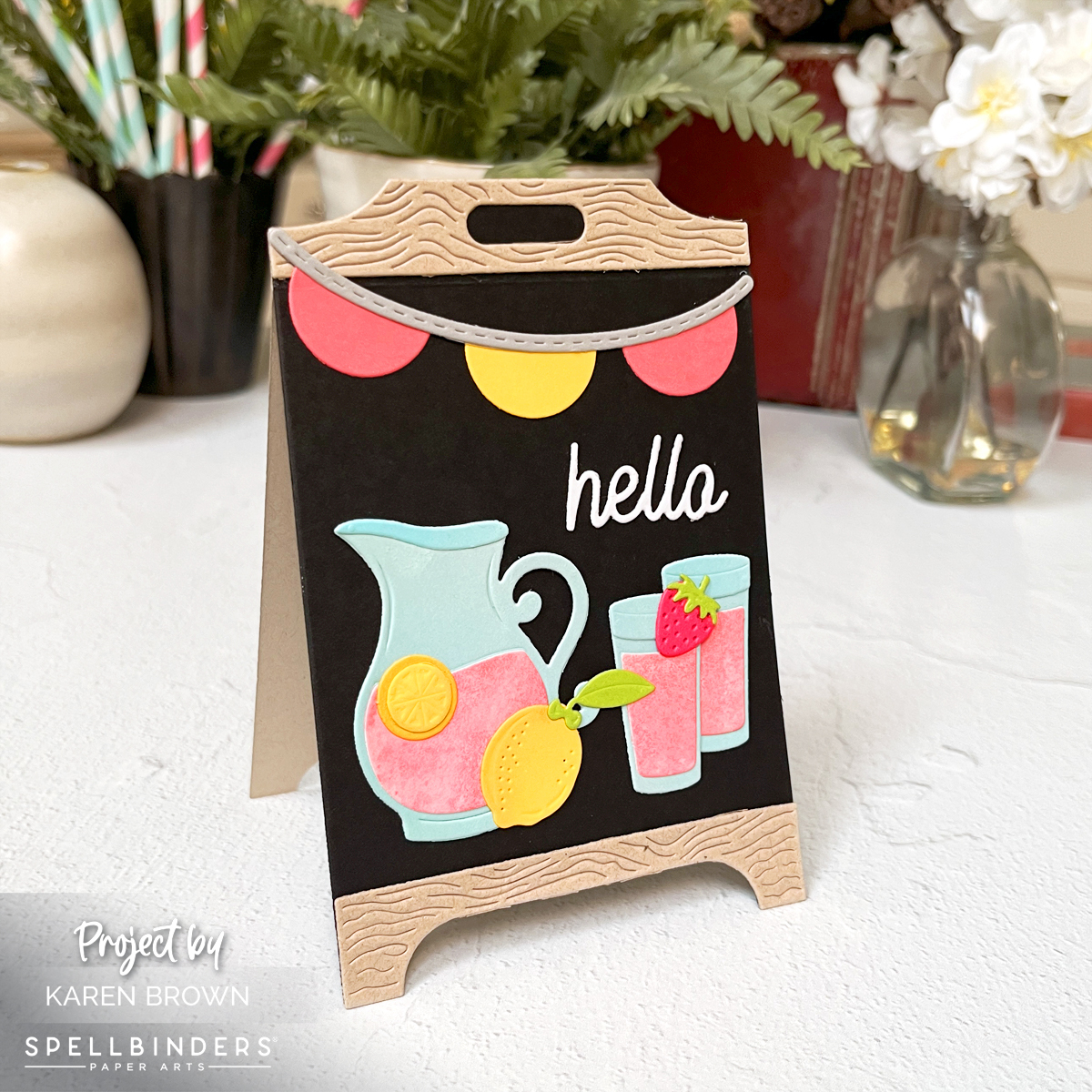
Angled side view of pink lemonade stand easel card standing upright for display

Product Spotlight: Pink Lemonade Stand Die Set

The chalkboard easel card featured today is built with the delightful Pink Lemonade Stand Die Set from Spellbinders.

What makes this set so versatile is the dimensional stand design and the mix-and-match accessories that allow you to style it for everything from summer lemonade stands to cozy coffee shop scenes.

Why I love it:

• Creates dimensional easel cards that display beautifully
• Includes fun accessory pieces for customizing your stand
• Works with many different themes and occasions

See the die set here.


Lemonade Stand Easel Card (Bright, Happy, Display-Worthy)

For my first card, I used the Lemonade Stand die set traditionally—and it’s a show-stopper.

Design Details

  • Black chalkboard center
  • Tan “wood” frame top and bottom
  • Die-cut pitcher of pink lemonade, glasses, lemons, and a strawberry
  • Included hello sentiment
  • Pink and yellow banner across the top

Color palette: pink, yellow, and pale blue—bright, happy, and eye-catching without being busy.

Lemonade stand easel card with pink lemonade pitcher, lemons, banner, and black chalkboard background.  Spellbinders S6-269
Dimensional stand-up easel cards beg to be displayed.

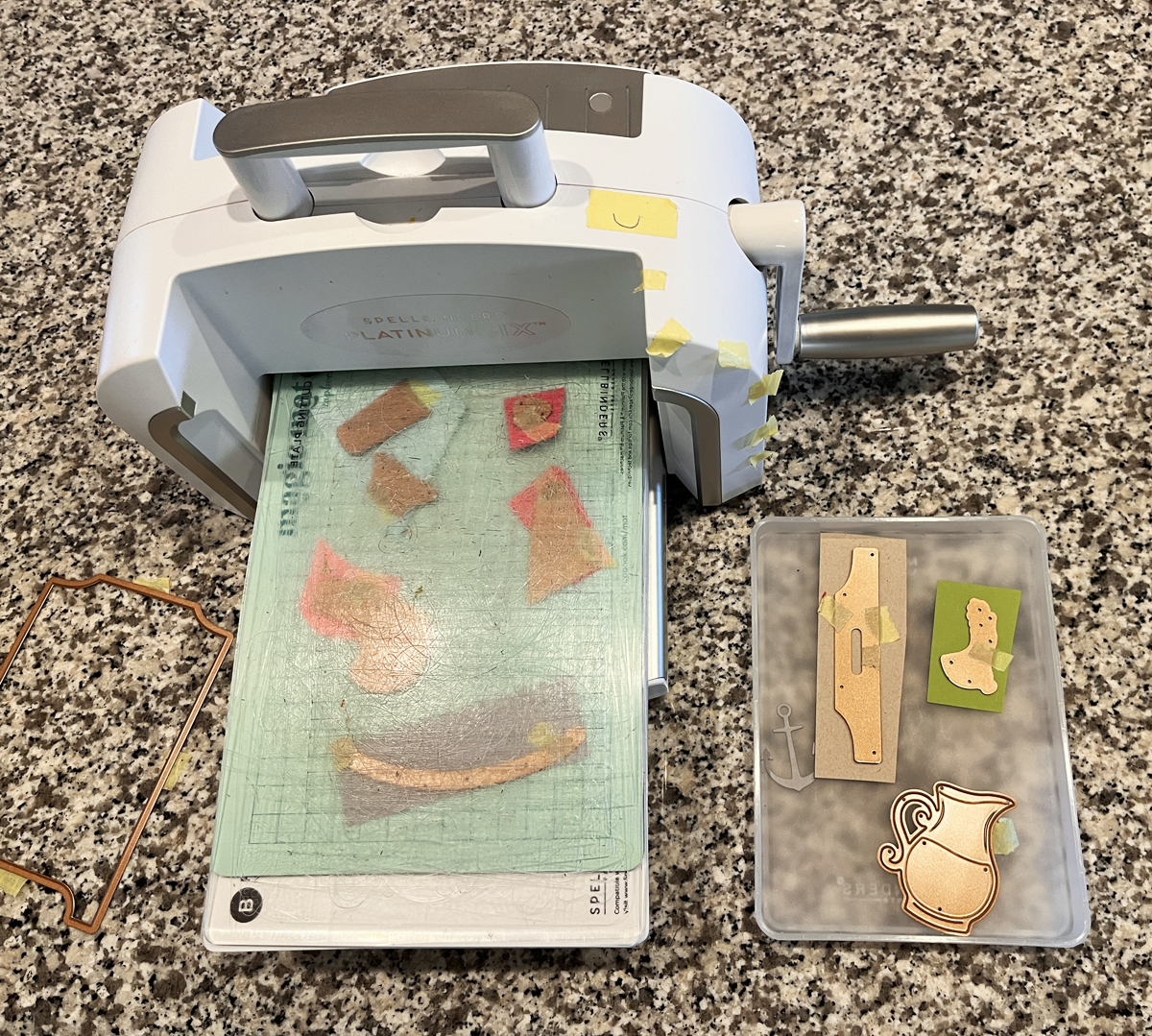
I cut many of my elements from lightly inked scraps, which keeps everything from looking flat. I also added a touch of ink blending to the lemons for dimension.

If lemons are your thing too, you might enjoy this favorite from last year → Lovely Lemons: Die Cutting, Ink Blending & a Touch of Gold.

I am sharing a diecutting process photo and I talk more about why I love my Platinum 6 in my must-have cardmaking list.

process photo of die-cutting
Die cutting lemonade embellishments creates fun interest on chalkboard easel display cards.

Up-Right Easel Assembly Tip

  • Die cut a second chalkboard backer from tan cardstock
  • Score just below the top wood header on the front and back panel
  • Glue only the top headers together to create a sturdy stand

These display-worthy cards are the kind recipients keep out long after the occasion.

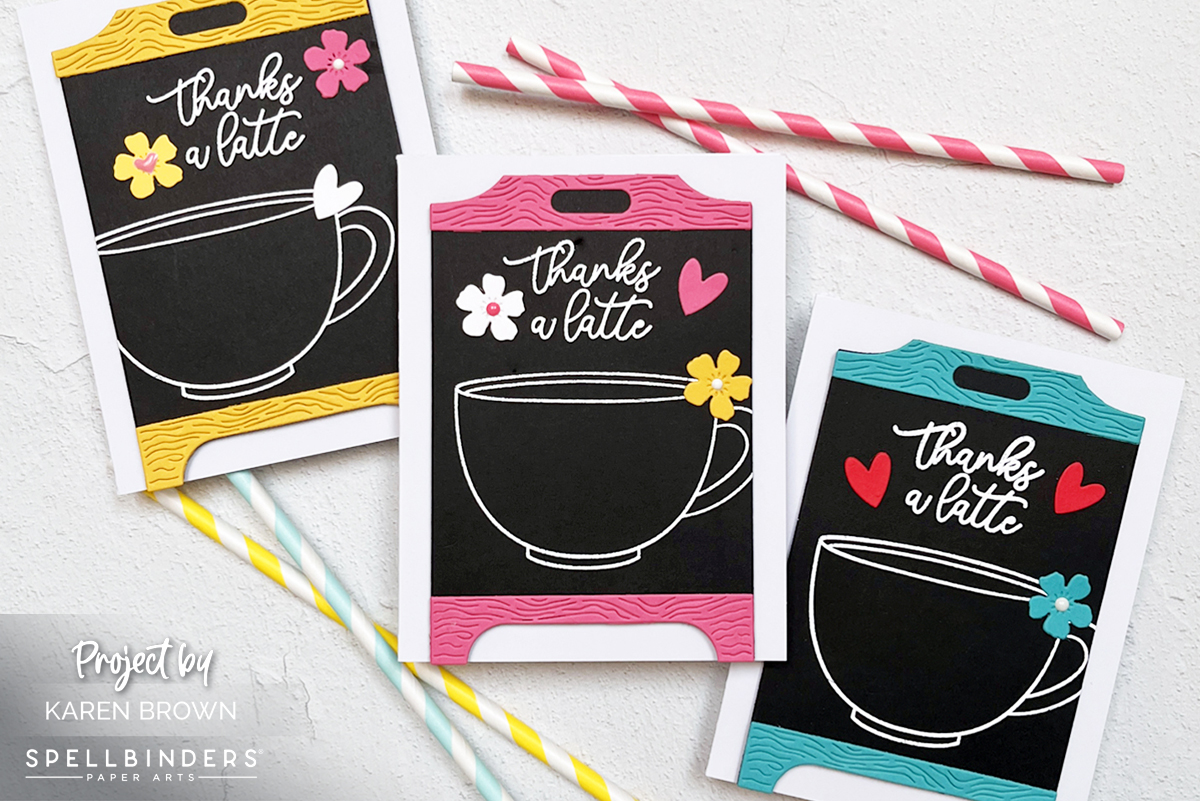
Trio of Coffee Shop Thank-You Cards (Black Cardstock = Instant Drama)

For my trio of cards, I leaned fully into a coffee shop chalkboard vibe—modern, graphic, and cozy all at once.

coffee themed handmade easel cards.

Design Details

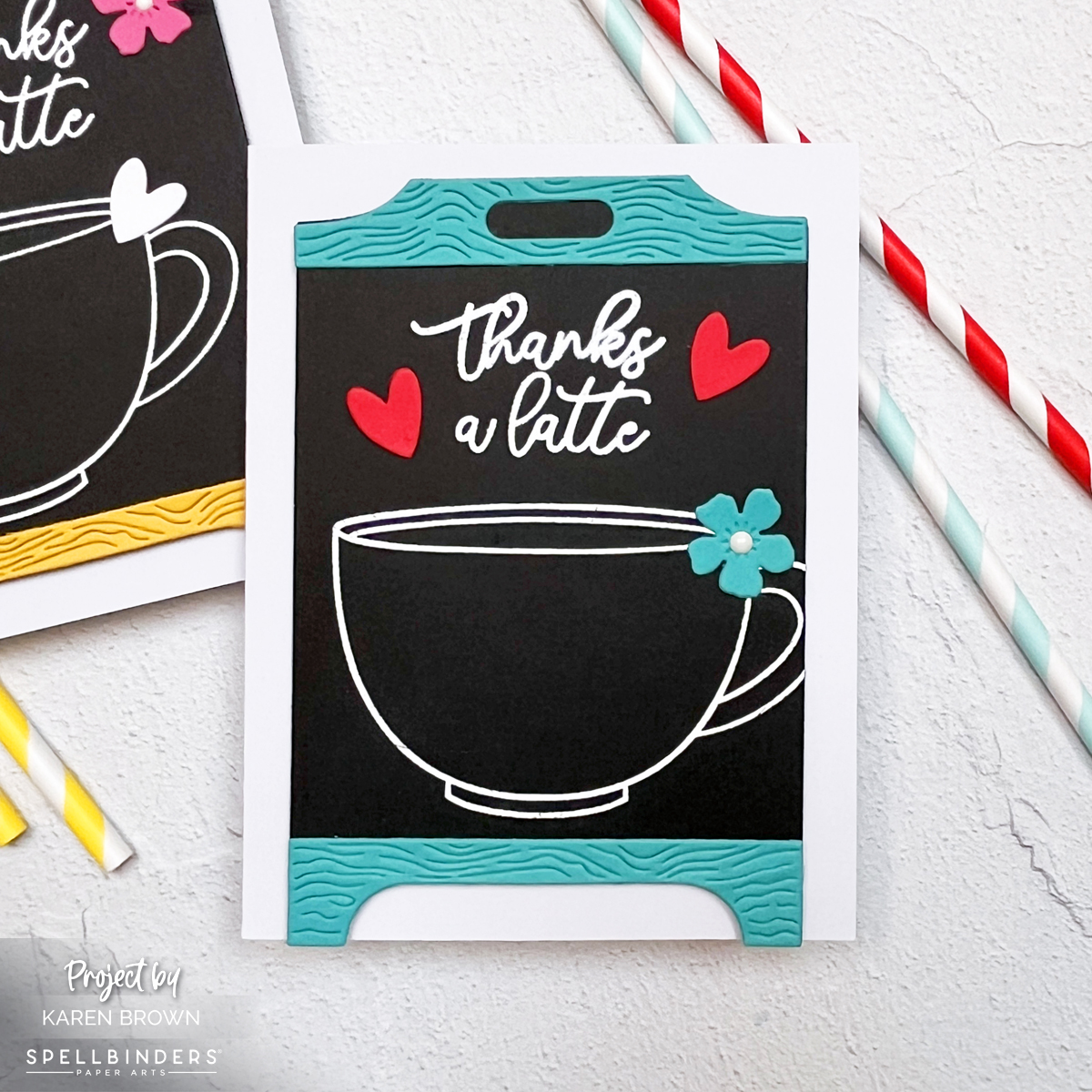
I trimmed the coffee cup image slightly, which instantly made the design feel more like a real café chalkboard. The glossy white embossing against deep black cardstock is one of those combinations that never fails.

If you love coffee-themed cards too, you might enjoy my bold espresso-inspired project here → What’s Brewing? A Bold & Graphic Coffee Card.

Individual coffee shop chalkboard easel card in turquoise, black, and white.  Spellbinders Pink Lemonade Stand die kits:  S6-269 & S4-1532

Color Breakdown (why it works)

Each card is mostly black (about 70%), with:

  • one strong accent color (~15%)
  • crisp white embossing
  • one tiny pop of contrast (flower center or heart)

That balance is what keeps these dramatic but still cheerful.

Which color combo is your favorite—pink, turquoise, or yellow?

Heat Embossing on Black Cardstock

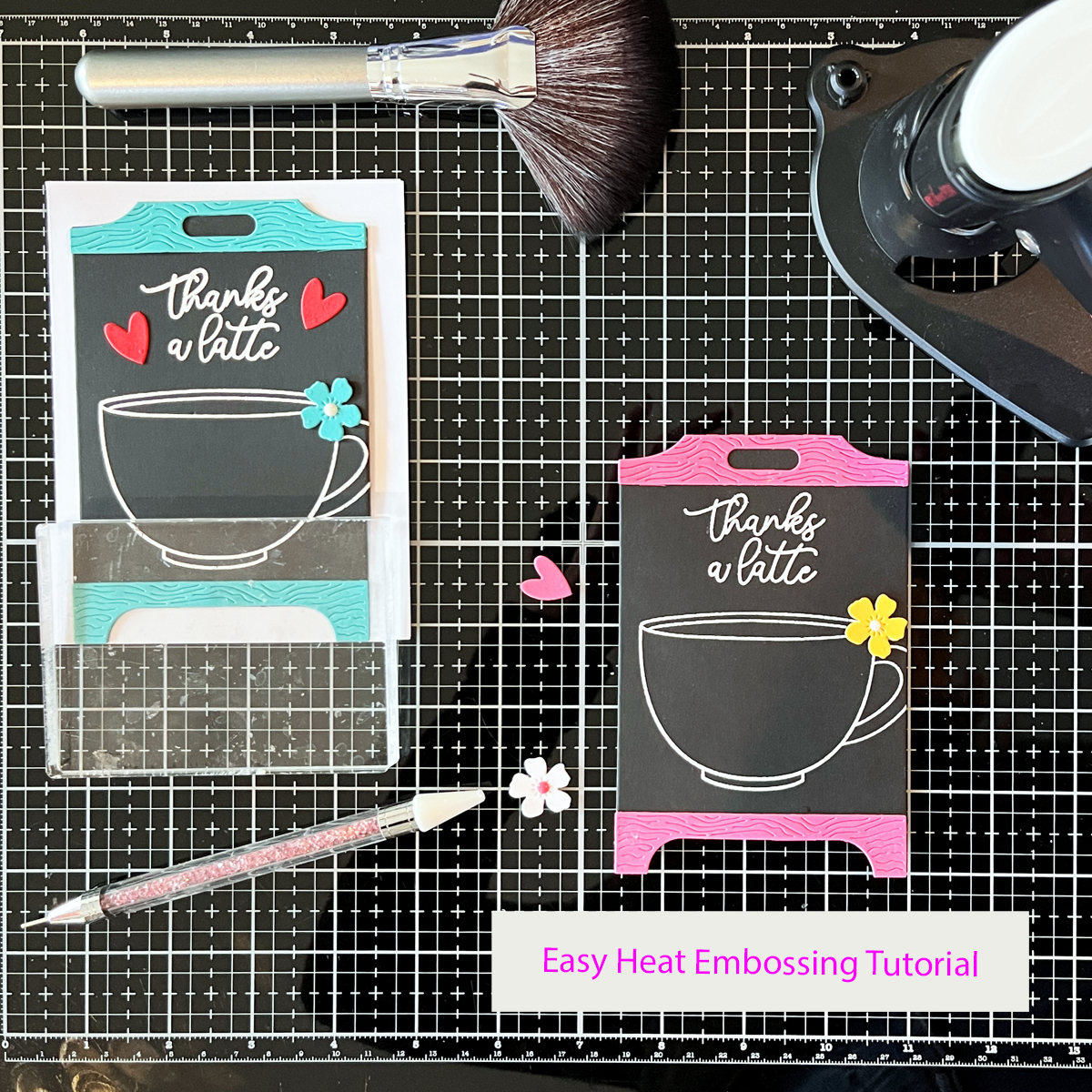
Because these cards rely on bold embossing, I wanted to include a go-to heat embossing method you can reference again and again.

Individual coffee shop chalkboard easel card in hot pink, black, and white.  Coffee theme "thanks a latte".

How I Get Clean, Professional Heat Embossing Every Time

  • Prep stamps with a stamp conditioning eraser (today I used the Hero Arts Coffee or Tea stamp set)
  • Prep cardstock with an anti-static powder tool
  • Use a 1″ flat brush to apply powder horizontally, then vertically
  • Stamp with Unicorn White Pigment Ink
  • Use white embossing powder (double white = best results)
  • Preheat heat tool for at least 1 minute
  • Use the easel die as a viewfinder to place images
  • Stamp twice with a stamp positioner using light, even pressure
  • Pour embossing powder generously, tilt panel in all directions, tap gently
  • Heat emboss while constantly moving the heat tool
  • Let cool, then polish lightly with a microfiber cloth

💡 Tip I’ve used for years: catch excess embossing powder in a coffee filter—easy pour-back, no mess.

I’m sharing:

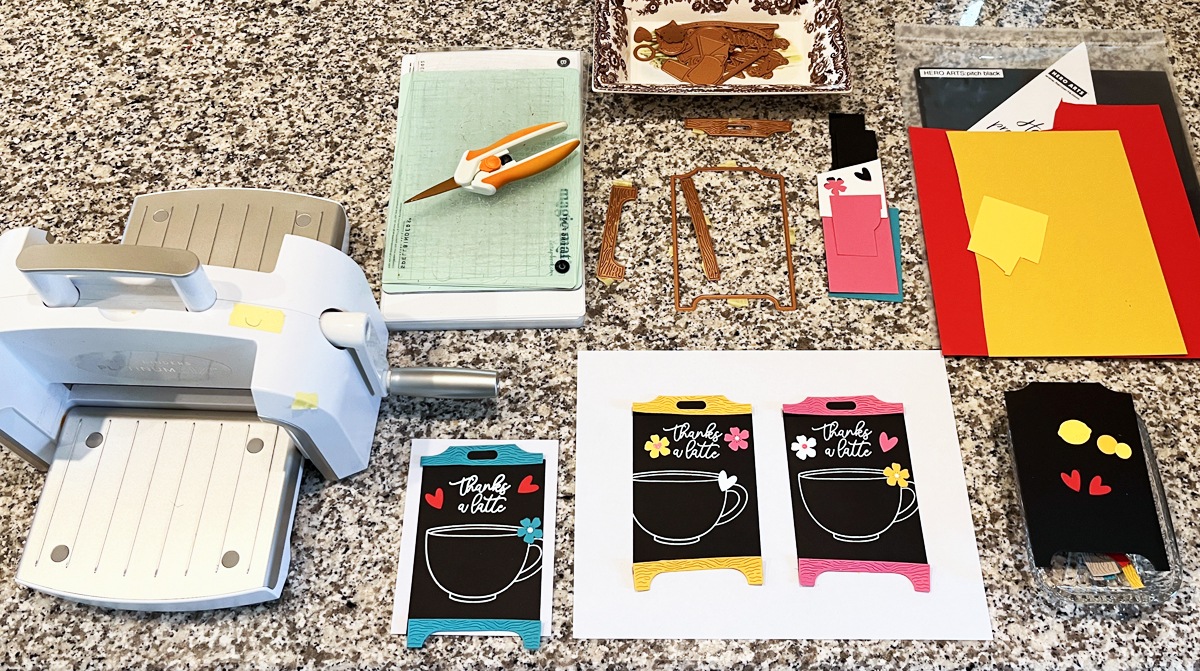
  • a candid workspace photo showing all three layouts “percolating” overnight
Process photo showing chalkboard card layouts, dies, cardstock, and die cutting machine
Heat embossing white pigment ink and embossing powder on black cardstock creates that bold chalkboard look I love for coffee themed cards.
  • a mid-assembly shot with one chalkboard drying under an acrylic block
Heat embossing a coffee cup stamp with white embossing powder on black cardstock for chalkboard style thank you card.
Bright pops of color contrast nicely with blackcardstock.

If you love scene-building, you’ll definitely want to check out my Sneaker Bouquet scene card tutorial.

Craft Supplies Featured on This Card:

Die Cutting:

Stamps and Cardstock:

Ink:

Cardmaking Kit · Die cutting · Tutorial

How to Create Die Cut Scene Cards: Easy Design Tips That Work Every Time

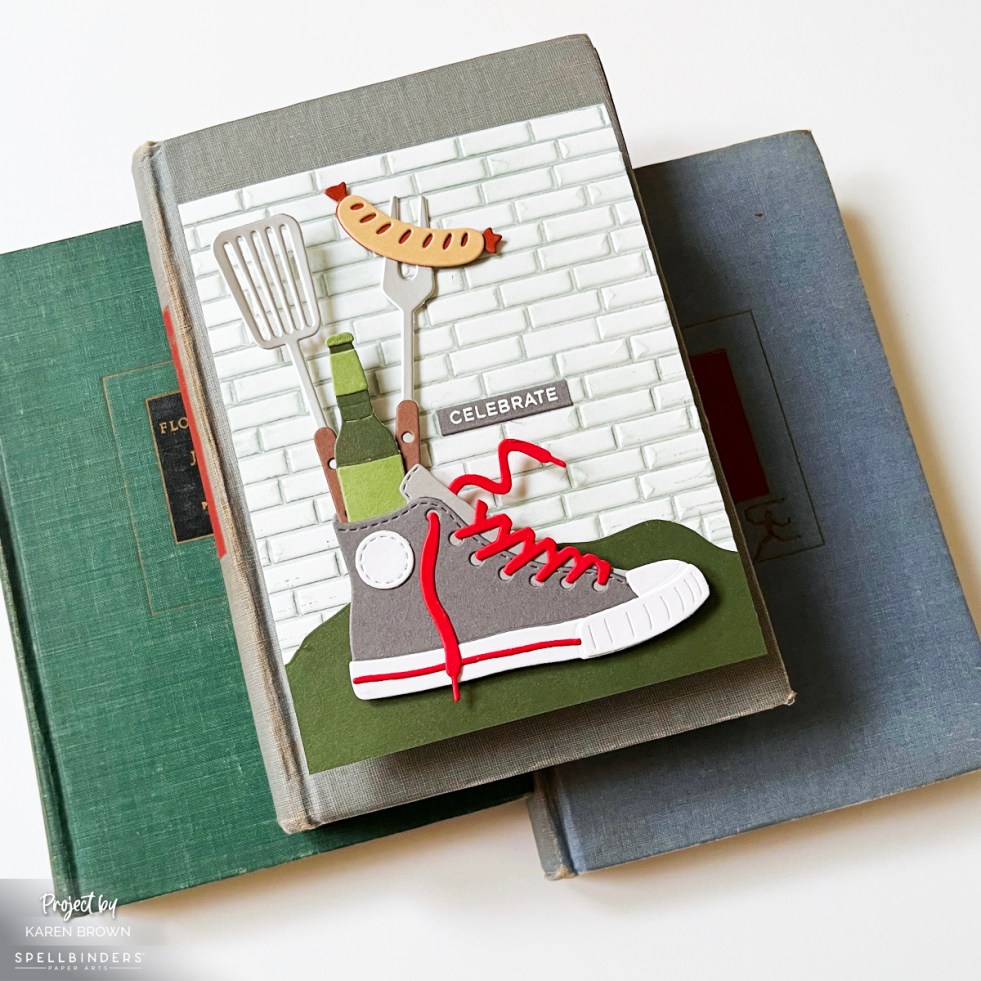
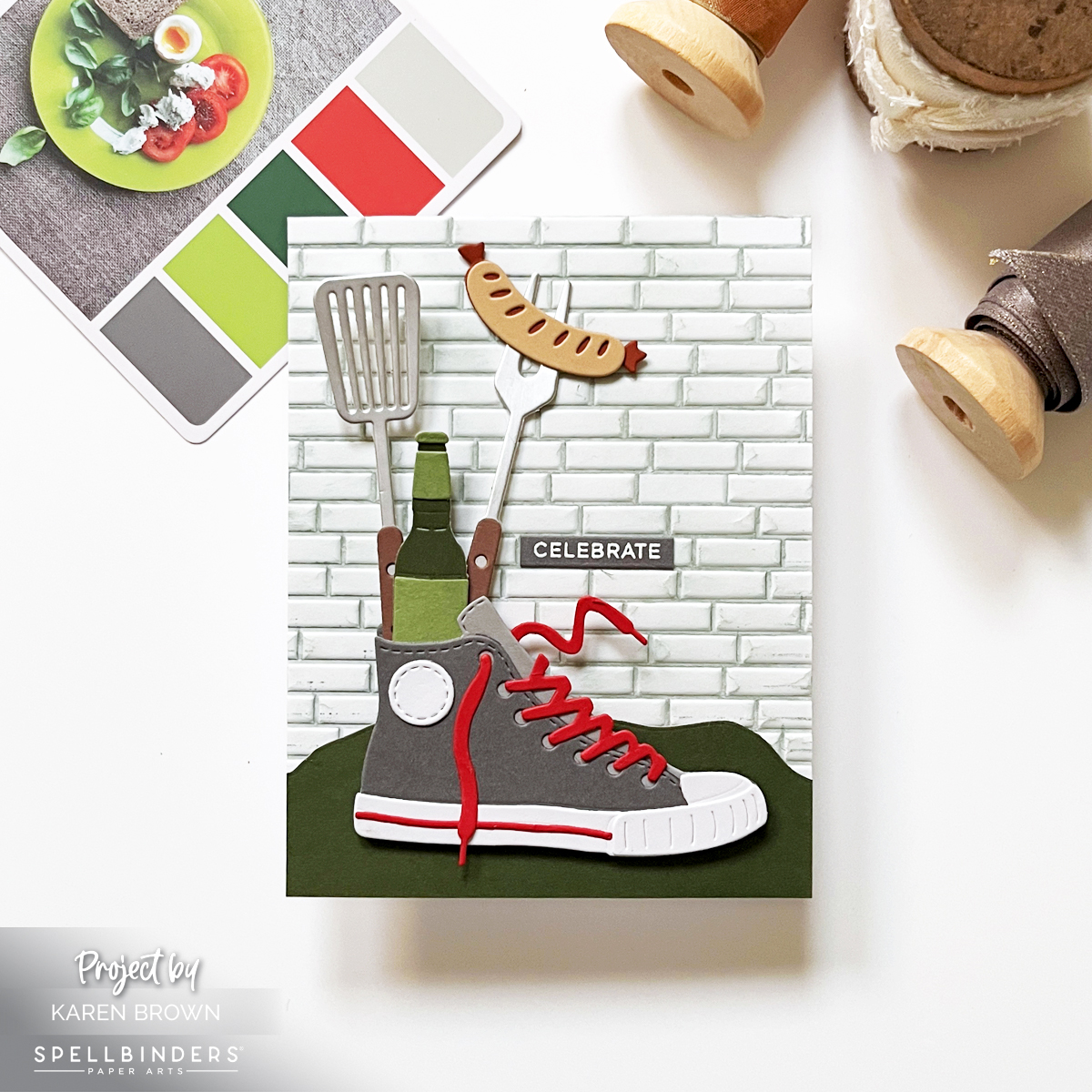
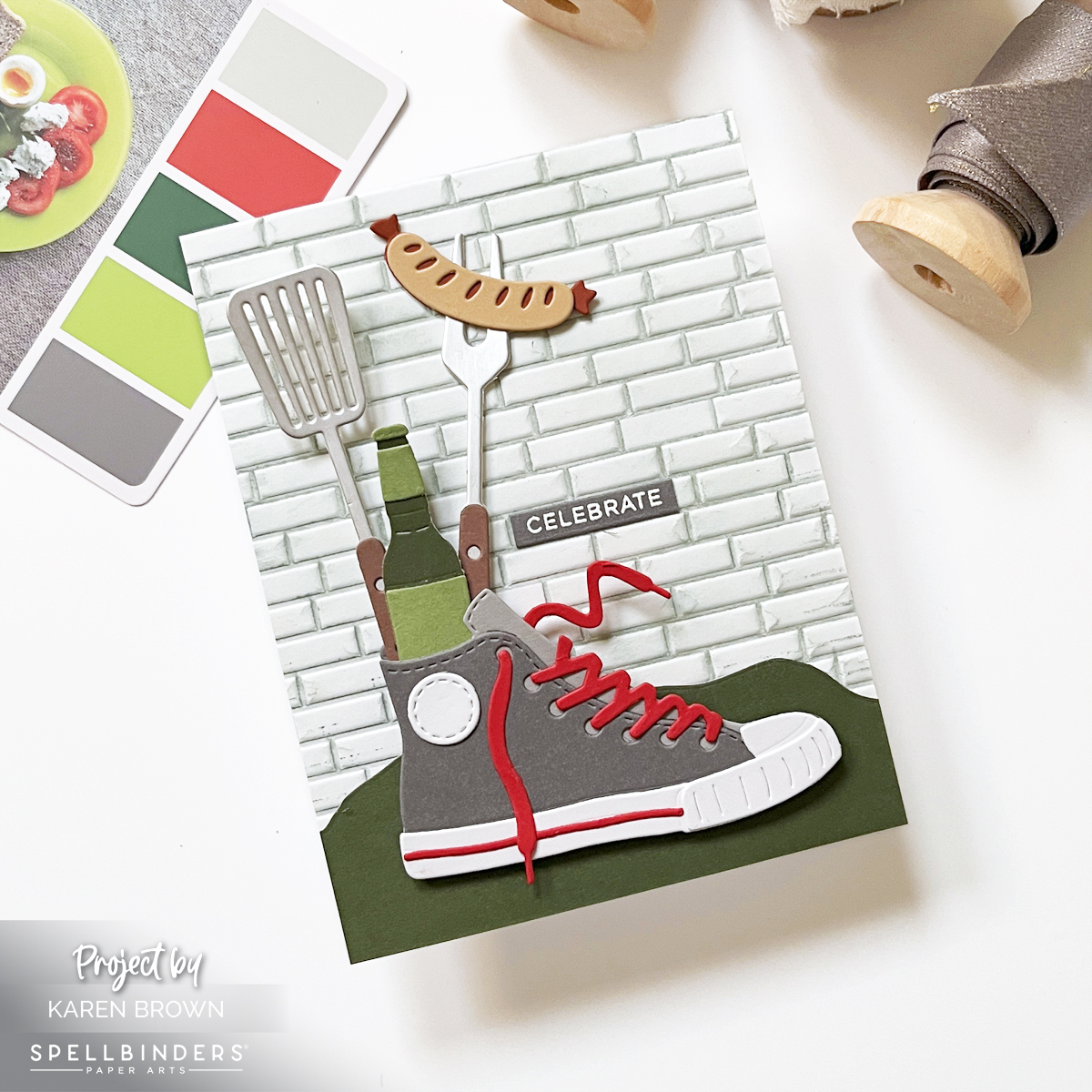
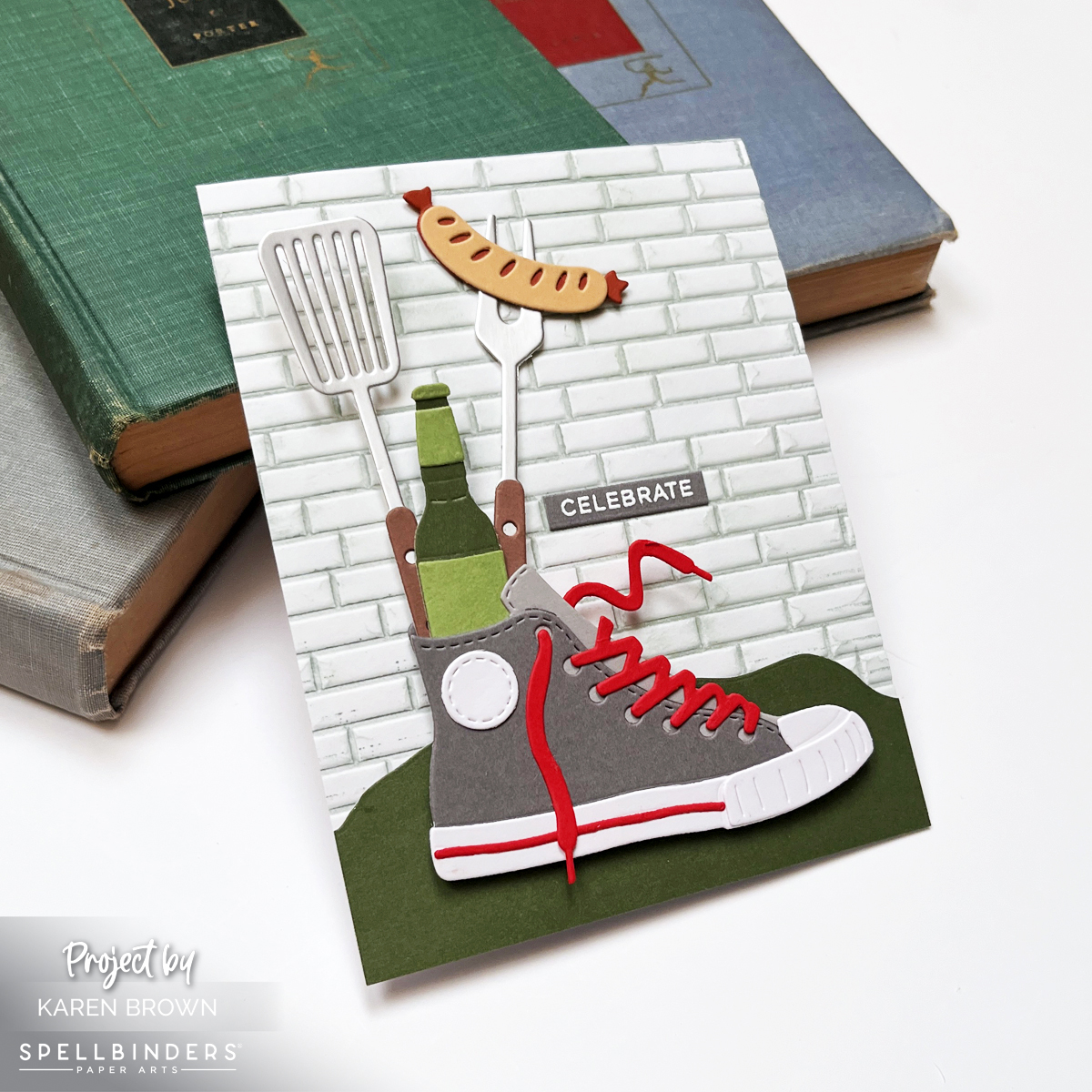
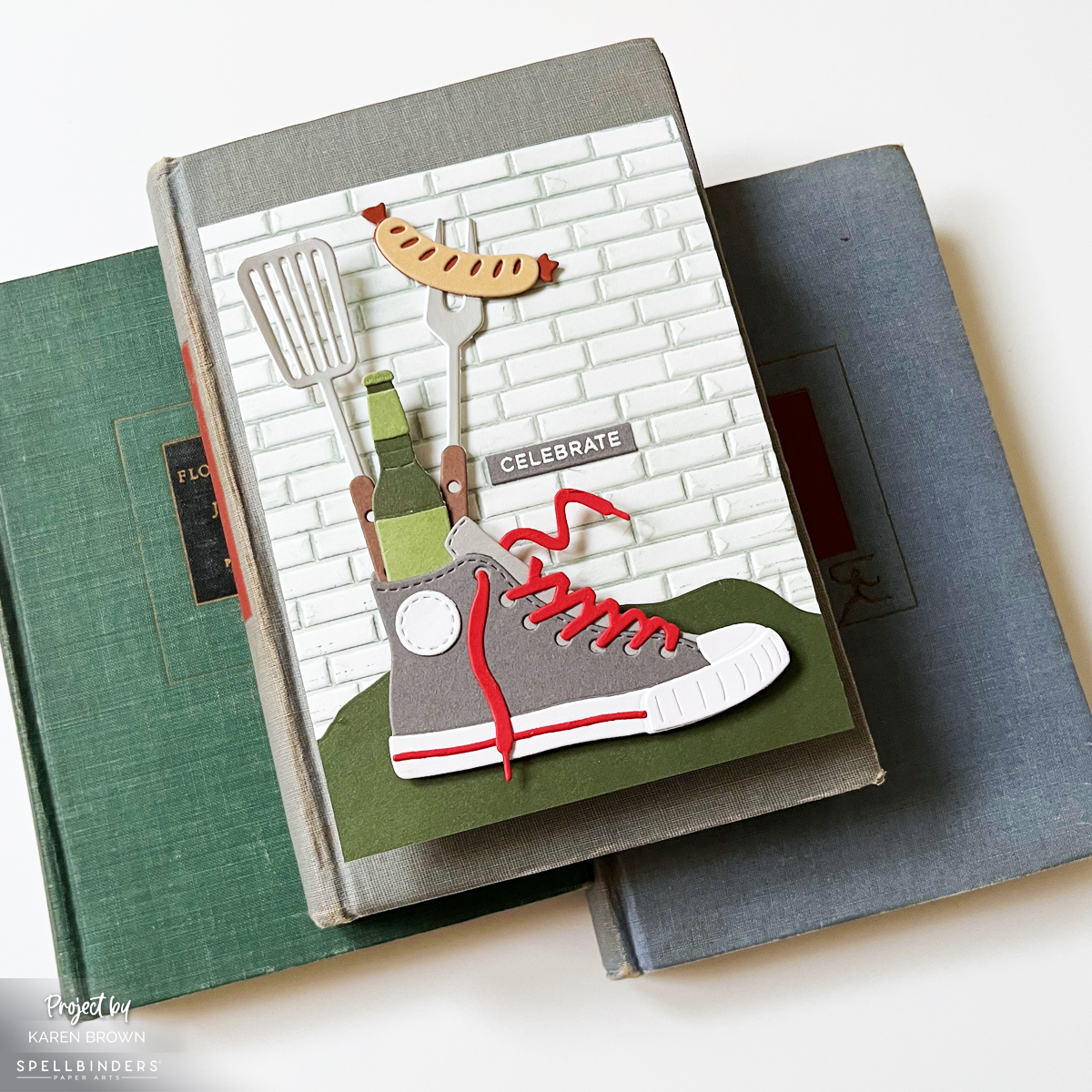
Masculine die cut scene card featuring a gray high top sneaker filled with grilling tools and a hot dog on an embossed brick background perfect for Father's Day or Birthdays.

Die cut scene cards are one of the most eye-catching styles in cardmaking, and with a few simple design principles, they’re surprisingly easy to create. Today I’m sharing tips for building a cohesive, masculine die cut scene card using the Spellbinders March 2026 Large Die of the Month: Classic Kicks.

This kit made me smile instantly—a gray high-top sneaker stuffed with backyard cookout favorites like a spatula, grilling fork, hot dog, and bottled drink. It feels nostalgic, playful, and perfect for celebrating the men in our lives.


Why Scene Cards Are Always a Hit

Scene cards are:

  • Recipient favorites
  • Great for storytelling
  • Ideal for birthdays, celebrations, and “just because”

This particular scene instantly evokes backyard cookouts, summer evenings, and casual gatherings—paper crafting at its best.

Die cutting is especially great for other masculine designs, like this Speedometer card I shared.

Spellbinders March 2026 Large Die of the Month Club Kit called Classic Kicks

Choosing a Limited Color Palette

Because this kit has a bold, graphic style, I kept my color palette intentionally tight:

  • Gray
  • Green
  • A pop of bright red

I was inspired by Color Cubes Palette #23, and as a general rule, I try to stick to 2–5 colors per card. This keeps the design cohesive and prevents a busy look—especially important for scene cards with lots of elements.

I talk more about using color in my video and blog post about stenciling and color theory.


The Key Parts of a Die Cut Scene Card

1. Background: Setting the Scene

The background sets the mood. You can use:

  • Stenciling
  • Stamping
  • Embossing
  • Die cutting
  • Texture paste

For this card, I used a 3D brick embossing folder, pressing Fog Ink directly onto the folder before running it through my Platinum 6. After embossing, I lightly ink blended more Fog ink over the panel to add subtle distressing and depth.

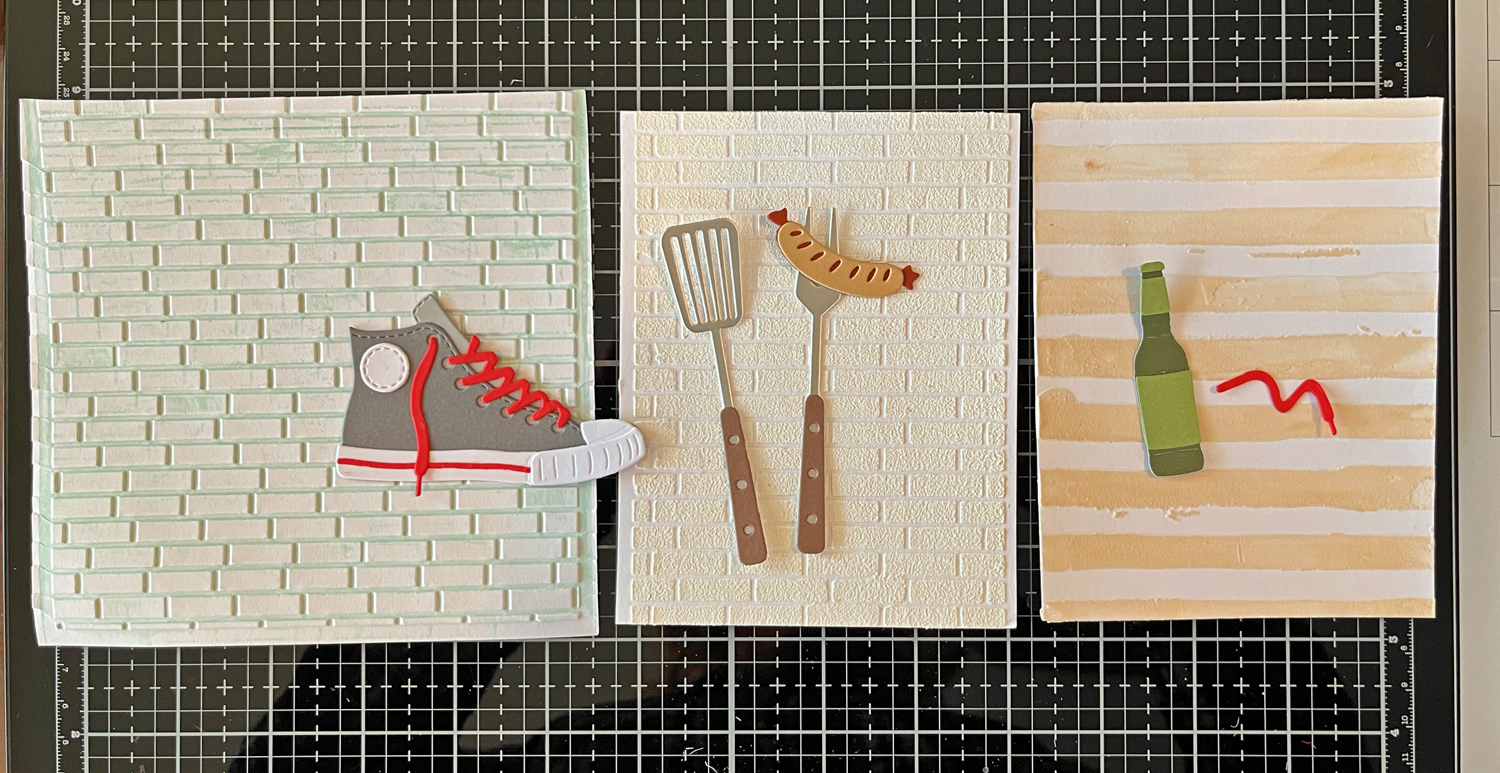
Before committing, I auditioned several premade backgrounds from my stash (you can see this in a process photo below). I love making two backgrounds at once—one for the project and one for later.

Premade embossed background panels auditioned behind die cut elements for scene card design, two brick backgrounds and one tan stripe.

If you’d like an idea for an additional background to add to your stash, this video demonstrates a versatile but easy glimmer hot foil background. I store my extra background panels in rainbow order, which saves so much time and makes design decisions easier.


2. Foreground: Grounding the Scene

Foreground elements help anchor your focal point so it doesn’t feel like it’s floating.

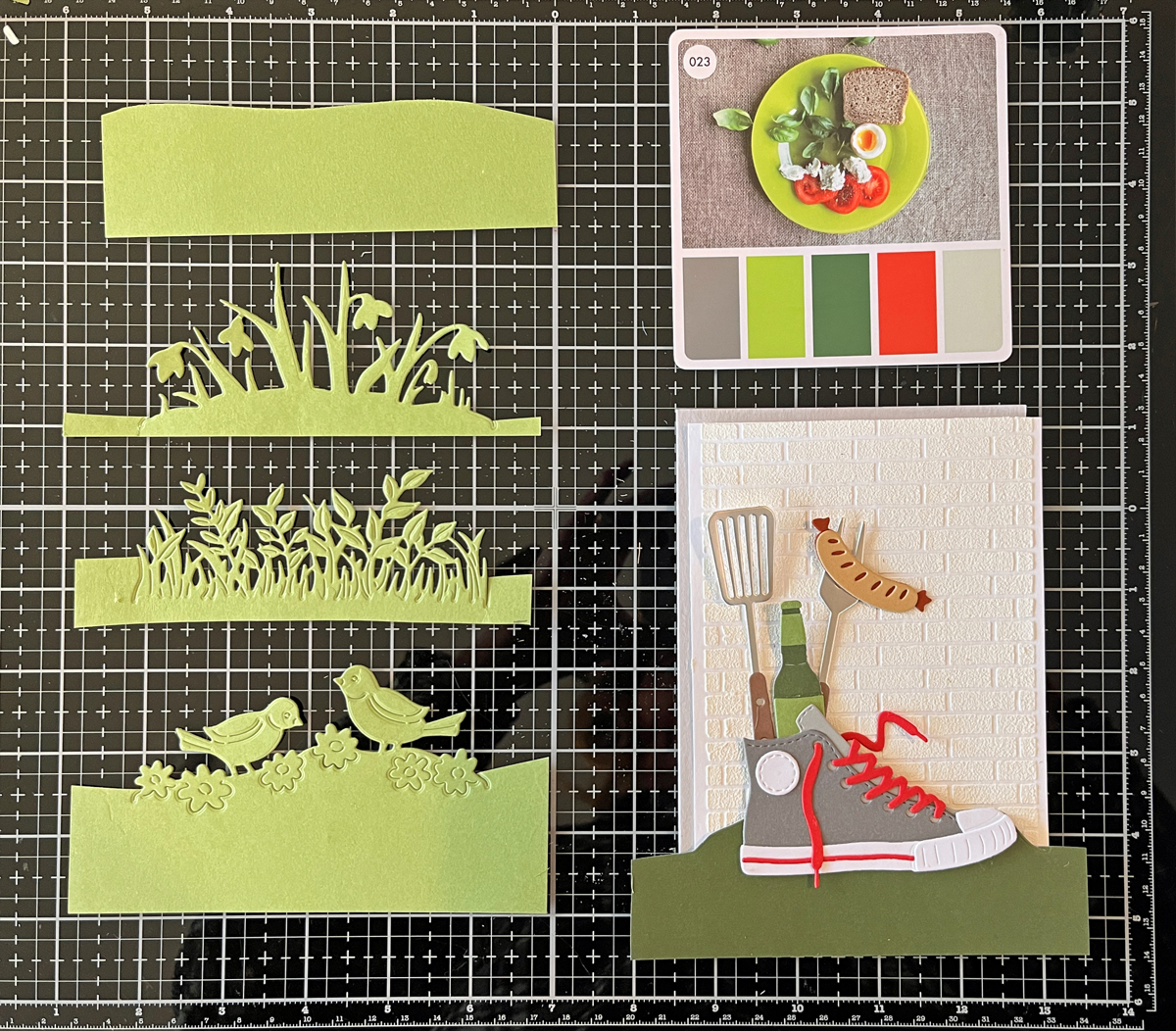
I tested several green die-cut options and ultimately chose a simple grassy horizon cut from dark green cardstock. This small step made a huge difference visually. You could easily cut a foreground freehand if you don’t have a die.

Green die cut foreground options used to ground a die cut scene card....choosing which foreground to use.

I adhered the foreground directly to the embossed background.


3. Focal Point: The Star of the Card

The die-cut sneaker bouquet is the star here. I even used silver cardstock for the grilling utensils, which adds a realistic metallic look.

I attached the sneaker with foam squares to give it dimension and help it stand out from the scene.

My Platinum 6 Die Cutting Machine is one of the tools I rely on regularly and is included in my list of the best cardmaking supplies for 2026.


4. Charming Details: Where the Fun Happens

This kit includes:

  • Flowers
  • Backyard cookout elements

These little details are my favorite part of scene card building. I always arrange everything loosely before gluing—it’s like solving a fun paper puzzle.


5. Sentiment: Keep It Simple

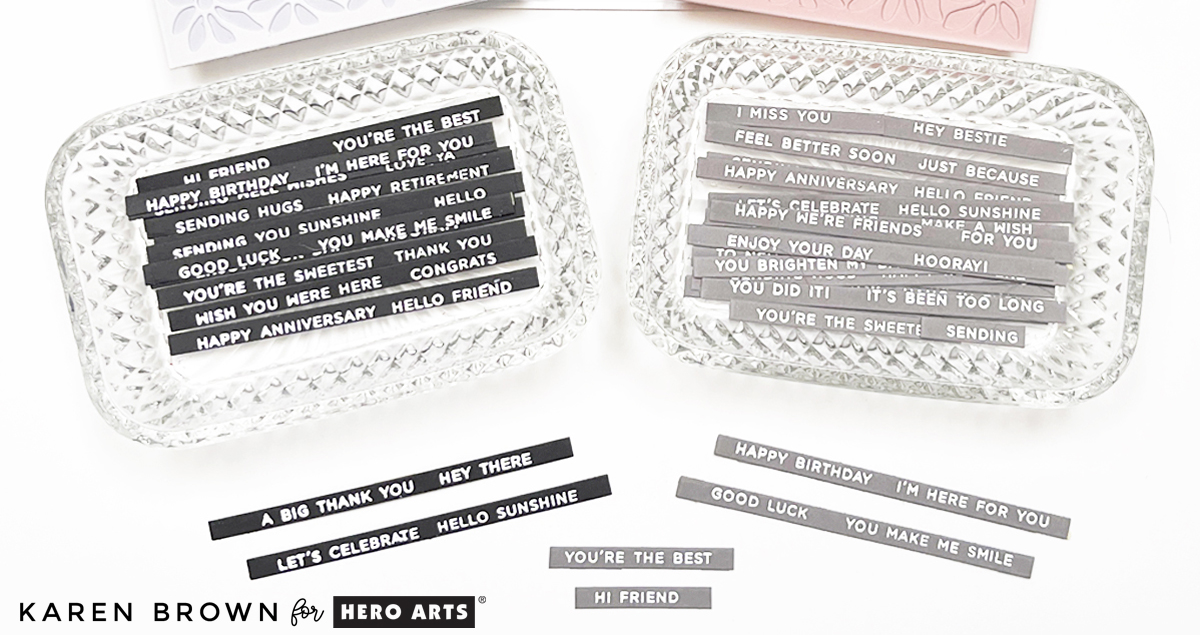
I finished the card with a small white heat-embossed “celebrate” sentiment on gray cardstock, using Everyday Sentiment Strips 2 and the coordinating die.

Two batches of heat embossed sentiment strip strips.  White on gray and black cardstock.

These sentiment strips are a huge time saver, which I demonstrate in this recent post.


Handmade card for men and foodies featuring a gray high top sneaker stuffed with grilling utensils.  Backyard cookout scene card.

Design Tip: Use the Rule of Thirds

To guide placement, I followed the rule of thirds, positioning the taller elements (spatula, fork, bottle) along the left vertical third of the card—about 1 1/3” from the edge of an A2 card. This adds balance and visual interest without overthinking the layout.


Final Thoughts

Scene cards may look complex, but when you break them into backgrounds, foregrounds, focal points, and details, they become incredibly approachable—and so fun to create.

If you enjoyed this, you might be interested in this popular Winnie the Pooh post.


Mixed Media · Tutorial

Mixed Media Made Simple: My 3-Step Recipe for Fun & Easy Tags

Mixed media doesn’t have to mean messy chaos and 47 random products scattered across your desk.

I finally realized that what I needed wasn’t more supplies… I needed a formula.

First of all, I absolutely LOVE the look of mixed media. Secondly? It is the most fun you can have in a craft room. There are no rules. No mistakes. Just happy little outcomes (and sometimes a few gloriously imperfect ones).

But when I first started, I had no idea where to begin. I admired so many artists’ projects… but how did they know what to add next?

After years of playing, experimenting, and making a delightful mess of watercolor paper, I developed my own simple 3-part recipe.

And today I’m sharing it with you.


Karen’s 3-Step Mixed Media Recipe

Step 1: Create an Interesting Background
Step 2: Add 4+ Layers
Step 3: Add a Strong Focal Point

That’s it.

This is Blog Post #1 in a new mixed media series where I’ll walk through each part in detail — visually and step-by-step. If this kind of creative play excites you, be sure to subscribe so you don’t miss the tutorials ahead.

If you try this recipe, I would love to see it.
Use #karensmixedmediarecipe so we can follow along with each other’s projects.

Now let’s walk through today’s tag together.

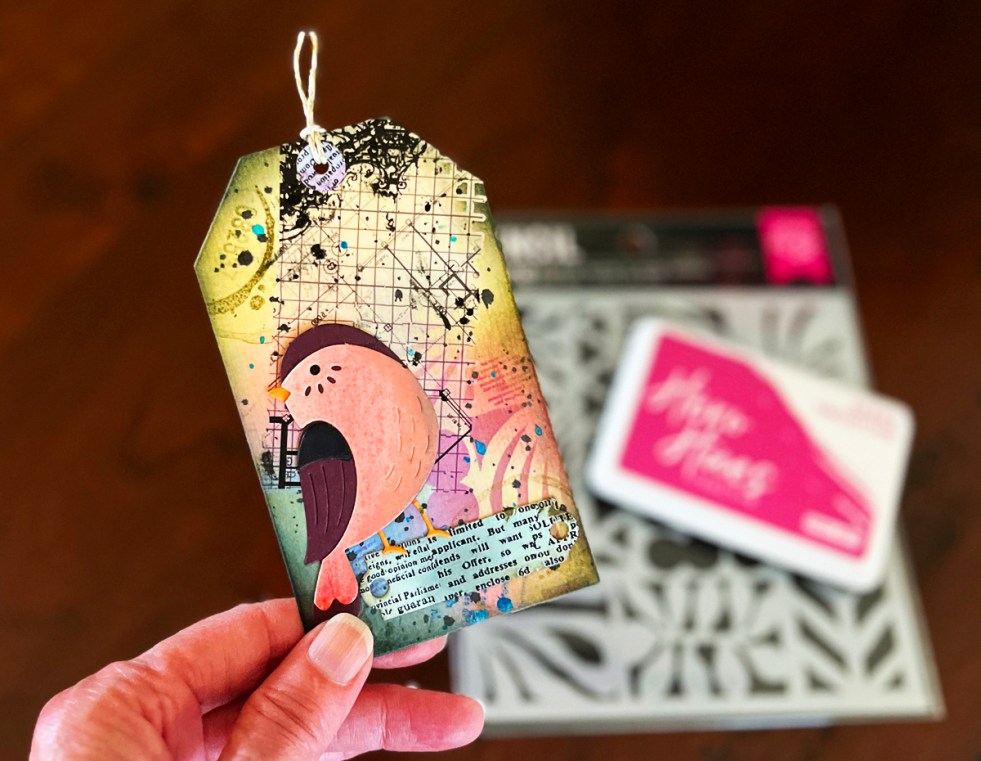
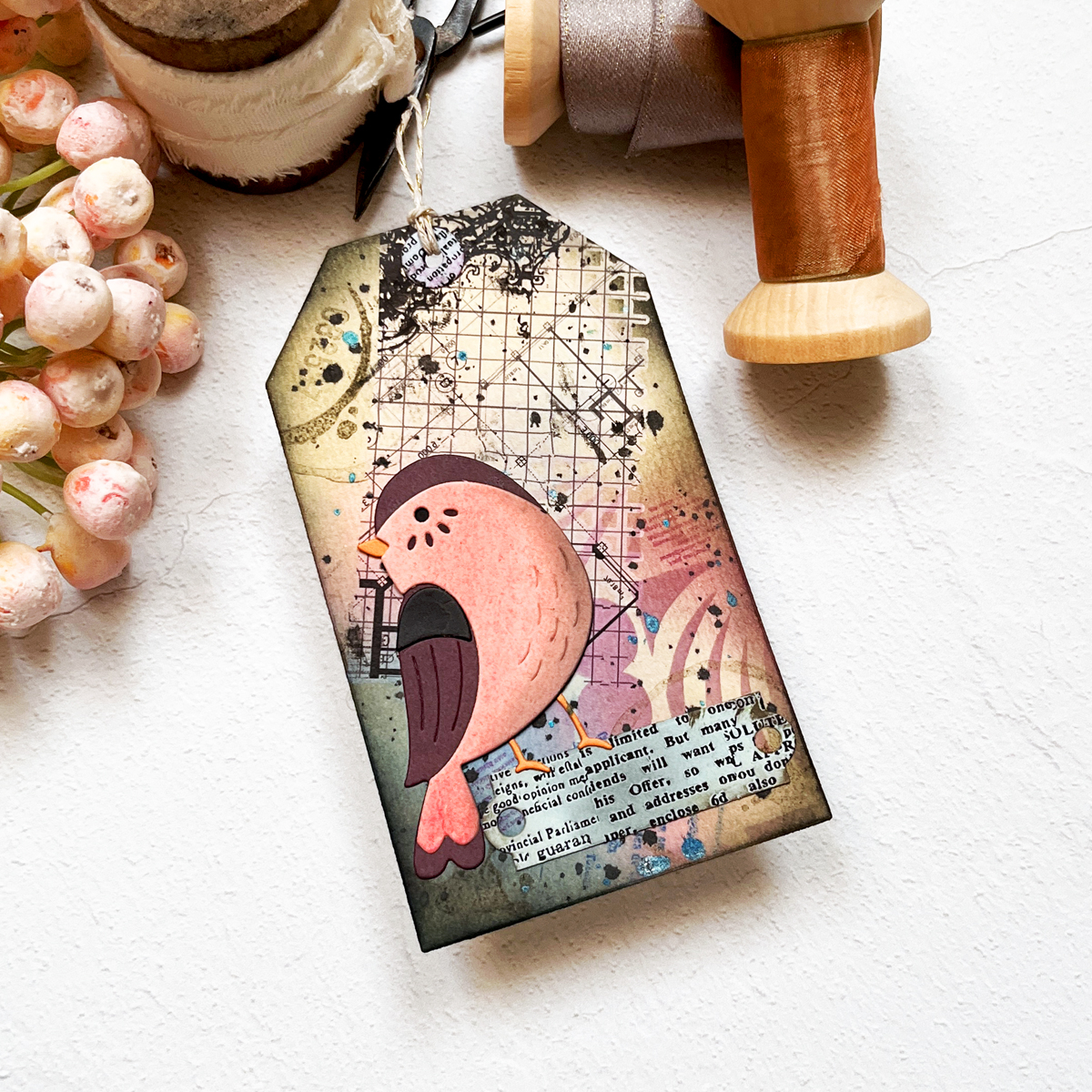
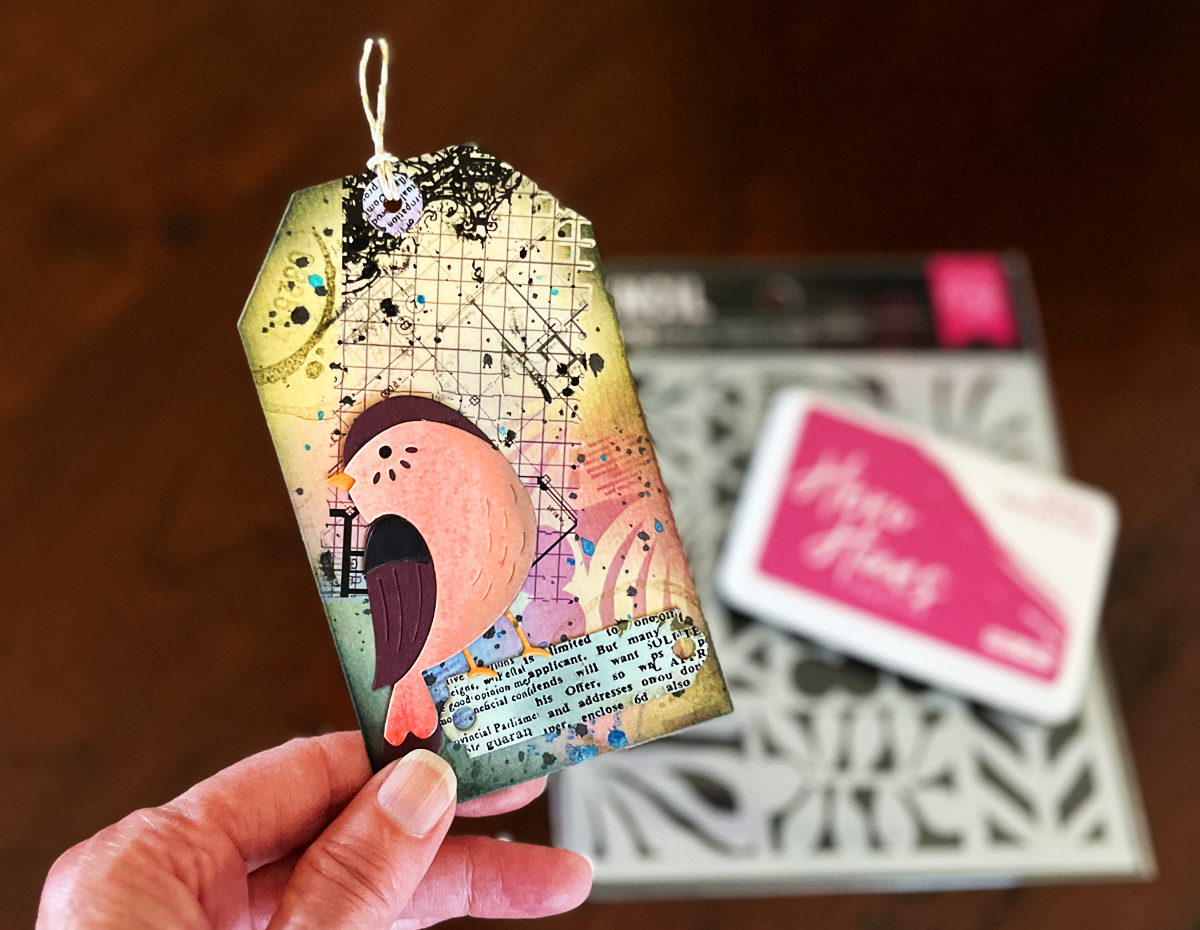
Stenciled, ink blended tag with rub on transfers with 7 layers.

Step 1: Create an Interesting Background

For today’s tag, I started with a watercolor wash.

I scribbled a brown watercolor marker onto my craft mat, spritzed it with water, and brushed the color onto heavy watercolor paper. If you want deeper color, simply let it dry and repeat the process.

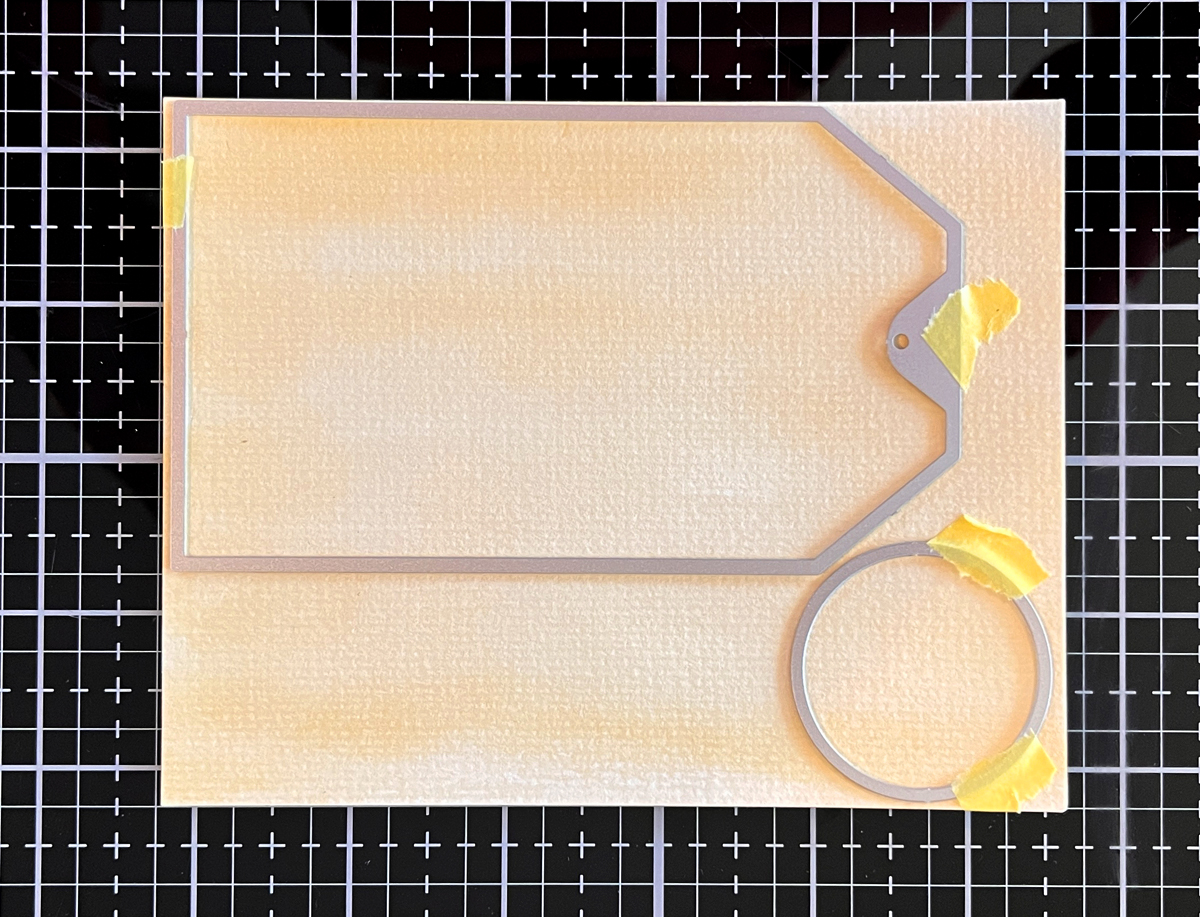
Once dry, I die cut the panel using a 3” x 5” tag die. I love this size because it gives me plenty of creative real estate.

Tan is one of my favorite neutral starting points — it plays beautifully with layered color and keeps everything cohesive.

Process photo of mixed media tan watercolor wash tag background.

Step 2: Add 4+ Layers (Today I Added 7!)

Layers are where the magic happens.

On most of my mixed media projects, I use at least four layers — but often more. The key is variety, contrast, and a little bravery.

Here’s what I added today:

1. Ink Blending

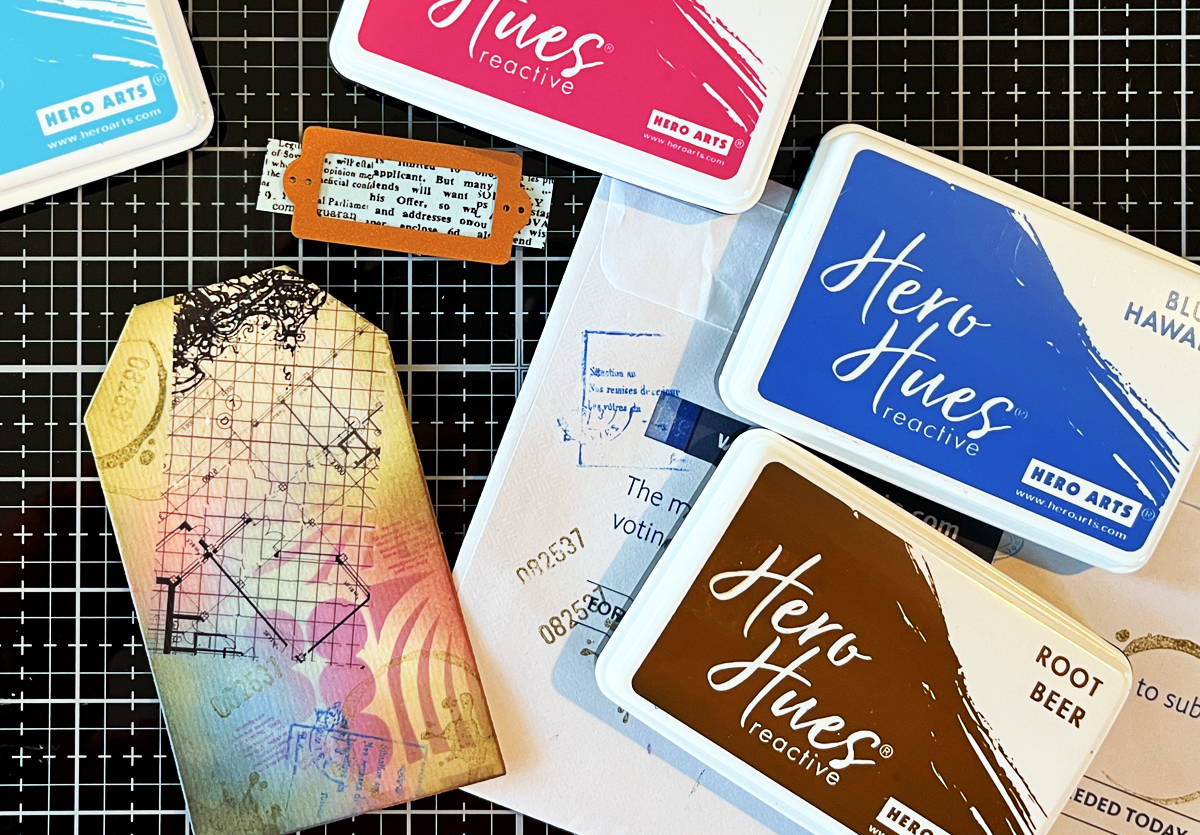
Using water reactive inks (Berry Smoothie and Blue Hawaii) and a blending brush, I blended color onto the lower left portion of the tag — about two-thirds of the surface.

Don’t overthink this step. I started mid-left with Berry Smoothie and worked inward, then added Blue Hawaii to the bottom corner.

There is no “right” placement. Pick a spot. Add color. Assess. Adjust. Keep going.

2. Stenciling

I used the Floral Trove stencil — it’s wonderful for tags because of its 9 different rectangular designs.

Using the same two ink colors as in step 1 keeps everything soft and cohesive. Now my neutral tan base has subtle pattern and depth layered over it.

3. Hero Transfers

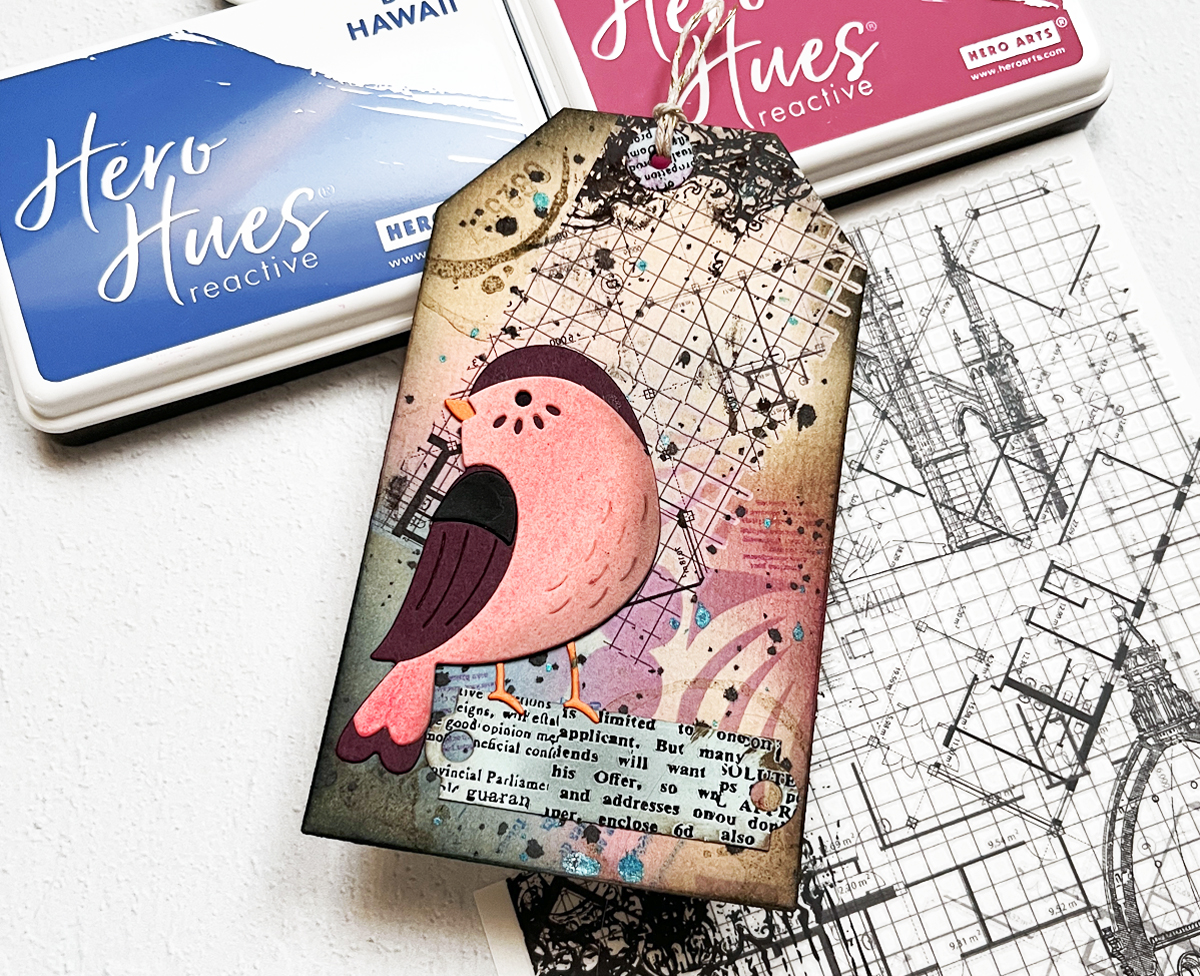
I trimmed a 3” x 2” grid element from the Grids and Icons Mixed Media Hero Transfers set and applied it at an angle using a bone folder.

Those black grid lines instantly add structure and contrast.

4. Stamping

This is where personality comes in.

I stamped:

  • A circle coffee stain
  • An ink blot
  • Numbers
  • A postmark
  • Script text

Using Root Beer Brown, Blue Hawaii, and Berry Smoothie keeps everything coordinated.

The goal isn’t to make one stamp stand out — it’s to build subtle interest. Look for shapes, textures, numbers, partial images… don’t stress about perfection.

Process photo of ink blending on tan mixed media watercolor tag with detail of Hero Arts grid rub-on transfer and stamping.

5. Add Words

I die cut a small scrap with printed words (leftover from a previous project — yes, I save almost everything!).

You could also use dictionary scraps, stamped text, or stencil writing. I softened the edges with brown ink.

6. Ink the Edges

Root Beer reactive ink around the edges, finished with a touch of Licorice black, frames the tag and grounds the design.

7. Splatters

I almost always finish with splatters. Today I used blue and black. I removed the top nozzle from a bottle of ink spray and gently flicked the droplets onto the tag.

They unify the layers and add that final touch of “imperfect by design.”


Step 3: Add a Strong Focal Point

For today’s focal point, I used the Love Note Birds die cut.

It’s simple, not overly detailed, and perfectly sized for a tag.

The pink panel was die cut from a leftover watercolor gradient (because scraps are creative gold). I lightly shaded it with leftover black ink on my blending brush to soften it and prevent it from feeling too bright.

I positioned the bird slightly off-center toward the lower left and adhered it directly to the tag.

Off-center placement keeps things interesting.

Finished mixed media tag with 7 layers + a die cut bird focal point.

If you’d like more beginner-friendly inspiration…

My Mixed Media “Cheat Sheets”

Over time, I realized I had dozens of techniques swirling in my head. So I created three sample boards:

  • Background Ideas
  • Layering Ideas
  • Focal Point Ideas
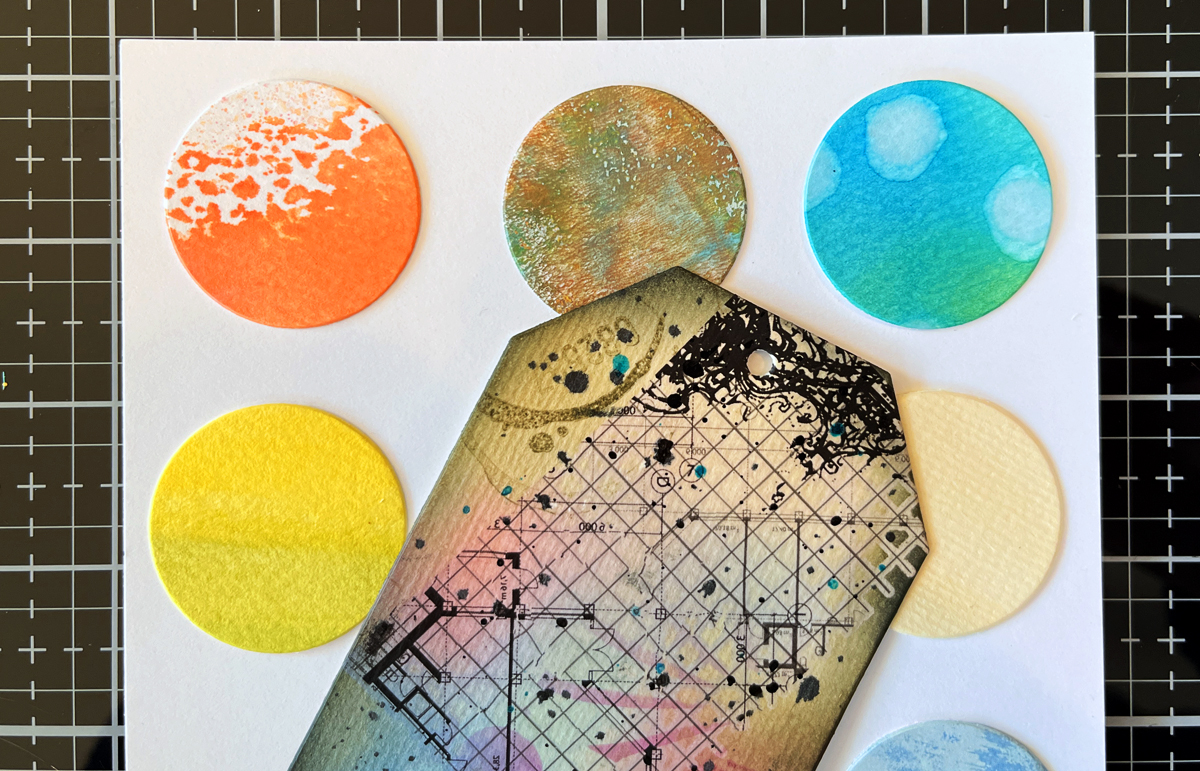
In process photo of mixed media tag background + my backgrounds sample board.

I’m a very visual person, and these boards act like my creative reference system when I sit down to craft. The middle circle on the right was the panel I used for today’s tag.

In upcoming posts, I’ll reveal them in detail — but here’s a small peek. (Just enough to inspire… not overwhelm 😉)


Mixed Media Is Imperfect by Design

Mixed media can feel intimidating.

But here’s what I’ve learned:

It’s imperfect by design.

Little missteps? They add charm. Unexpected marks? They add character.

Watching a simple piece of watercolor paper transform layer by layer is one of the most satisfying creative journeys.

And the best part? There are no mistakes — just more layers.


Coming Next in This Series

Over the next few posts, I’ll be diving deeper into:

  • How to build beautiful mixed media backgrounds
  • My favorite layering combinations
  • How to create strong focal interest
  • The best supplies for beginners

In my next post, Ink Smooshing 101, we take a deeper dive into Step 1 of my Mixed Media Recipe and explore five ways to create beautiful watercolor-style backgrounds using simple water-based inks.

You might also want to check out my Sneaker Bouquet scene card.

Stay tuned — this is going to be fun.

Mixed Media · Tutorial · Video

VIDEO: Easy & Addictive | Beginner Mixed Media Tag Tutorial

Easy & Addictive Mixed Media Tag Graphic with photo of two mixed media tags.

Mixed media doesn’t have to be intimidating; it’s simply the art of combining different materials to tell a story.

Today I’m sharing how to make easy mixed media tags using a stress-free, step-by-step process that’s perfect for absolute beginners. These tags come together quickly, use flexible techniques, and—fair warning—are a little bit addictive once you get started.

Video

👉 Or watch on YouTube HERE.

This post coordinates with my YouTube video where I walk through every step in real time. If you like seeing the process in action, be sure to watch the video alongside this tutorial.

When creating mixed media projects, I use my 3 Step Mixed Media Recipe.

👉 Use the supplies you have on hand, but I do have my supply list at the bottom of this post.

Mixed Media Tags for Absolute Beginners: 11 Easy Steps

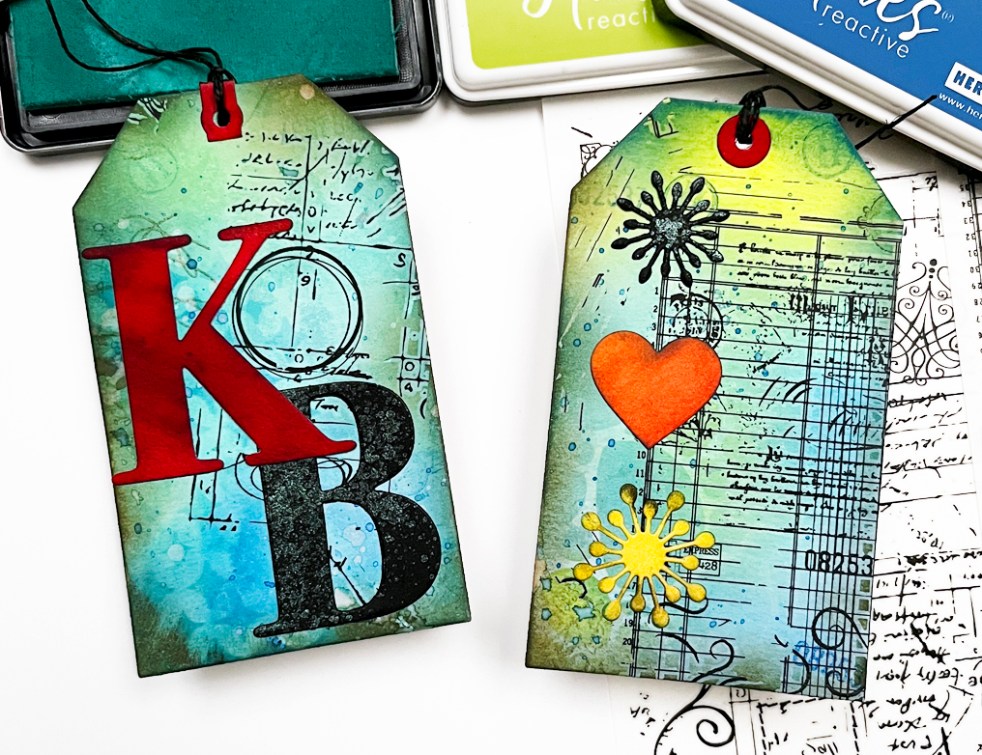
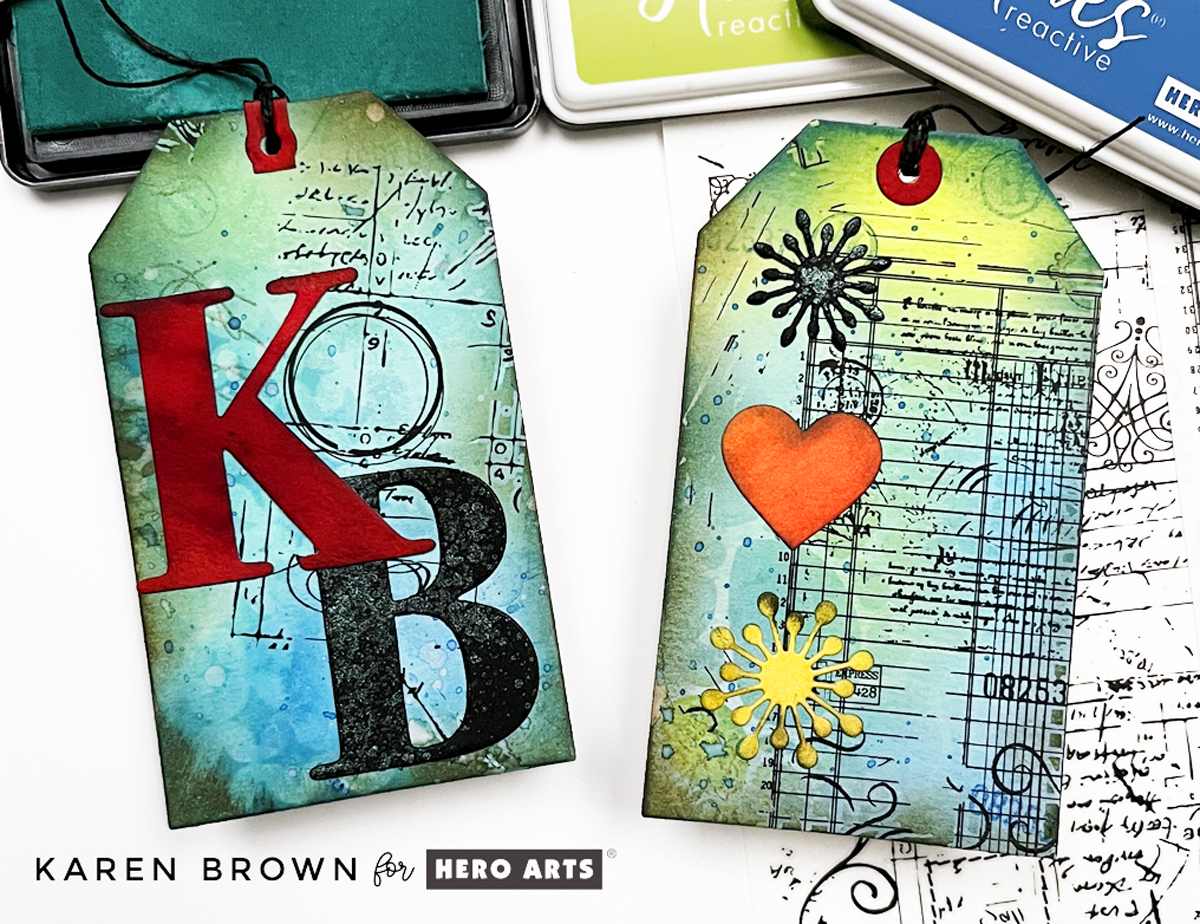
Closeup of two completed vintage look mixed media tags

Step 1: Create a Simple Ink Smoosh Background

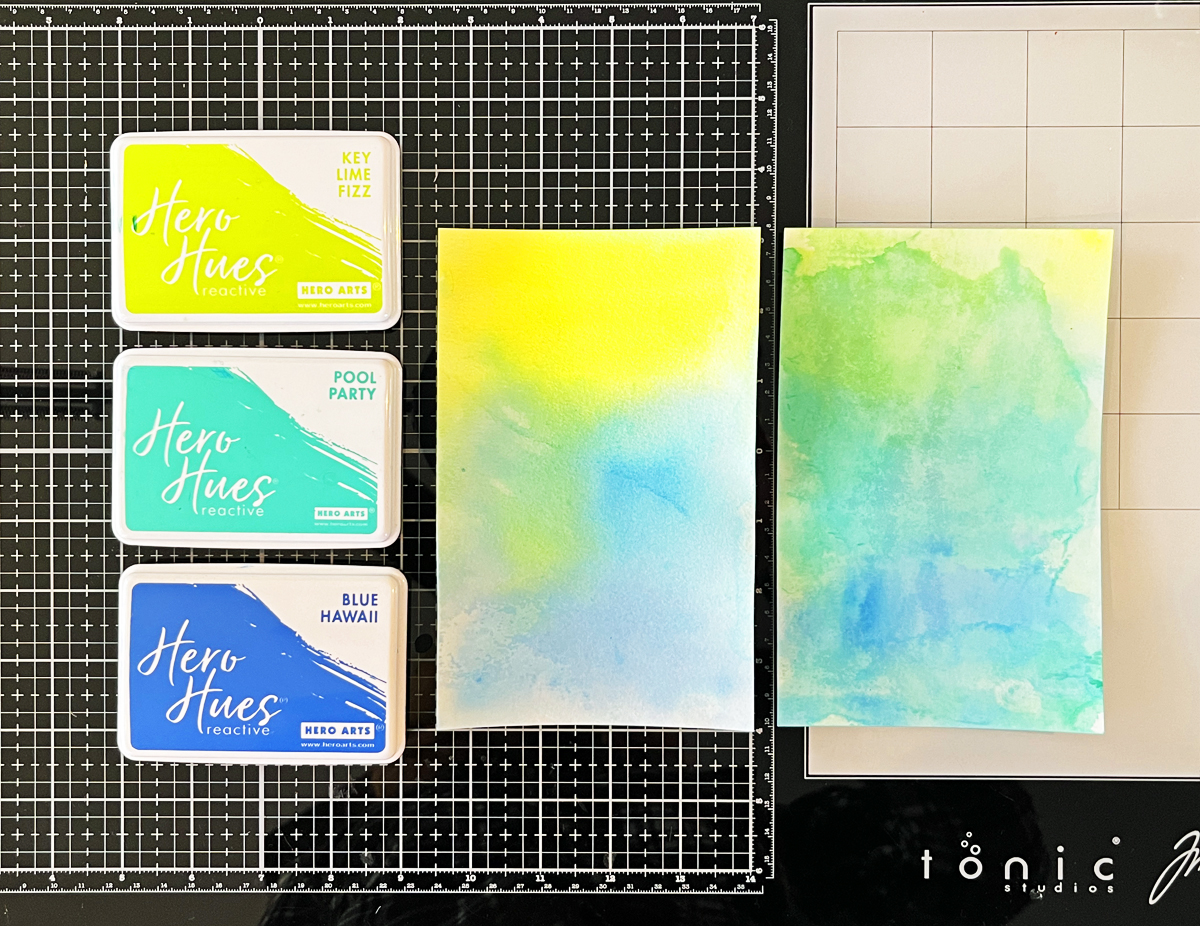
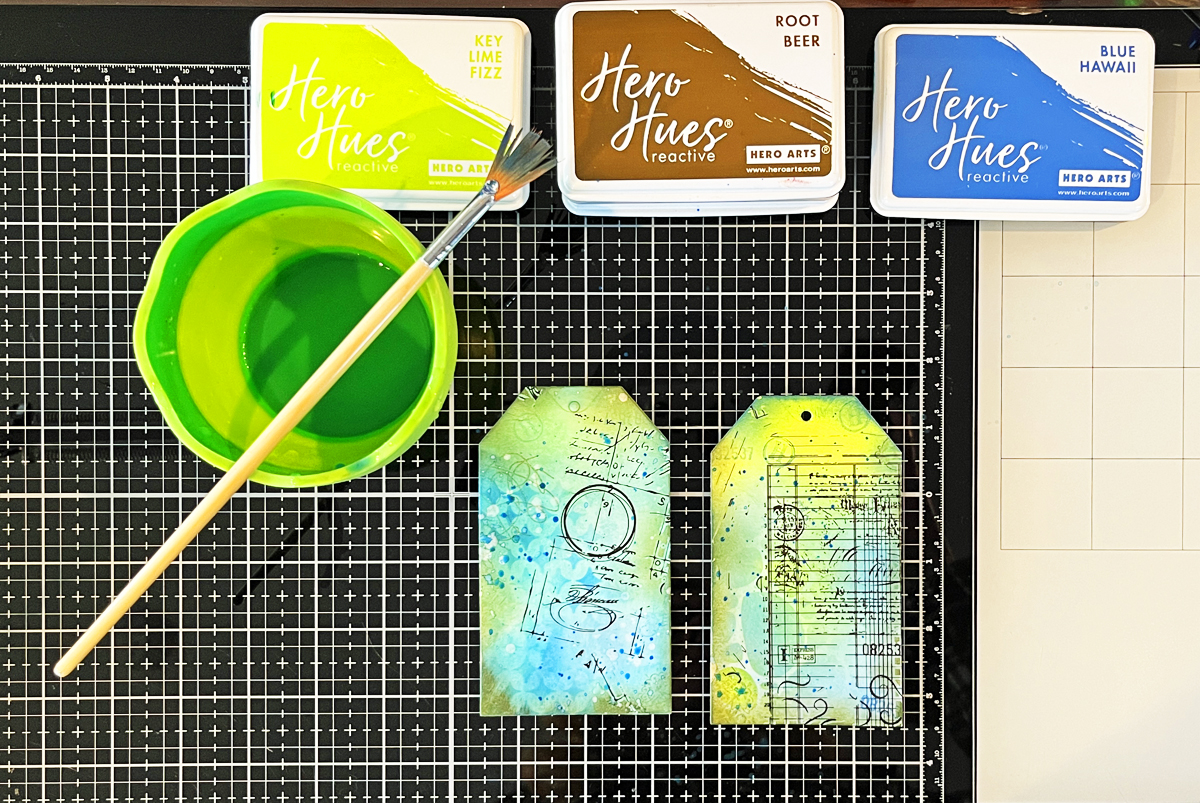
Add three shades of water-based reactive ink to your craft mat, spritz generously with water, and press the watercolor paper into the ink. Let sit in the puddle with an acrylic block on top for 1 – 5 minutes. The more water you use, the softer the panel. I used Key Lime Fizz, Pool Party and Blue Hawaii on my tags.

If you are interested in learning how to create an easywatercolor background, I have step-by-step directions in my tutorial how to make mixed media tags in 9 easy steps.

Step 2: Dry Your Panel

Let the panel air dry or speed things up with a heat tool. If it warps, flatten it under a book once dry.

Process photo of my two ink smoosh watercolor background panels.

Step 3: ViewFinder Trick

I like to use my tag die as a viewfinder to decide which part of my panel I want to feature.

Step 4: Die Cutting

Once I’m happy, I tape the tag die in place and run it through my Platinum 6 die cutting machine. It is one of the tools I rely on regularly—several of them are included in my list of the best cardmaking supplies for 2026.

Step 5: Stenciling

Now its time to start layering on top of our background. I add stenciling to about two thirds of each tag using the same reactive ink colors that I used in Step 1. You can use just about any stencil you have. I chose two very different designs and I love how they both turned out!

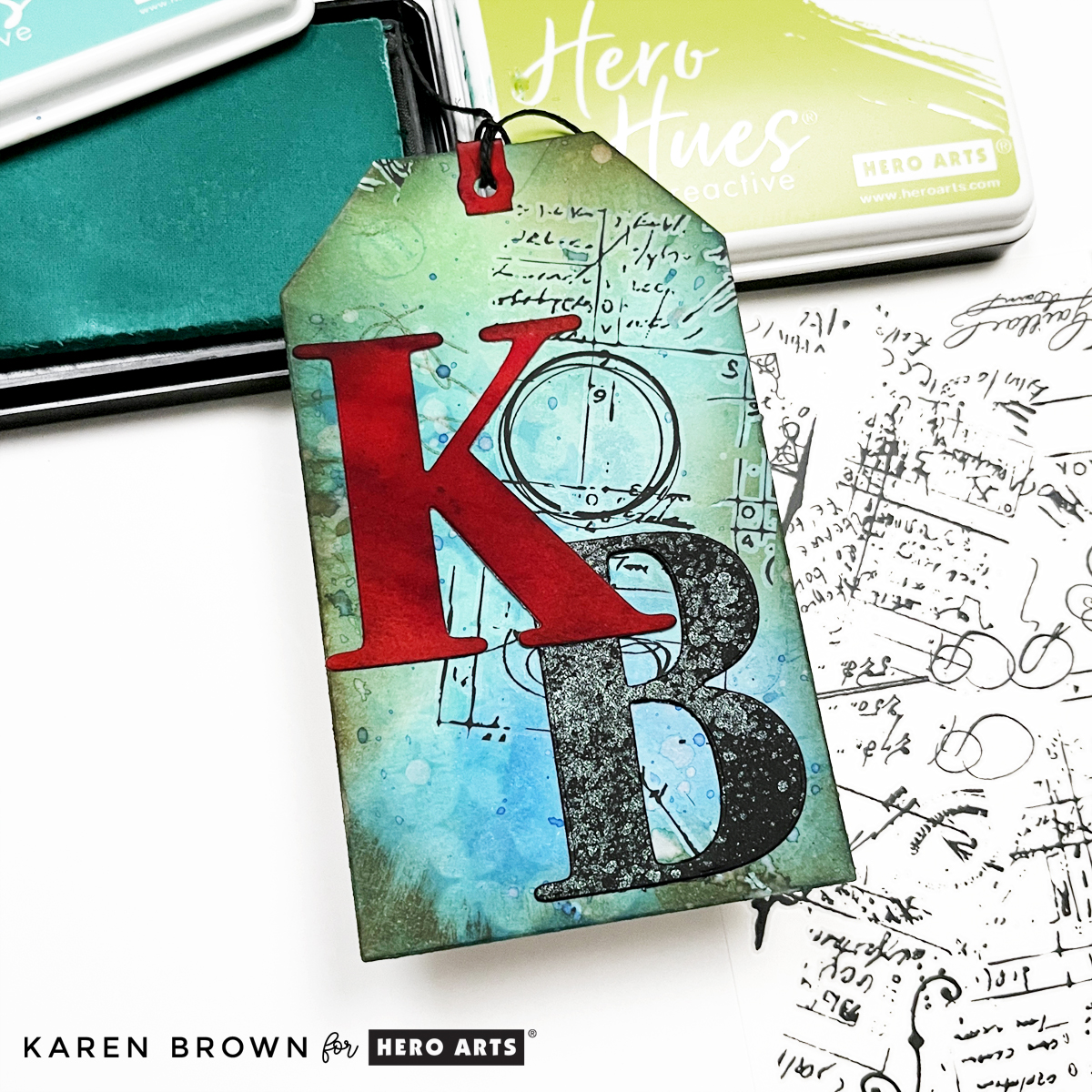
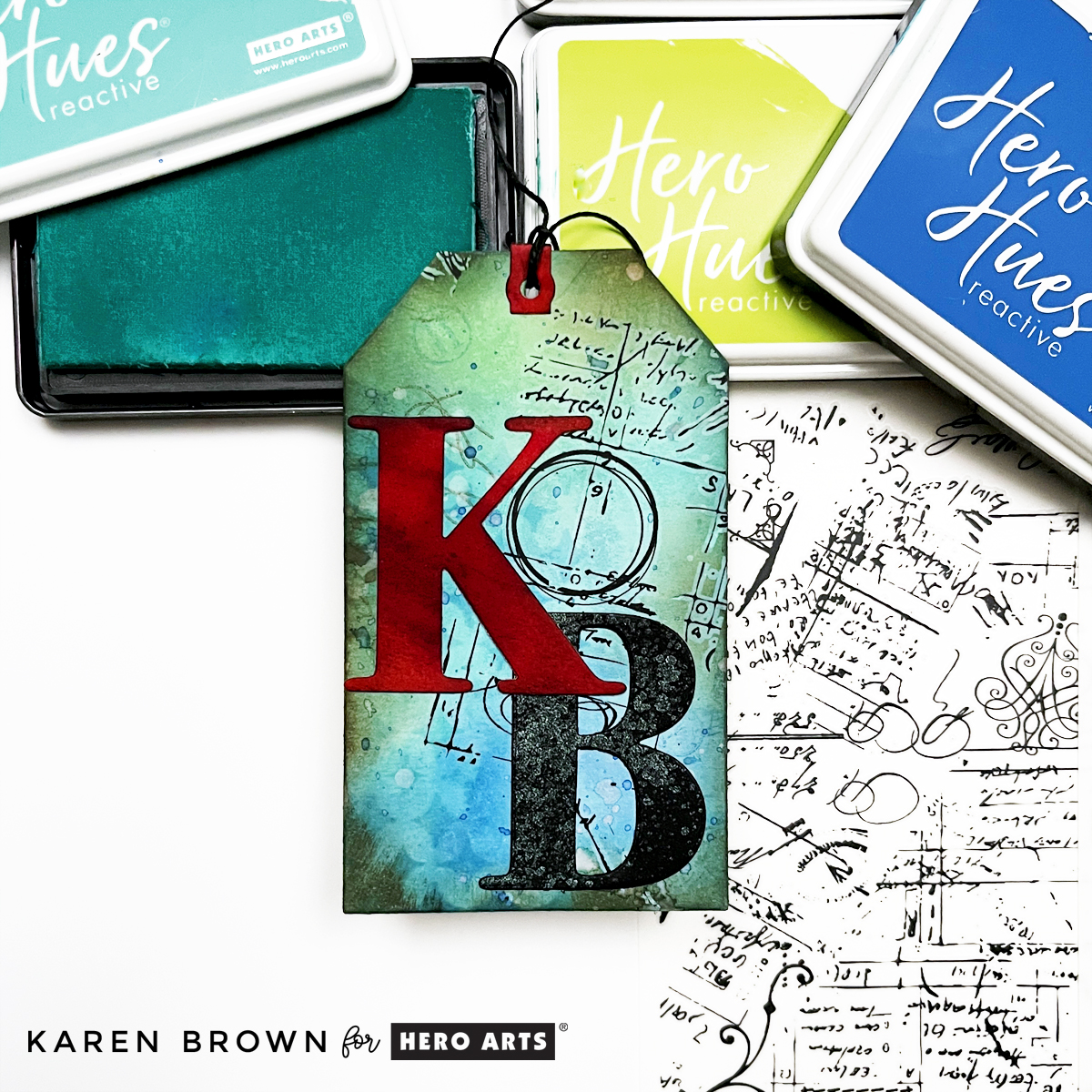
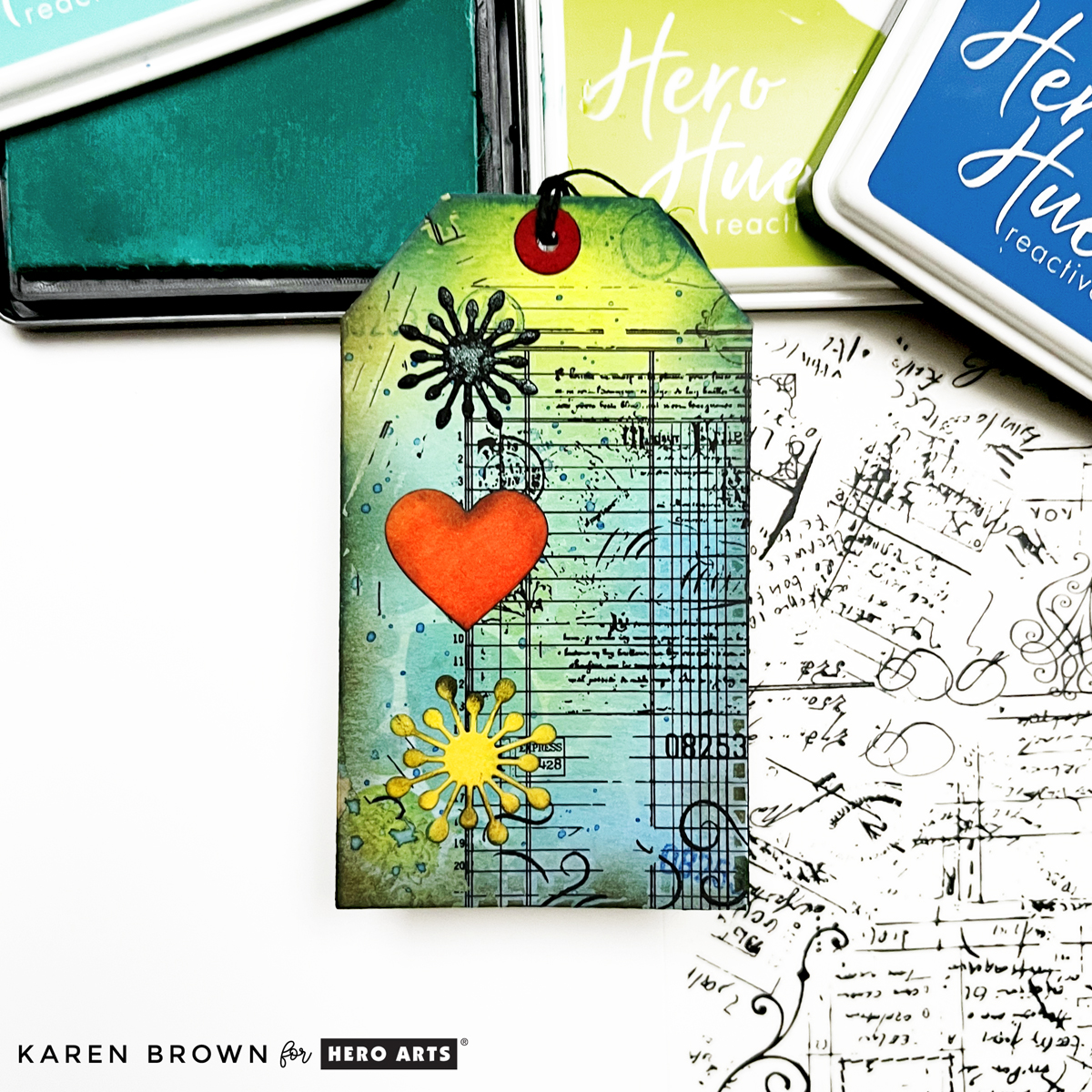
Close-up of my aqua blue mixed media tag with personalized die cut initials (KB) and Hero Arts rub-on Hero Transfers.

Step 6: Second-Generation Stamping

This is one of my favorite mixed media techniques.

Ink your stamp, stamp once on scrap paper, then immediately stamp onto your background.

The lighter impression adds depth and texture while keeping things loose and organic.

Use the same colors you used on your background in Step 1. This keeps everything cohesive and soft and adds subtle interest without overpowering the background.

Mixed media art tag created by layering 6 additional techniques on top of my ink smoosh watercolor background.

Step 7: Add Rub-On Transfers for Easy Texture

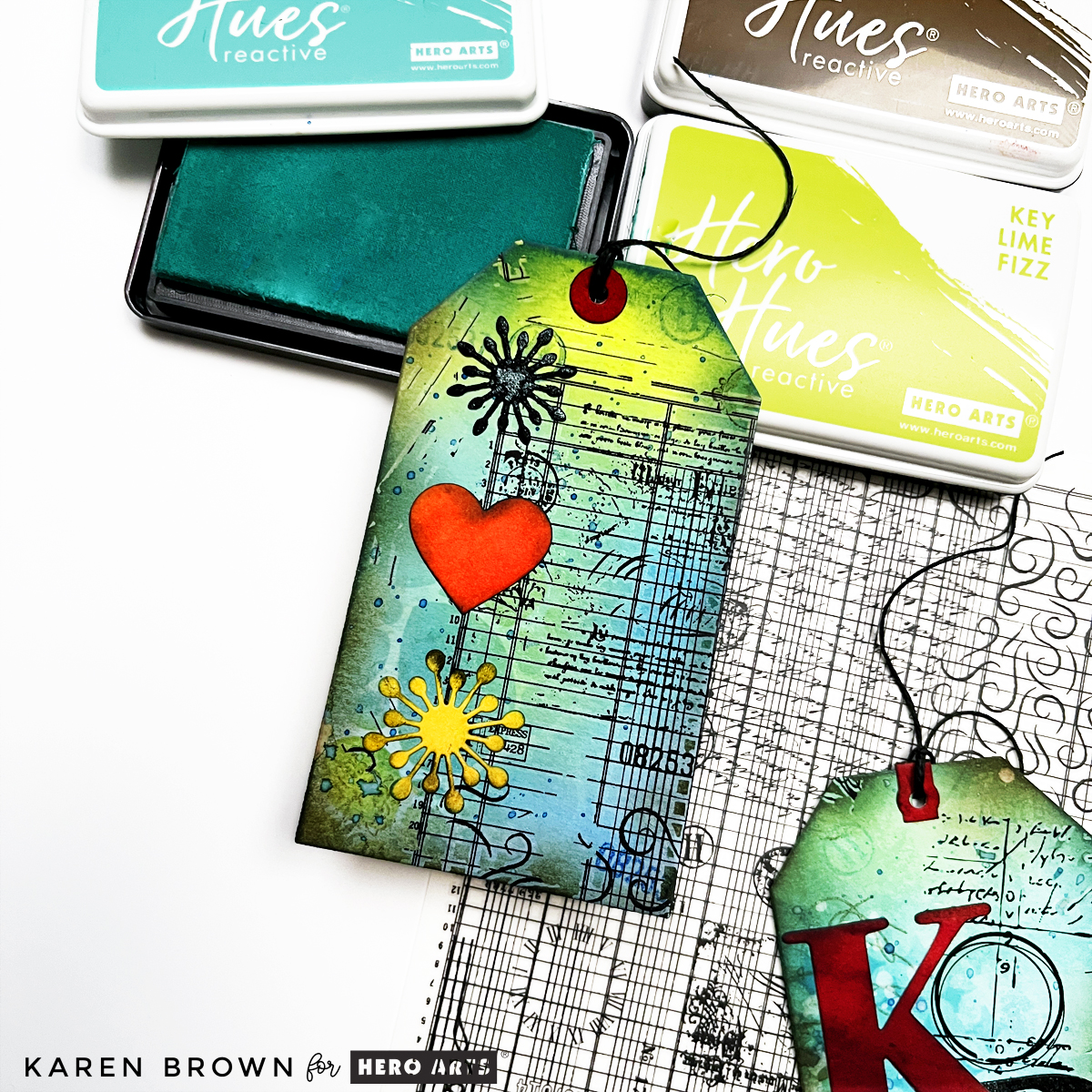
Hero Transfers are one of the easiest ways to add detail and interest—no drying time required. Today, I used the Grids and Icons Transfers.

Cut a small section, place it on your tag, and rub it on using a bone folder or craft stick. I like angling my transfers slightly for a more vintage, organic look.

Step 8: Add Some Grunge and Ink Blend the Edges

Ink blending around the edges of the tags adds instant definition and helps ground all those layers.

This is where everything starts to come together. I like using a darker neutral ink like Root Beer to “grunge up” the edges just a bit.

Colorful ledger style mixed media tag with die cut floral sunbursts and a cheerful orange heart.

Step 9: Add Splatters

Using a fan brush, splatter water (then blot with a cloth) and them the same inks used above. This step instantly adds movement and that “mixed media magic” feel.

Process photo showing water splatters and ink splatters on my in-process mixed media art tag.

Step 10: Add Focal Points

Now it’s time to bring in focal elements.

I used small die-cut images, lightly distressed the edges, and glued them directly to the tags. Keep the focal points simple—they should complement the background, not compete with it.

A good rule of thumb: if your background is busy, keep your focal point clean and contained.

Best mixed media art tag illustrating how to create one in 11 easy steps.

Step 11: Finish with Twine or Ribbon

Thread twine or ribbon through the top of each tag to finish them off.

This final step adds texture, softness, and makes the tags feel complete. You can also tuck tags into cards, journals, or gift packaging.

You might also enjoy another recent Mixed Media Tag Tutorial I posted last month. Or if you’d like to try a mixed media card instead, here is how I create one step-by-step, with loads of illustrative photos.

Mixed Media Toolbox

These are the supplies that I personally use:

Mixed Media · papercrafting · Tutorial

How to Make Mixed Media Tags in 9 Easy Steps | Tutorial

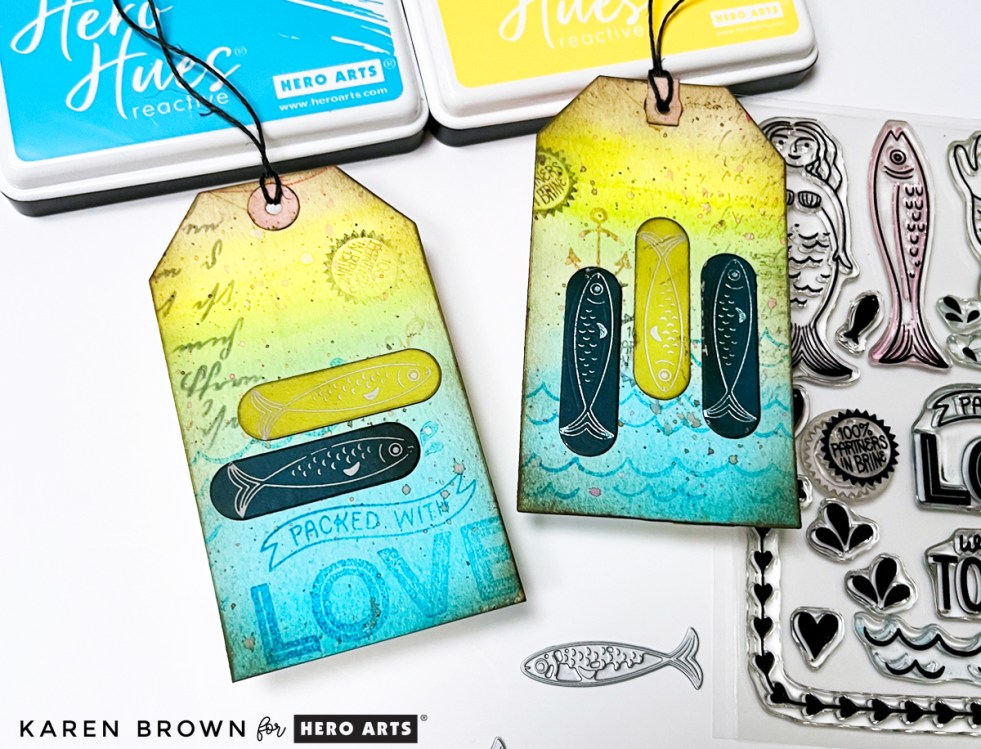
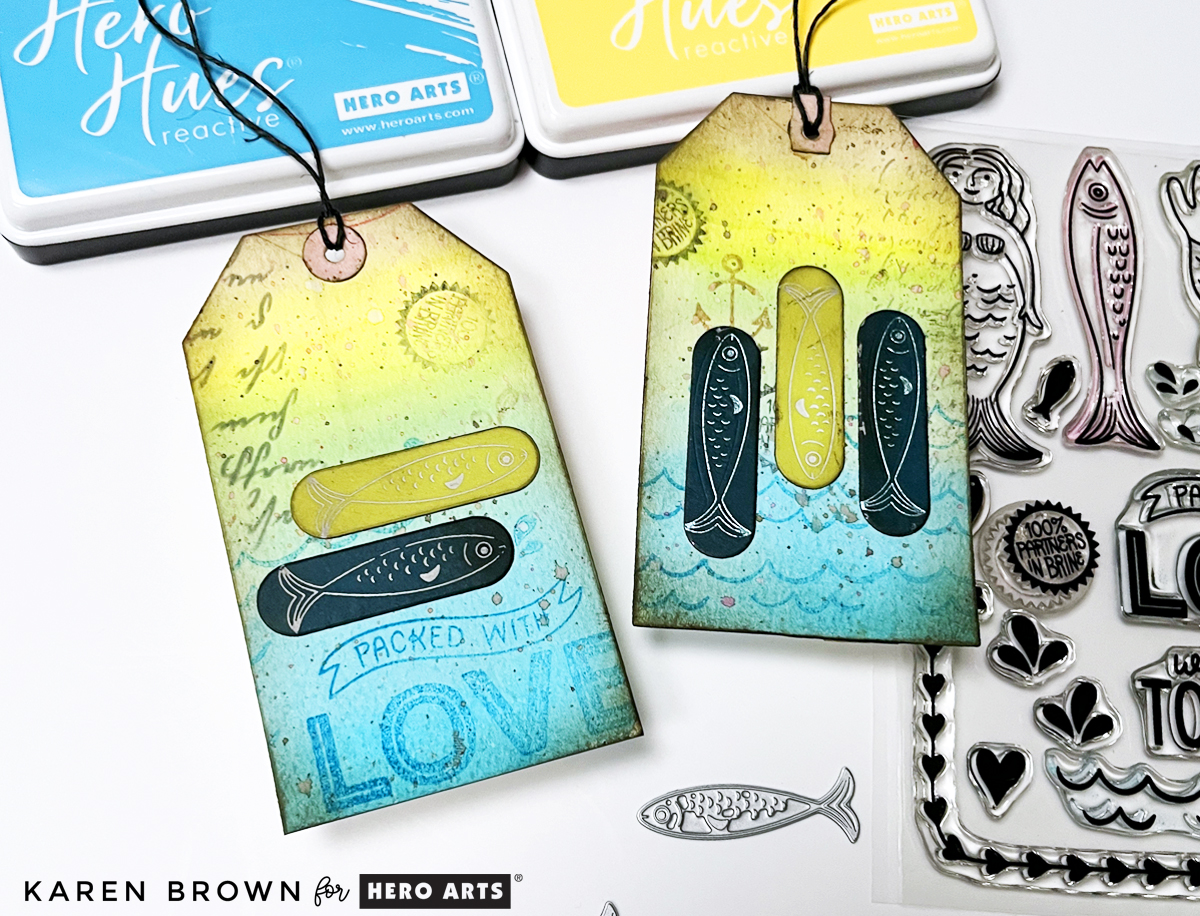
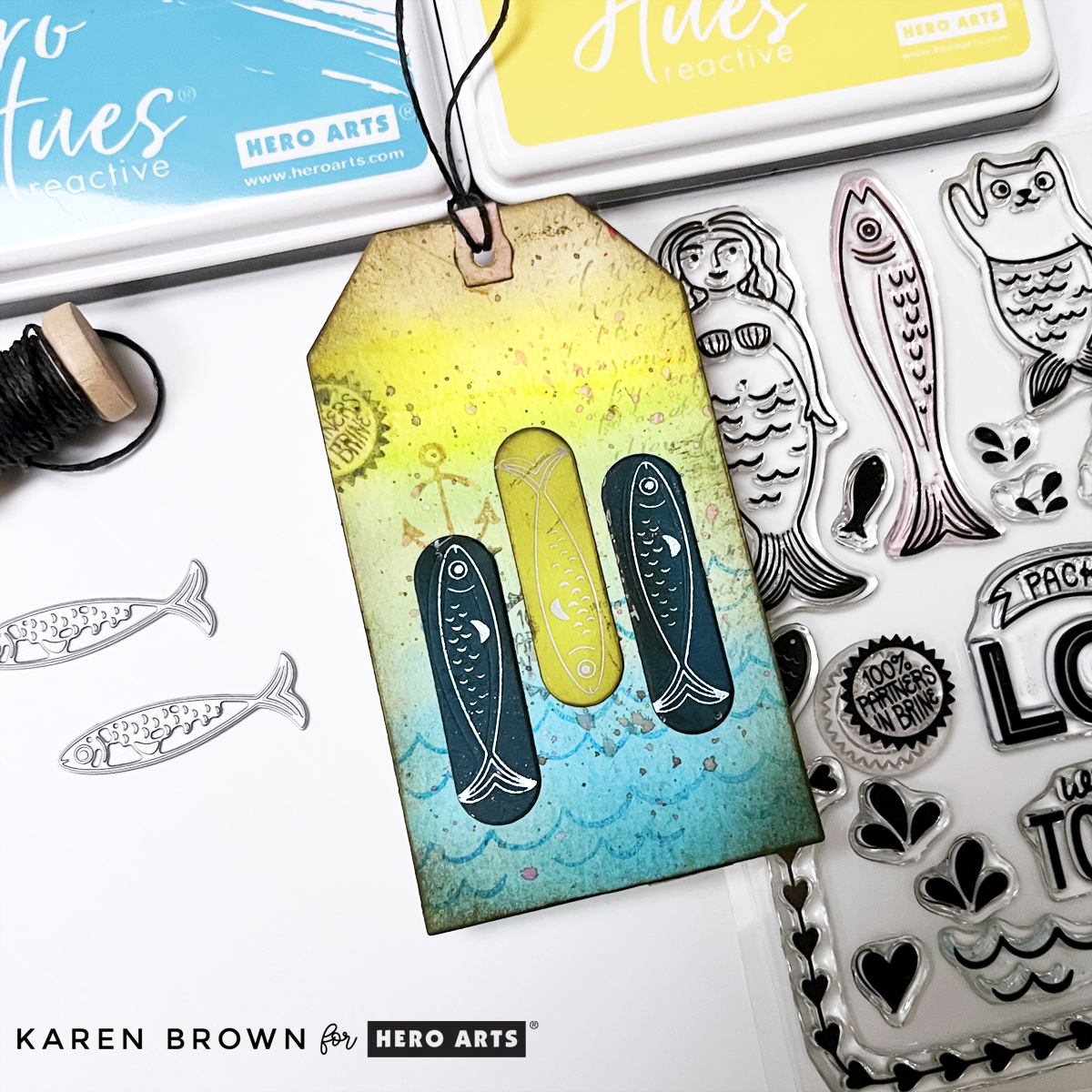
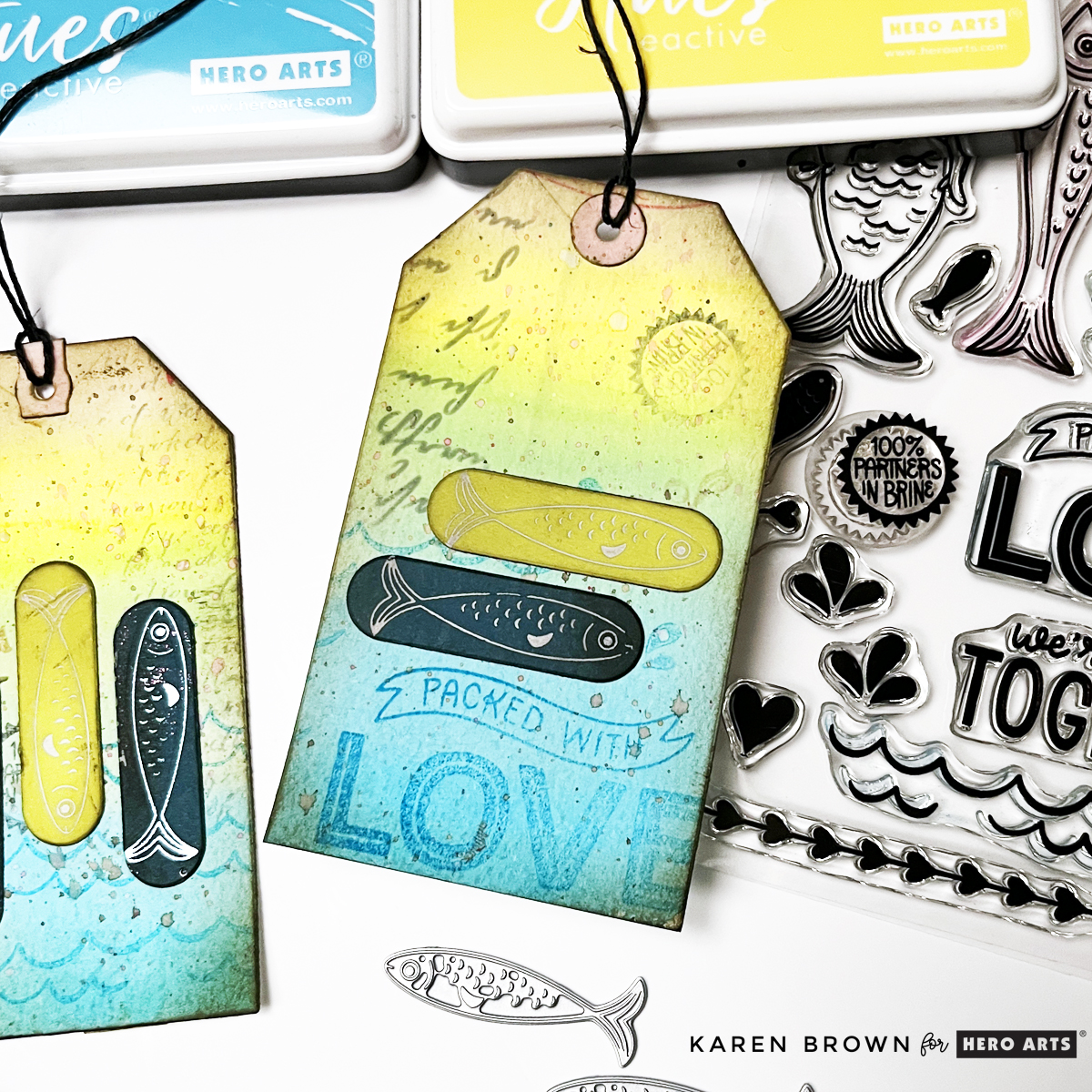
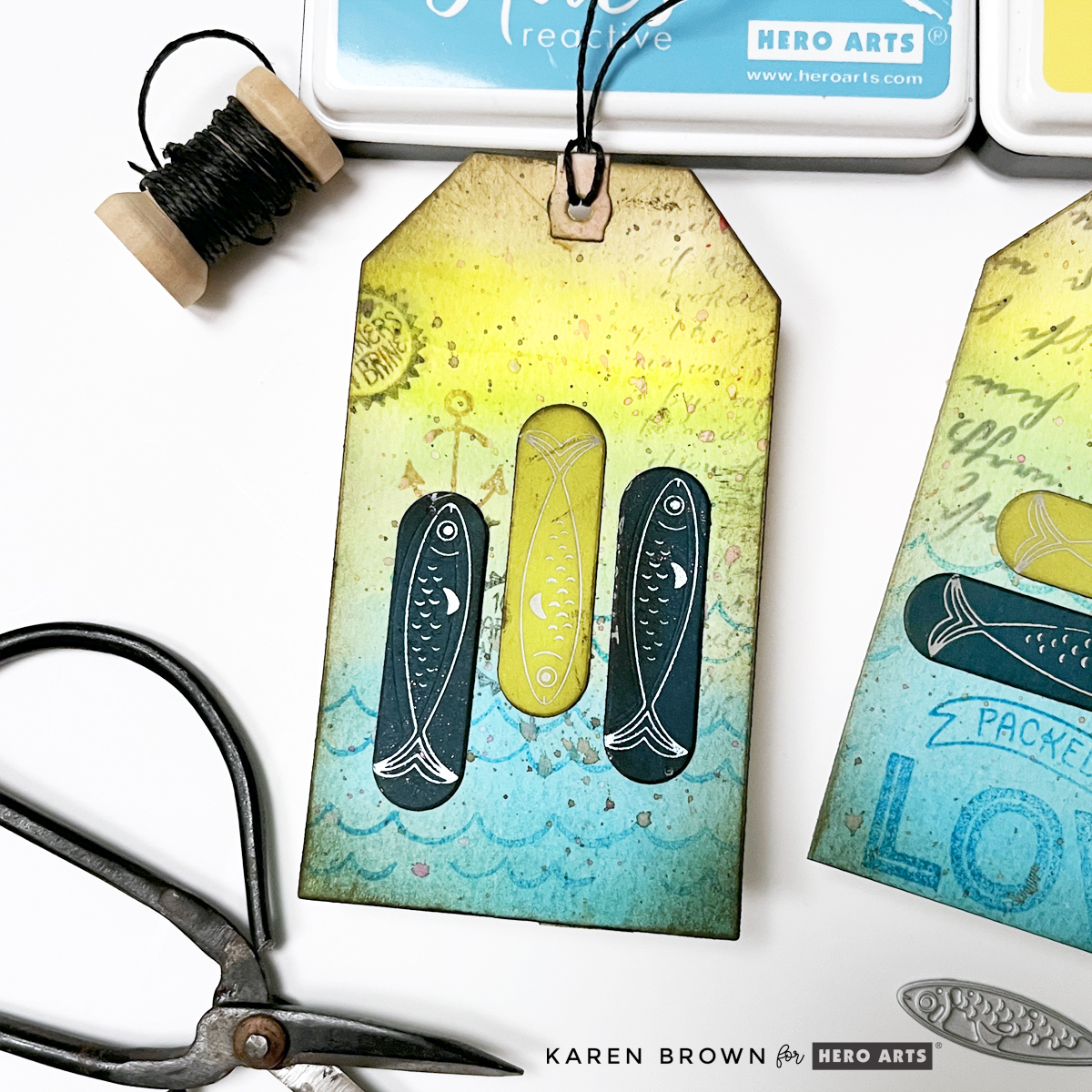
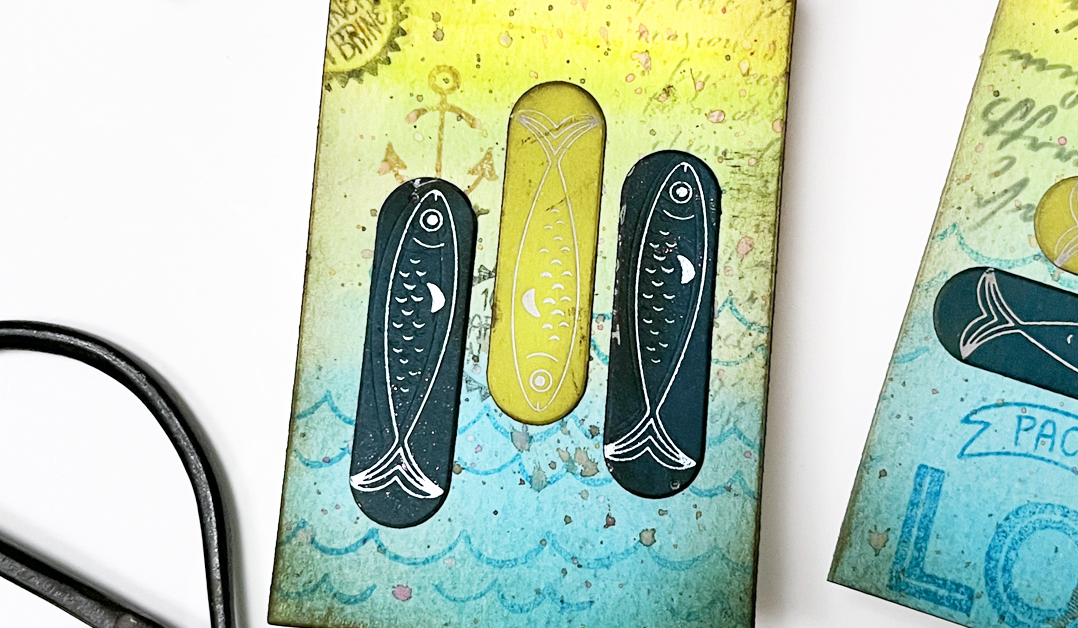
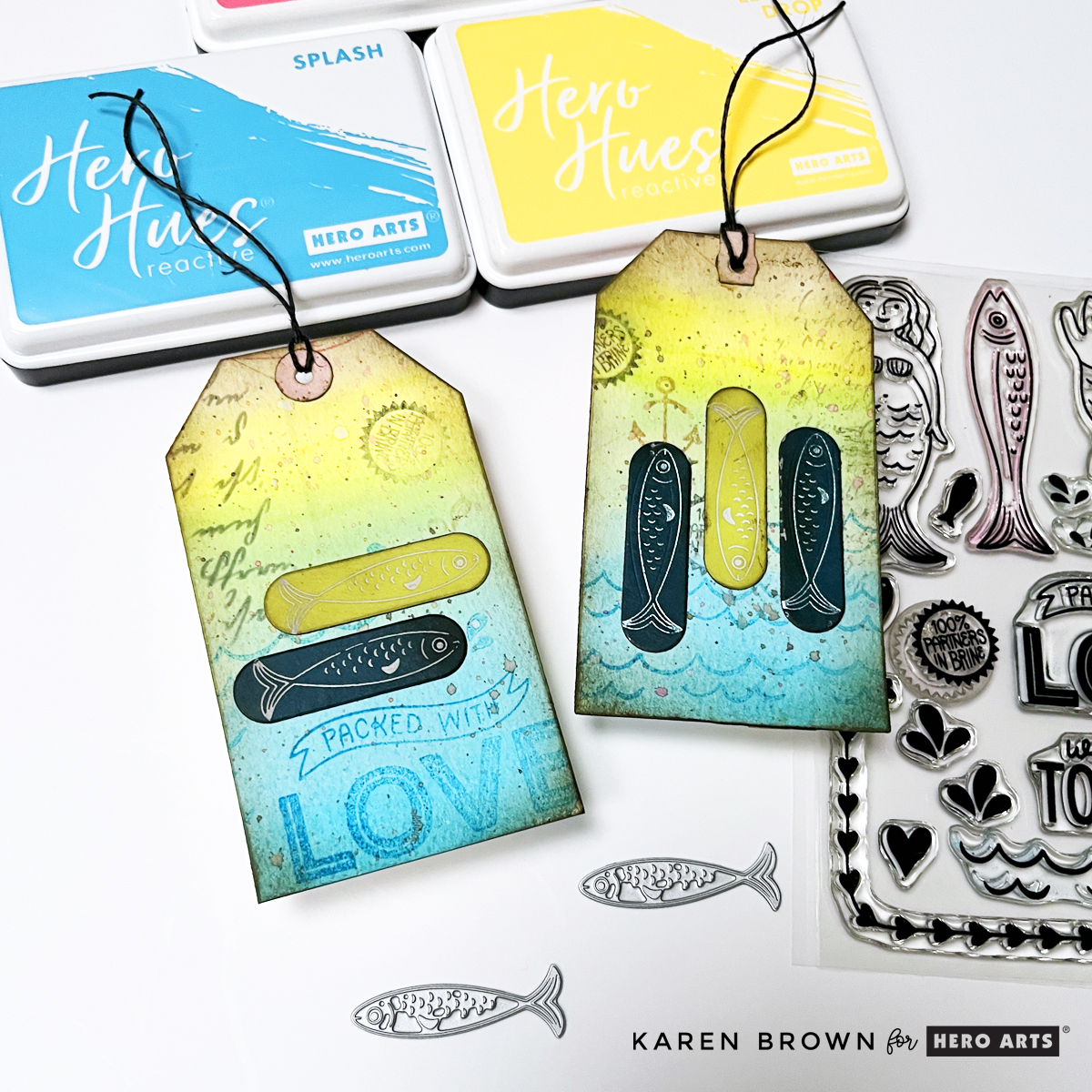
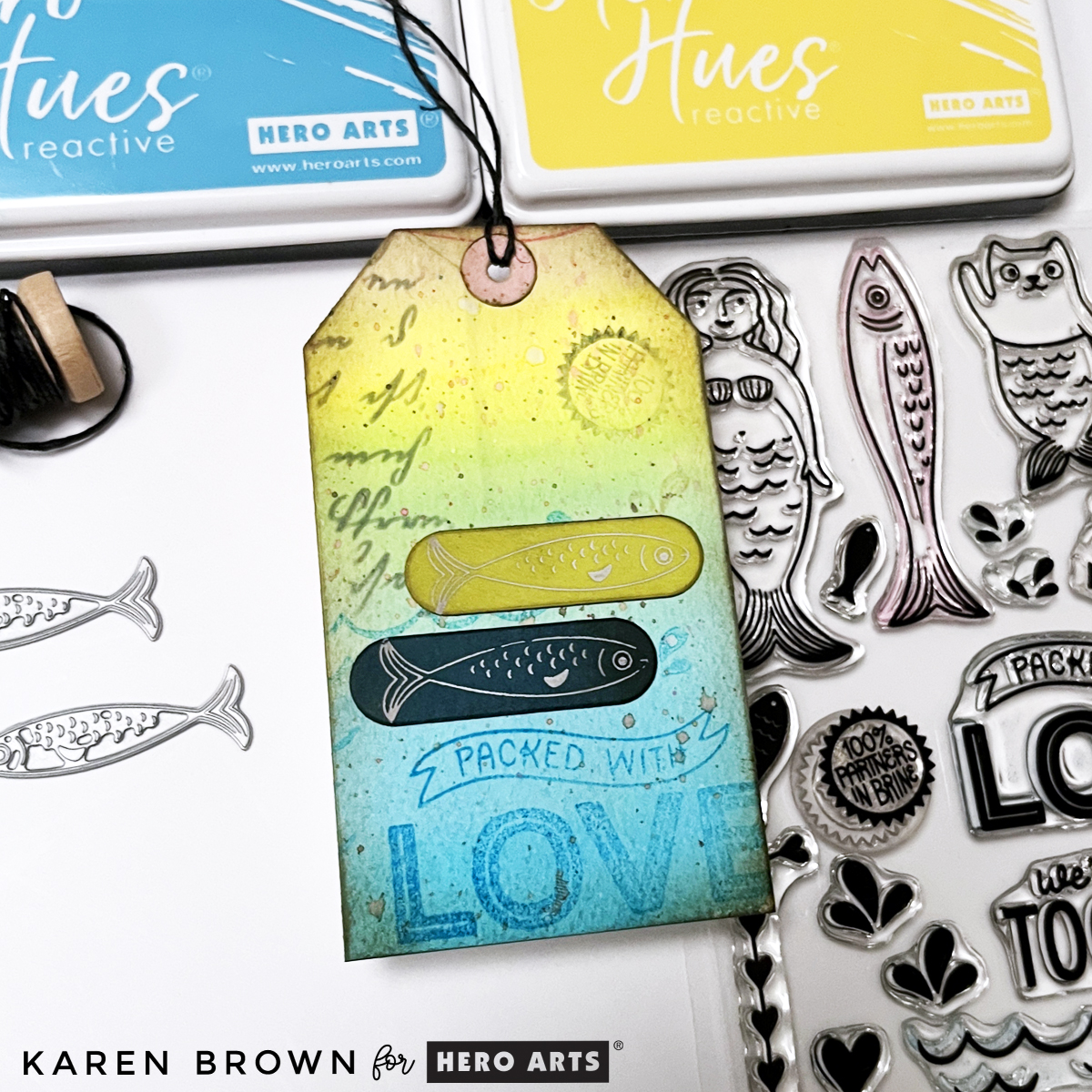
Two handmade mixed media tags featuring Hero Arts Partners in Brine stamps, watercolor gradients in blue, yellow, and pink, layered stamping, ink splatters, and foiled fish accents.

Creating stunning, multi-layered mixed media tags is easier than you think—here is an easy to follow 9-step tutorial.

When creating mixed media projects, I use my 3-Step Recipe.

The techniques I’m sharing today can be used with almost any stamp set or focal elements you already have.

If mixed media feels a little intimidating—don’t worry. This project is about building layers slowly, having fun with color, and letting the process guide you. Let’s walk through it step by step!

👉 I’ll link to the exact supplies at the bottom of this post.

Aquatic theme mixed media tag using Hero Arts Partners in Brine Stamp set and Glad We Are Tight BetterPress letterpress fish plates.

Step 1: Create a Watercolor Gradient Background

When I saw the Hero Arts Partners in Brine Stamp Set, I immediately pictured a colorful, summery mixed media background filled with texture, stamping, and playful details.

I began by taping a 6″ x 6″ panel of watercolor paper to a hardboard using washi tape. On my craft mat, I dabbed Hero Arts Reactive Ink, spritzed it with water, and used a brush to watercolor a smooth gradient.

I blended the colors so they flowed from blue into green, yellow, orange, and finally pink. Since this stamp set has an aquatic theme (which always feels like summer to me), I wanted bright, happy, sun-washed color.

Dry your panel naturally or speed things up with a heat gun. If your paper warps, simply flatten it later with a book.

Close-up of mixed media tag featuring layered stamping, script texture, inked edges, and a foiled fish accent on a colorful watercolor background.

Step 2: Stamp in Coordinating Colors

Once dry, I stamped images from the CM834 Partners in Brine stamp set using the same inks:

I especially loved the Packed with Love, waves, anchor, fish, and “packed in brine” images. Stamping in matching colors keeps the look layered but cohesive.

Step 3: Add Second-Generation Stamping

To deepen the texture, I used Black and Root Beer Reactive Ink and stamped a few images using second-generation stamping (inking the stamp, stamping once on scrap paper, then stamping again on the background).

Second Generation Stamping adds subtle depth without overpowering the colors.

Step 4: Add Ink Splatters

Next came one of my favorite steps—ink splatters! Using a fan brush, I flicked Splash, Lemon Drop, and Taffy onto the panel.

Ink Splatters add movement, texture, and that perfectly imperfect mixed media charm.

Watercolor background Mixed Media tag with script stenciling, second generation stamping and die cut fish.

Step 5: Die Cut the Tags

Before cutting, I used my Hero Arts Tag Infinity Die as a viewfinder to decide which parts of the background I wanted to showcase. Once I had the section I wanted to use, I taped my tag die to the watercolor panel and ran it through my Platinum 6 die cutting matchine.

I die cut two tags (4½” x 2⅜”), making sure one included the “Packed with Love” area as a focal point.

Step 6: Ink the Edges

To give the tags a vintage, worn look, I ink blended Root Beer Reactive Ink around all the edges. This step instantly adds depth and contrast,

👉 Root Beer Reactive Ink is my go-to shade for “grunging up” a project.

My preference is to use color-coded blending brushes for ink blending. I find my brushes last longer since I only use one ink colorfamily on each brush.

Mixed Media Tag tutorial showing how to create a tag in 9 easy steps.

Step 7: Add Script for Extra Texture

After studying my tags, I felt they needed a bit of visual “writing,” so I added:

  • CG830 Script Bold Print stamped in Granite Ink on the top right of one tag
  • SA225 Script Stencil (sadly sold out) stenciled in Granite on the top left of the Packed with Love tag
  • But, you can use any stamp or stencil with words that you have. Look through your supplies and see what calls to you.

Subtle script details enhance the mixed media feel without distracting from the main design.

Using distressed Glimmer Hot Foil elements on mixed media tags and cards.

Step 8: Add Foiled Die Cut Focal Points

For something completely new (and honestly, adorable), I added Glimmer hot foiled accents—something I’d never tried on a mixed media project before!

I foiled the two sweet fish from HP131 Glad We Are Tight using white and metallic blue foil with my Spellbinders Glimmer System. I then:

The mix of soft watercolor, stamping, and shiny foil adds beautiful contrast.

Step 9: Finish with Twine or Ribbon

To complete the tags, I simply added twine through the top. This final touch makes them perfect for gift wrapping, journaling, mini albums—or even framing as tiny art pieces.


two mixed media tags with a summery fish/aquatic theme.

You might also be interested in my other blog post where I create with the Packed With Love Collection: Tips and Tricks for Making Two Playful Die Cut Card Designs.

Products Used:

Final Thoughts

Mixed media doesn’t have to be complicated. By working in layers, repeating colors, and letting each step build naturally, you can create beautiful, dimensional projects that feel artistic without being overwhelming.

If you enjoyed this tutorial, I’ll link a couple of my other mixed media posts below for more inspiration. And remember—these techniques work with any stamps, any colors, and any theme. The process is what makes it magic.
Happy crafting!

cardmaking · Die cutting · Tutorial

4 Tips for Christmas Cardmaking

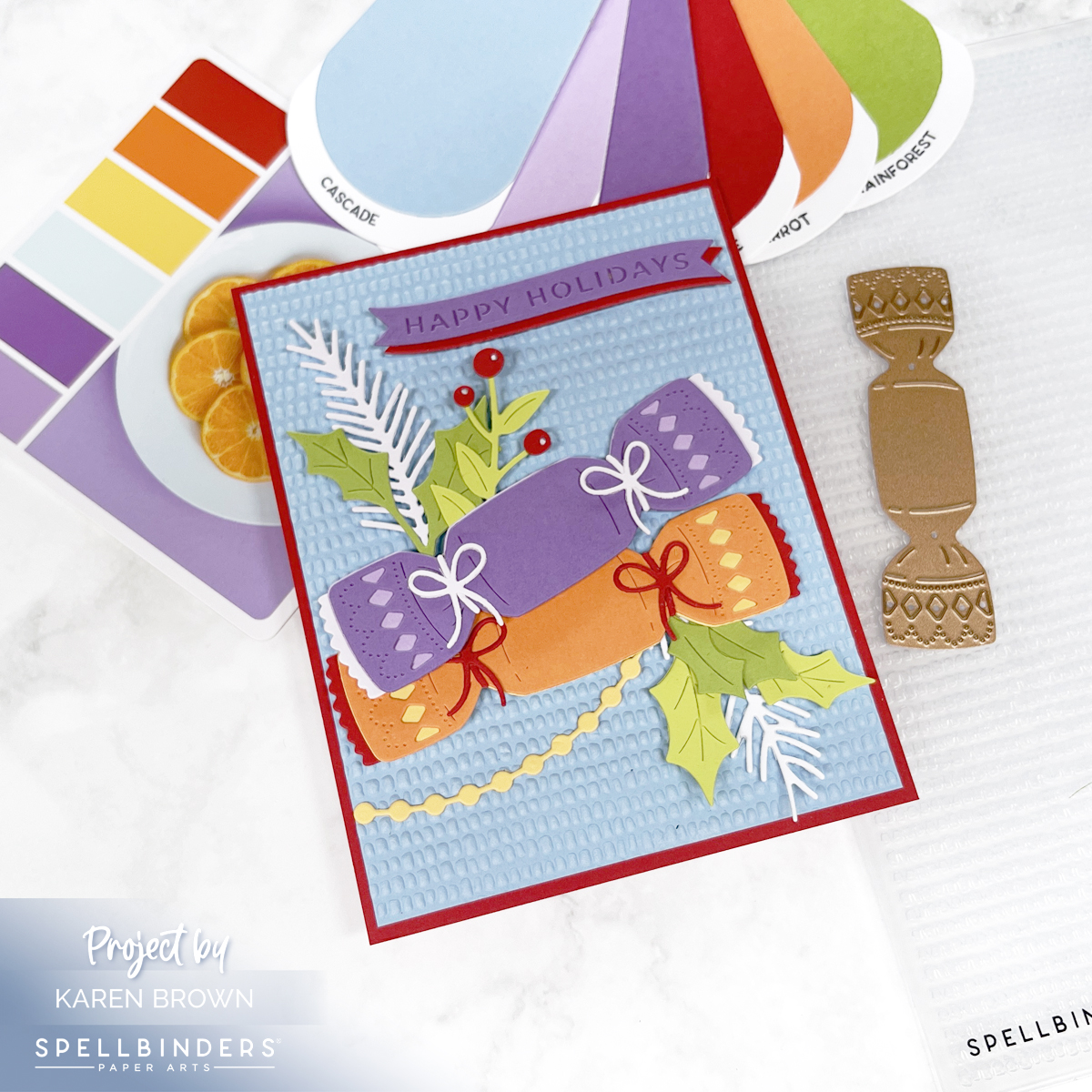
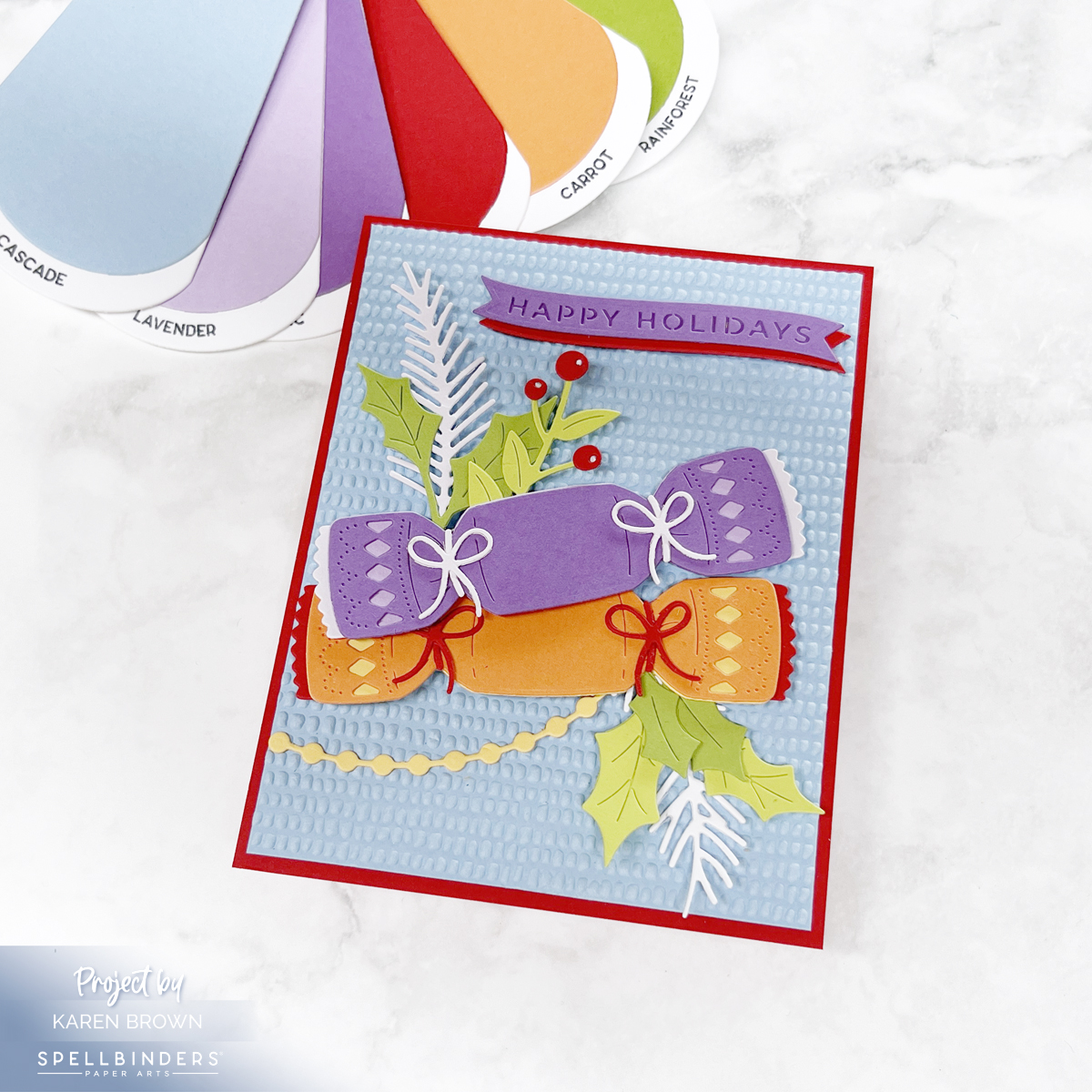
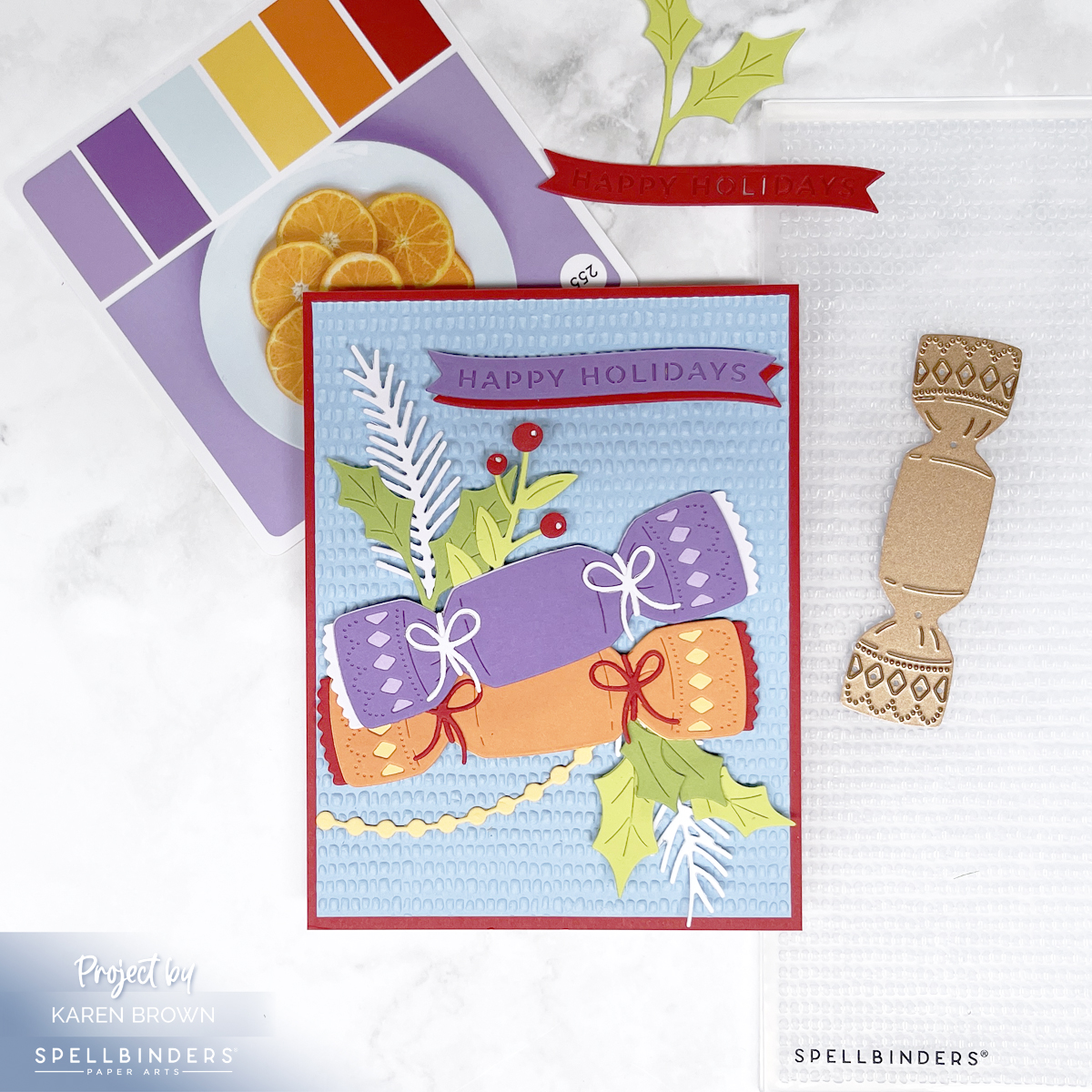
Bright, colorful Christmas card with a blue "dimpled" background, purple and orange die cut Christmas Crackers and a folliage accents.
Featuring the Christmas Cracker Die Set + Dimpled Embossing Folder

The holidays are the perfect time to get crafty, and Spellbinders’ new Christmas releases make it so much fun! Today I’m sharing a festive card I created with the Christmas Cracker Die Set from Yana’s Christmas Collection and the Dimpled 3D Embossing Folder from Suzanne Hue’s Texture and Foliage Collection.

Along the way, I’ll walk you through 4 tried-and-true tips that will make your holiday cardmaking easier, more enjoyable, and more beautiful.

Tip 1: Use Quality Cardstock

Handmade Christmas card featuring a colorful die cut Christmas cracker in shades of purple, orange, blue, and green. The background is embossed with a dimpled 3D pattern, and some die cuts are raised on foam for added dimension

The foundation of any good die cut is quality cardstock. Thin or flimsy paper isn’t substantial enough for die cutting. For this project, I used Spellbinders’ Color Wheel Cardstock—which is heavyweight, smooth, and cuts like butter.

Here are some of the gorgeous shades I pulled:

  • 🌊 Cascade
  • 💜 Fairy Tale
  • 🌸 Lavender & Lilac
  • 🌞 Beeswax
  • 🍊 Carrot
  • 🍎 Pomegranate
  • 🌿 Peridot & Rainforest

Together these created a vibrant, cheerful, and slightly unexpected holiday palette.

Tip 2: Swatch Your Cardstock

Handmade die cut Christmas card using Spellbinders Yana's Christmas Cracker set with the Dimpled 3D Embossing folder.

Having your cardstock organized and swatched makes choosing colors so much faster. I’ll link HERE to a post where I go into detail on how I keep my swatches handy and easy to use.

For this project, I flipped through my swatches until I landed on the perfect non-traditional holiday mix. Seeing them side by side helped me visualize how the colors would work layered on the Christmas cracker.

Products Used:

Tip 3: Use Color Inspiration

Handmade die cut Christmas Card created with the non-traditional colors of blue, purple, orange, red and green.

When in doubt, let a color system do the heavy lifting! For this card, I turned to Color Cubes Volume 2, specifically palette card #252, which inspired the purple, red, orange, yellow, blue color mix. I also own Volume 1. You can find the Color Cubes Bundle HERE.

I’ll also link to a previous blog post that features Spellbinders’ Color Deck System, another fabulous way to spark ideas when you feel stuck or want to try something different.

Click HERE if you’d like to see another Christmas Card using the same #252 Color Cubes palette card.

Tip 4: Add Texture and Dimension

Die Cut Christmas cracker card with loads of texture, dimension and vivid colors.

Flat die cuts are nice, but texture and lift make a card pop. For this background, I embossed a panel with the new Dimpled 3D Embossing Folder—a subtle yet impactful pattern that catches the light beautifully.

I also used foam squares behind some of the cracker die cuts to add depth and shadow. Craft foam also works great, especially on larger die cuts. The best glue for smaller die cuts is Bearly Glue. I love the fine nozzle! Simple details like these can make your handmade card feel polished and professional.

cardmaking · Mixed Media · Tutorial

Mixed Media Card Tutorial: A Step-By-Step Guide

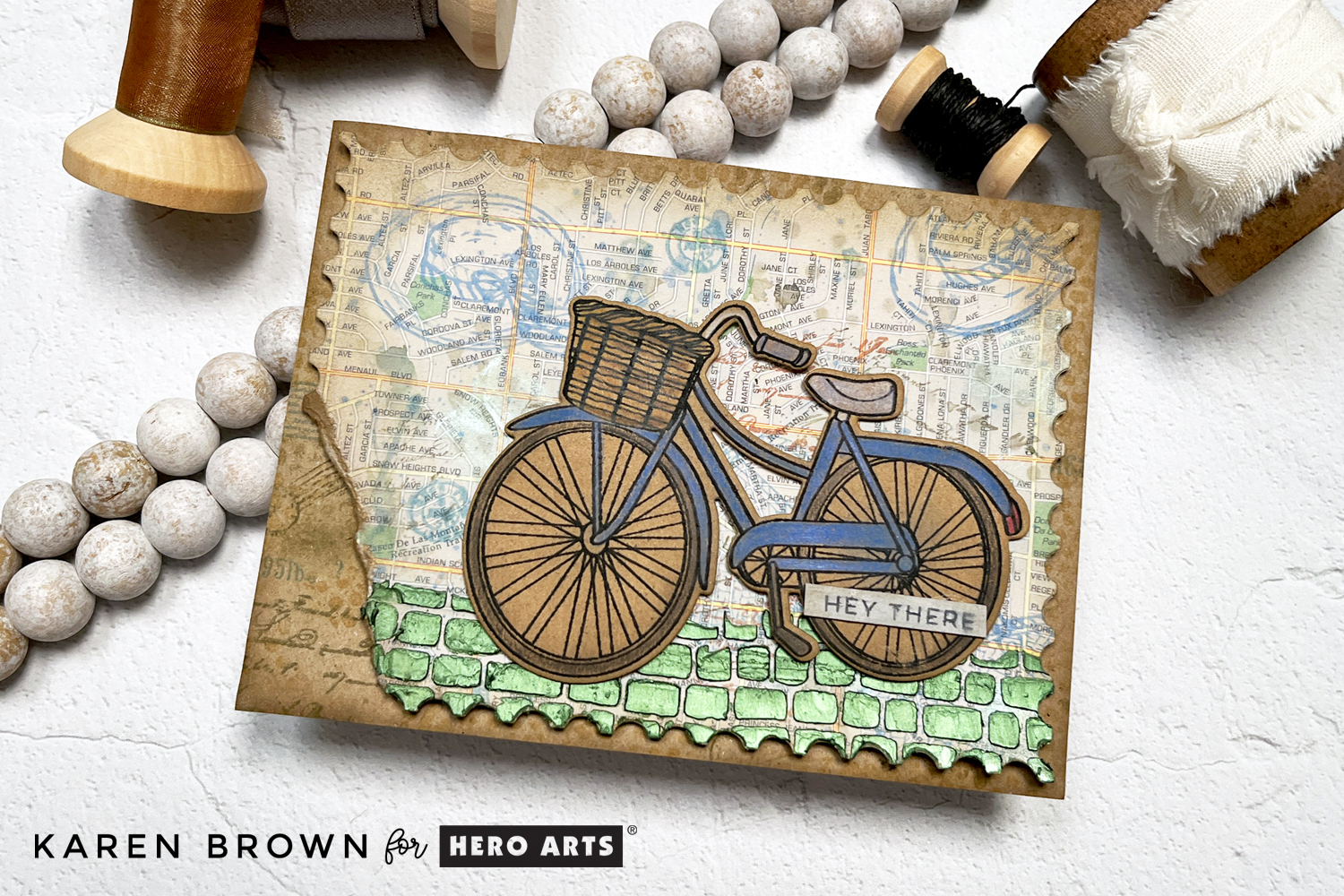
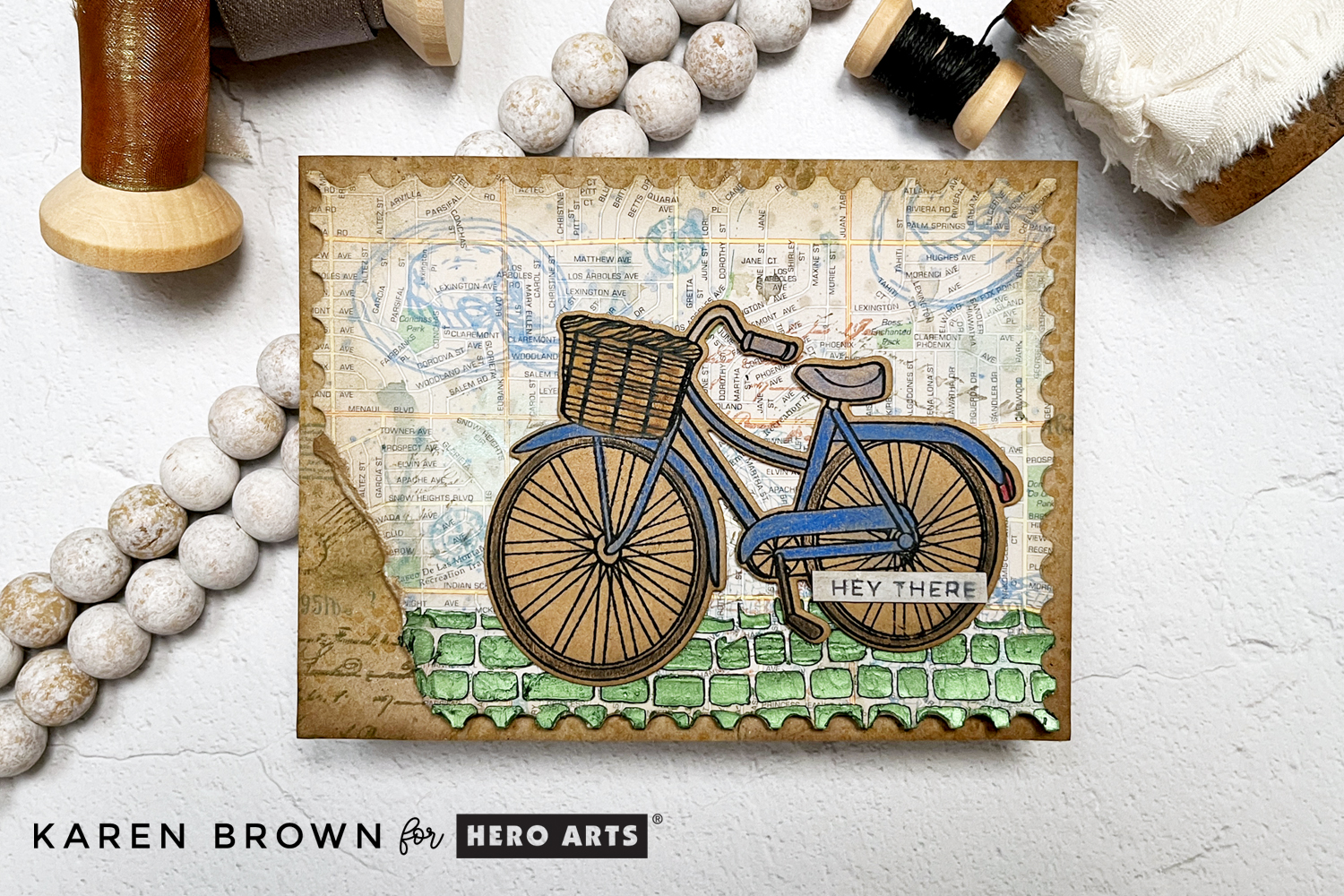
How to tutorial for a tattered and torn mixed media travel theme card with a die cut bike, upcycled road atlas background and stenciled Hero Wax accent.

Today, I want to show you how to repurpose and upcycle paper to create a mixed media card.    I started with a map from an old Atlas and a brown paper shopping bag.  I used the bike stamp and die from Hero Arts June card kit as my focal point which I stamped on a panel cut from the shopping bag.

How to Create Mixed Media Cards Step-By-Step:

Above, you can see the repurposed papers that I used on my card. Here was my process:

  • I attached a piece of watercolor cardstock to the back of the Atlas page so that I would have a more substantial panel to work on.  I used Matte Medium to adhere the two pages together.  Dry.
  • To make sure there was no shine and to have the right surface texture for my mixed media project, I applied a layer of Gesso Acrylic Paint to the map. Dry.
Process photo showing how to apply Gesso to prep a mixed media project.
process photo showing stamping on a mixed media card background
  • I stenciled a few spots with the Leaves and Abstract Shapes Stencil with Root Beer ink.
  • I die cut the panel with a Nesting Postage Stamps Infinity Die and then ink blended Fawn and Root Beer along the corners and edges.  I wanted a grungy vintage look.
  • I added watered down blots of Periwinkle and Root Beer. Dab some ink on acetate, spritz with a bit of water and dab on the panel.  Tilt a bit to make it run.  Blot up if you have more ink than you want.
  • Add ink splatters with a fan brush with the same inks used above, which adds color and depth.
  • I did second generation stamping (ink stamp, lightly stamp on scratch paper and then stamp background) with Root Beer ink.  You can see I keep adding layers. 
process photo showing a mixed media background with stamping, stenciling and ink blending.
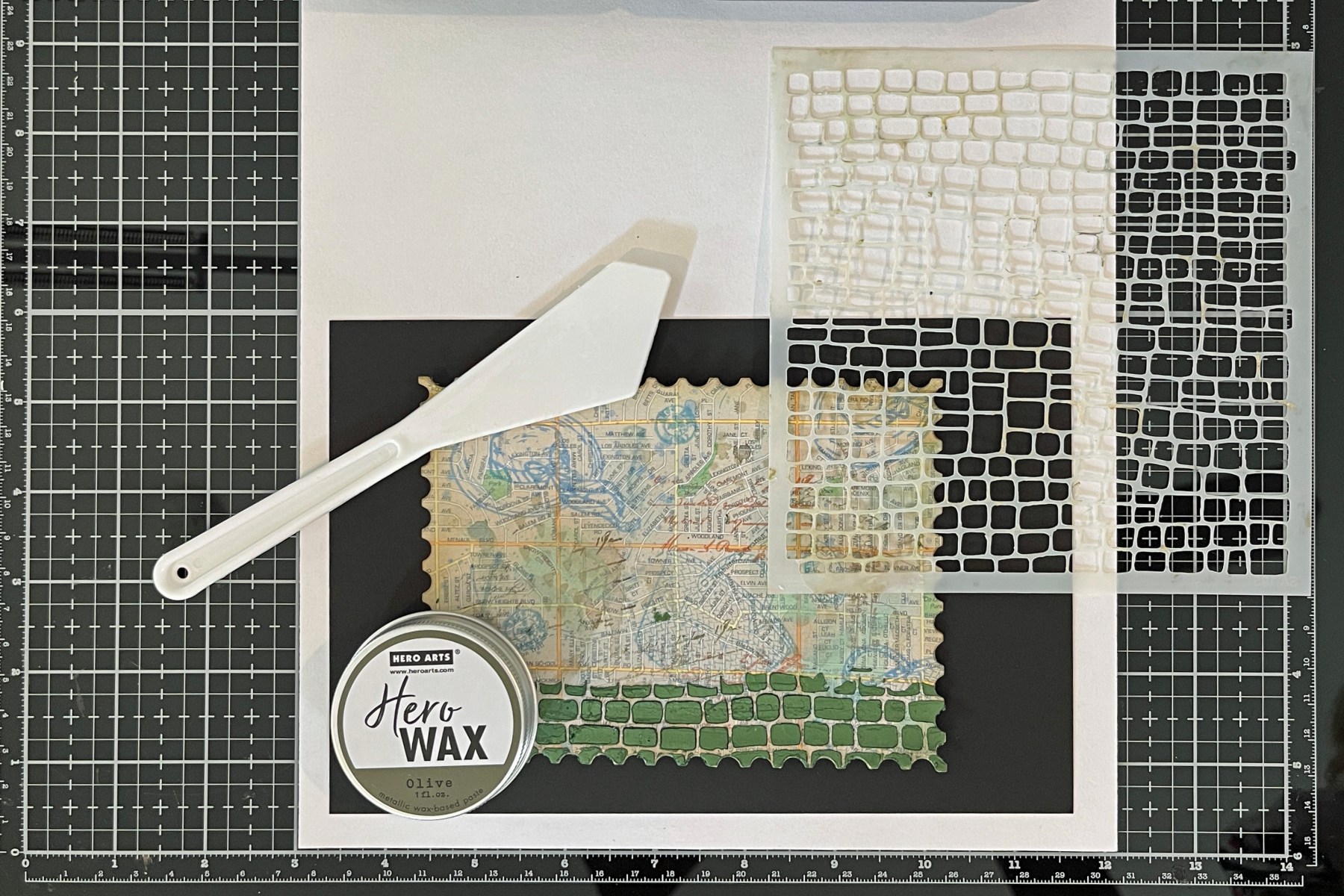
  • I stenciled Olive Hero Wax over the bottom of my map panel with the Cobblestone Stencil to simulate a road.
  • Tear the bottom left corner off the panel for a really old and tattered look.  Ink blend along the tear line.
  • After looking at my panel I decided I wanted to darken the edges even more, so I added additional ink blending around the edges and corners.
process photo showing olive Hero Wax applied through a Cobblestone stencil.

Bicycle Focal Point:

  • On a panel from the brown paper shopping bag, I stamped the bike from the Hero Studio June card kit.  I left it in the stamp positioner and colored with InkTense colored pencils. Then I restamped the bike for a crisp black look.
  • Die cut bike
  • Ink edges with root beer ink.
A process photo showing a stamped bicycle on an upcycled repurposed panel cut from a brown paper bag and colored with Inktense colored pencils.  The panel will be turned into a mixed media card.

Tattered and Worn Base Mat:

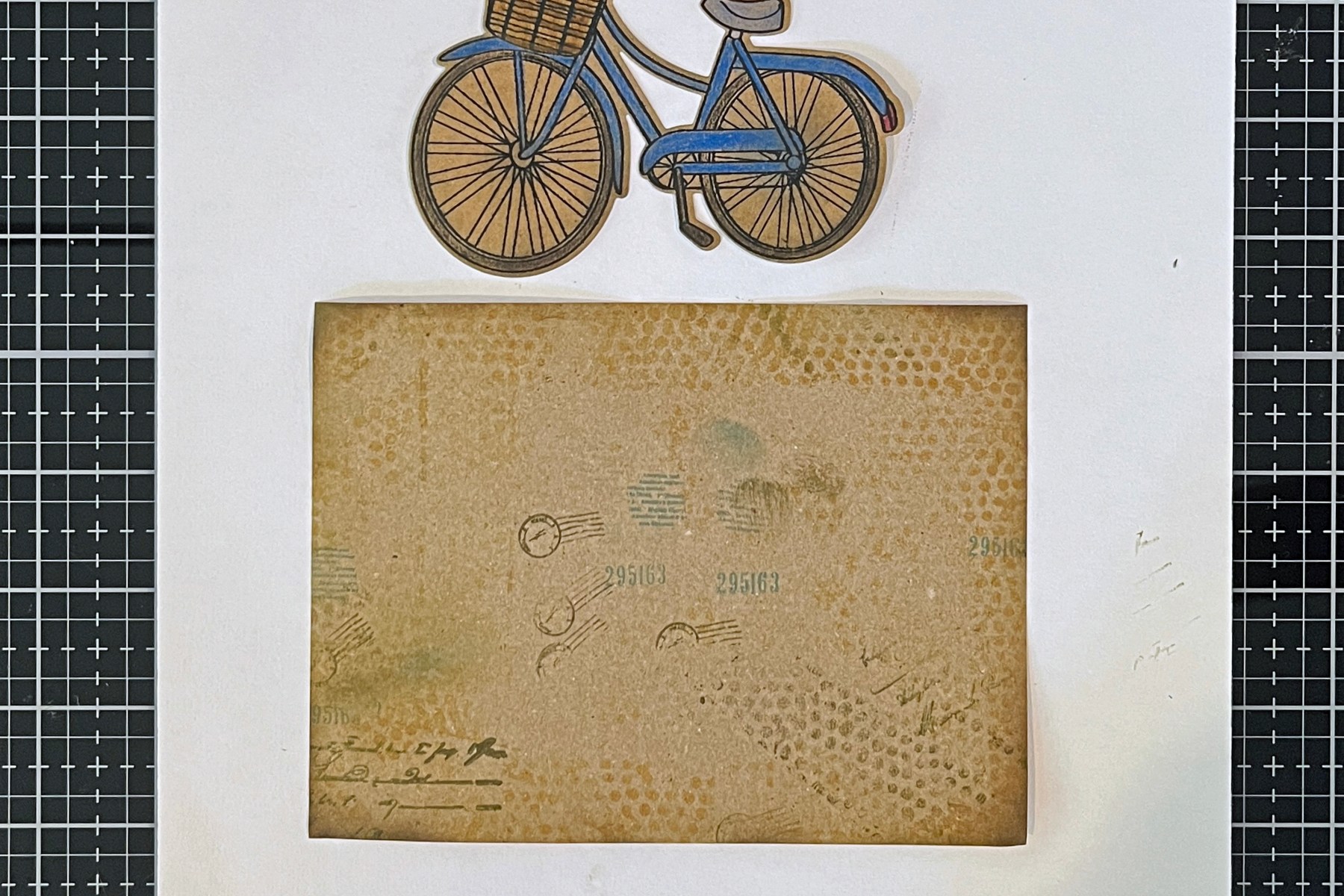
  • Cut a second panel from the brown paper bag to act as a base mat.
  • Using the Rough Dot Bold Prints Stamp, stamp with Root Beer ink and Fawn Ink on the second panel (which is slightly larger than the map panel).  Dab a bit here and there, heavier in some places, lighter in others for a vintage look. 
  • In the bottom left corner add some text stamping for interest. This is where the torn edge will be positioned, so this area of the base will be more visible. I Used Vintage Postmarks and Tickets and Vintage Maps and Ledgers again and randomly added numbers etc around the perimeter of the card base.  
  • Ink the edges and corners to darken them.
Process photo showing a vintage look background card mat.  The mat was cut from a repurposed upcycled brown paper shopping bag.

I love the inky grungy look of this card!

A mixed media card featuring the June 2025 Hero Studio card kit bike and hat stamps.

Use What You Have! Old maps, shopping bags, sewing patterns, dictionary pages, music books—they all bring unique texture and charm to your cards. Mixed media is about building interest through layers, so don’t be afraid to play!

cardmaking · Die cutting · Tutorial

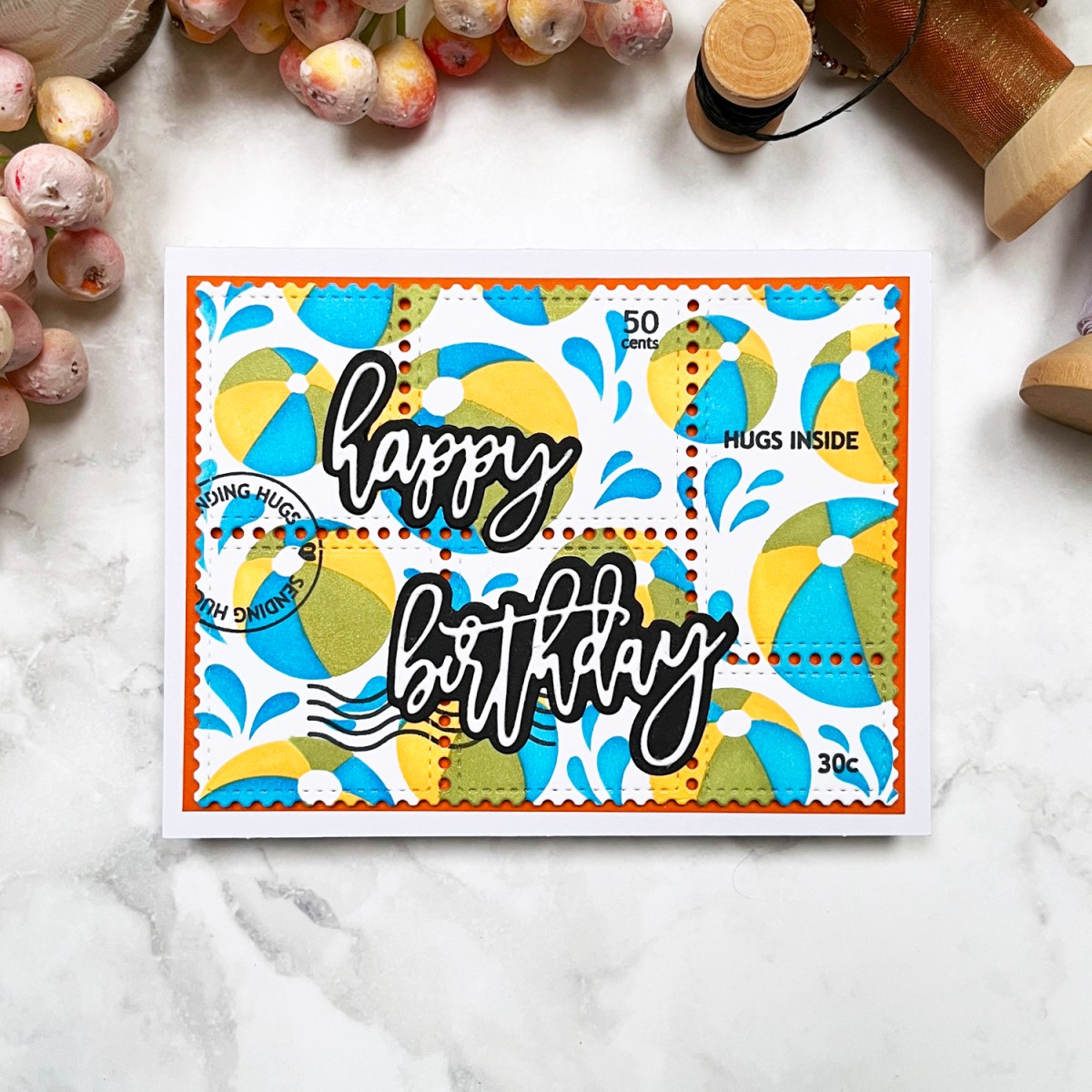
Make a Splash: Postage Collage Summer Beach Card

Nothing says “happy birthday” like a burst of bright colors and a little beachy fun! Fresh off a trip to the shore, I felt inspired to bring the ocean breeze into my craft room—minus the sand in my die-cutting machine. Today’s card features stenciled beach balls, a fun postage stamp collage, and plenty of shimmer and shine. Let’s dive in!

Bringing the Beach to Paper: Creative Ways to Use Layering Stencils

A vibrant beach-themed birthday card featuring stenciled beach balls in yellow, green, and blue with a touch of shimmer.

To set the seaside scene, I stenciled a flurry of yellow, green, and blue beach balls bouncing across the card. But what’s a day at the beach without a little shimmer? I used Glitz Inks to add a splash of shimmery shine.

Key Products Used:

Ink Blending Tips for a Seamless Look

  • Easy to Use 3 Layer Stencil: I started by stenciling my background with the fun Beach Ball Stencil. To keep my paper and stencil in place, I used my Sticky Grip Mat, which worked perfectly.
    • Click HERE to read my review on Sticky Grip Mats.
  • Use a circular motion: This prevents harsh lines and gives a softer, airbrushed effect. I also like to change direction frequently.
  • Let the shimmer do its thing: Glitz Inks add an extra pop. I used two shimmery Glitz Inks + Summer Sky for a really beachy vibe.

Postage Perfection

Nothing elevates a card quite like a postage stamp theme, so I pulled out my Waffle Flower Postage Collage die and stamp set to bring in some postal flair. Here’s what I included:

  • Postage-style die adds a fun and playful focus to your project, allowing pops of the orange mat to peek through the holes.
  • Stamped details like “sending hugs”, “50 cents”, “hugs inside”, and classic cancellation squiggles for that perfect mail-ready touch.
  • A crisp white scripty “Happy Birthday” sentiment with a black shadow, keeping it bold and readable amidst all the beachy goodness.
The Waffle Flower Postage Collage die-cut panel with stamped details like "sending hugs" and cancellation marks, framed by an orange mat.  Fun Beach Ball themed Birthday card with blue, yellow and green layered stencil ink blending.

The Final Splash

With the main panel matted in orange, this card bursts with sunny energy—perfect for anyone’s birthday, no matter their age! The beachy vibe, vibrant colors, and postal elements make it a playful, happy way to celebrate.. ☀️📬✨

cardmaking · Rainbow Colors · Tutorial

Rainbows & Glitter: Tips on Making Your Own Glitter Cardstock

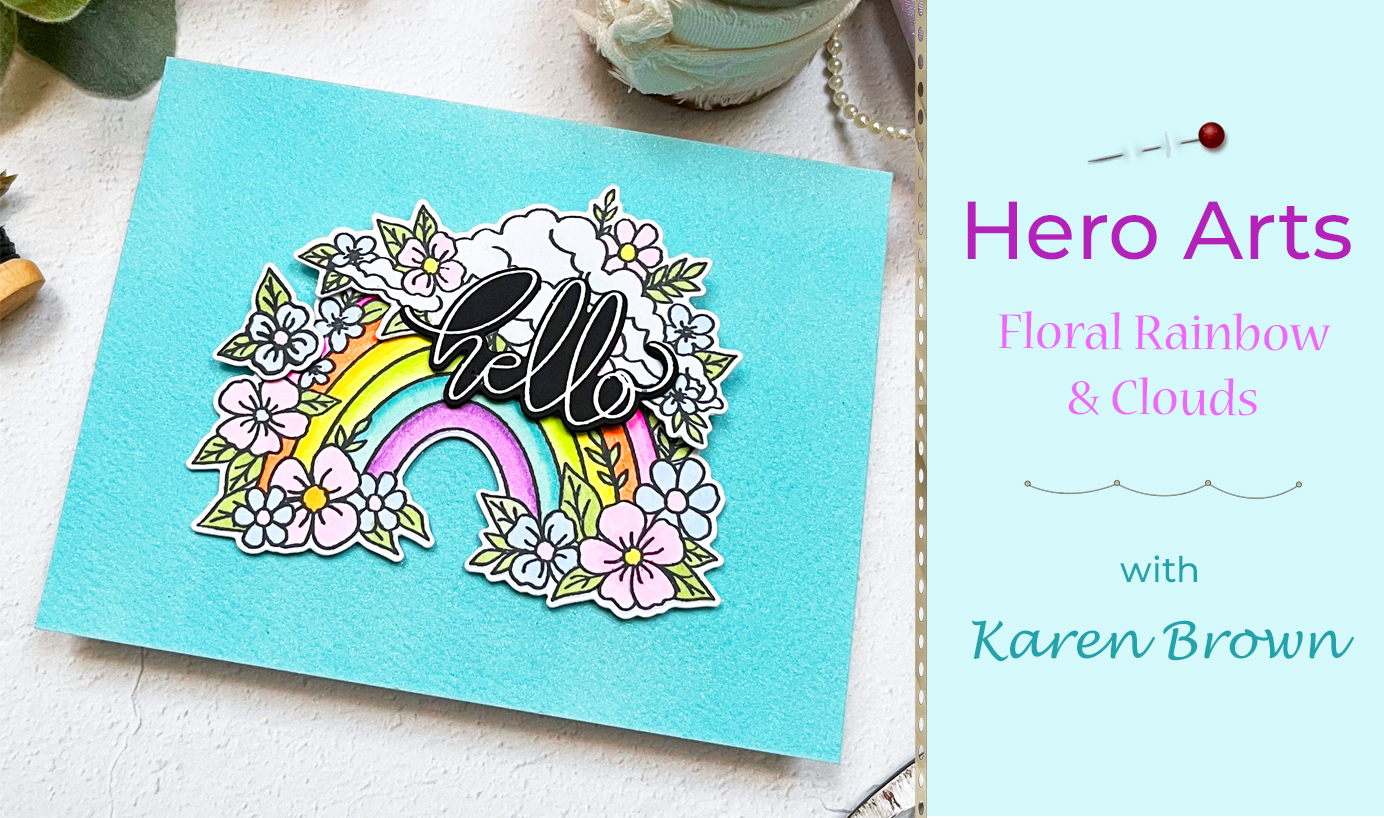
Tips and Tutorial on how to make a floral rainbow card with a custom tinted DIY glitter cardstock background.

Hi there! I’m so happy to share a card project that combines whimsical charm with vibrant color. If you love crafting as much as I do, you’ll want to stick around for all the dreamy details.

The Star of the Show: A Floral Rainbow

A handmade card featuring a colorful die-cut floral rainbow with fluffy white clouds, set against a sparkling custom glitter cardstock background and a bold scripty 'hello' sentiment

To me, Hero Arts Floral Rainbow and Clouds stamp and die bundle feels like a burst of happiness! I perched my rainbow and clouds on a custom background made of handmade glitter cardstock. By combining blue and green metallic shimmer sprays on watercolor paper, I created a sparkling, ethereal look that mimics a sunny sky. Now, let’s dive into the details of this colorful creation!

Key Products Used:

A colorful handmade card featuring Hero Arts Floral Rainbow stamp and die bundle.

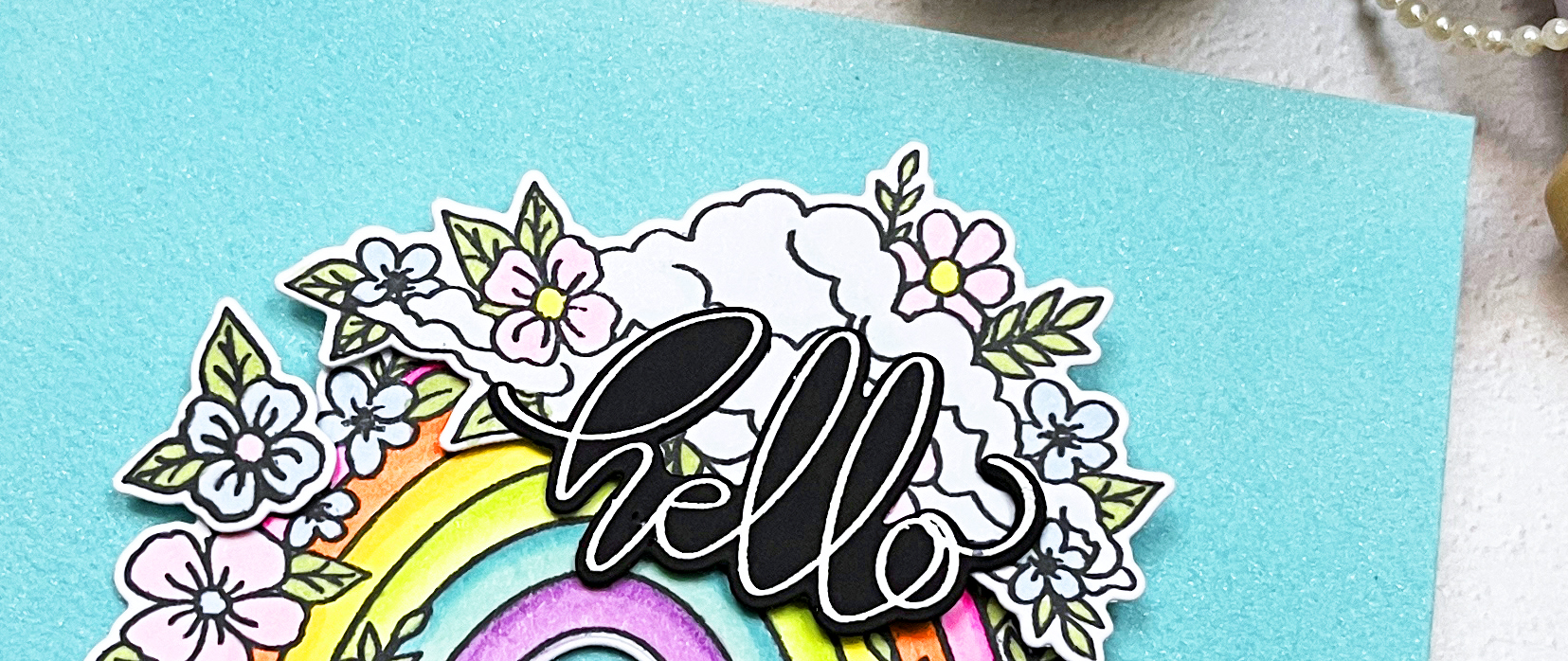
At the heart of this design is a vibrant rainbow that I stamped and brought to life with Copic markers. The colors are rich yet soft, evoking a dreamy vibe that’s both uplifting and playful. After coloring, I used coordinating dies to cut out the floral arc, ensuring clean lines and perfect dimension. It’s not just a rainbow; it’s a celebration of color and joy!

Copic Colors Used: RV02, RV04, RV10, YR02, YR07, Y06, Y08, YG01, YG03, G43, BG11, BG45, B0000, B41, V01, V15

How To Make Your Own Custom Glitter Cardstock

Creative Process Photo: "An in-progress shot of painting blue and green shimmer sprays onto watercolor paper to create a custom glitter cardstock background."

Creating your own glitter cardstock is easier than you think and adds a personalized touch to your projects. Here is how I created my background:

  • I taped a panel of watercolor paper to a hard board and brushed water over the surface with a flat brush. I didn’t saturate the paper, but I did add a light coating of water.
  • Next, I mixed Blue + Shimmer Tone on Tone Metallic Spray with just a hint of Green + Shimmer Tone on Tone Metallic Spray in a paint palette and then painted the mixture on the wet watercolor paper with a damp flat brush. These sprays are very pigmented, so start with a little and add additional spray if you want more intense color, or more water if you want a more muted shade. I applied two layers but I didn’t bother to let it dry in between.
  • I let my shimmer panels dry overnight, but you could speed up the drying with your heat tool.

Experiment with different color combinations to make your custom glitter cardstock truly one-of-a-kind!

A shimmering custom-made glitter cardstock background in blue  green hues, adding sparkle and dimension to the card design.

To finish my focal point, I heat embossed the beautiful scripty “hello” sentiment that is included in the bundle.

Glitter can be tricky to capture on camera, but I hope you can see shimmer and sparkle in this close-up photo.

Close up shot of DIY handmade glitter cardstock to use in cardmaking, papercrafting and scrapbooking.

Who wouldn’t love a little rainbow magic in their mailbox? Let’s keep spreading those handmade vibes, one card at a time! 🌈✨